User Settings
This page allows you to edit your personal information and change the default language in monitoring.
What Do You See on the Screen?
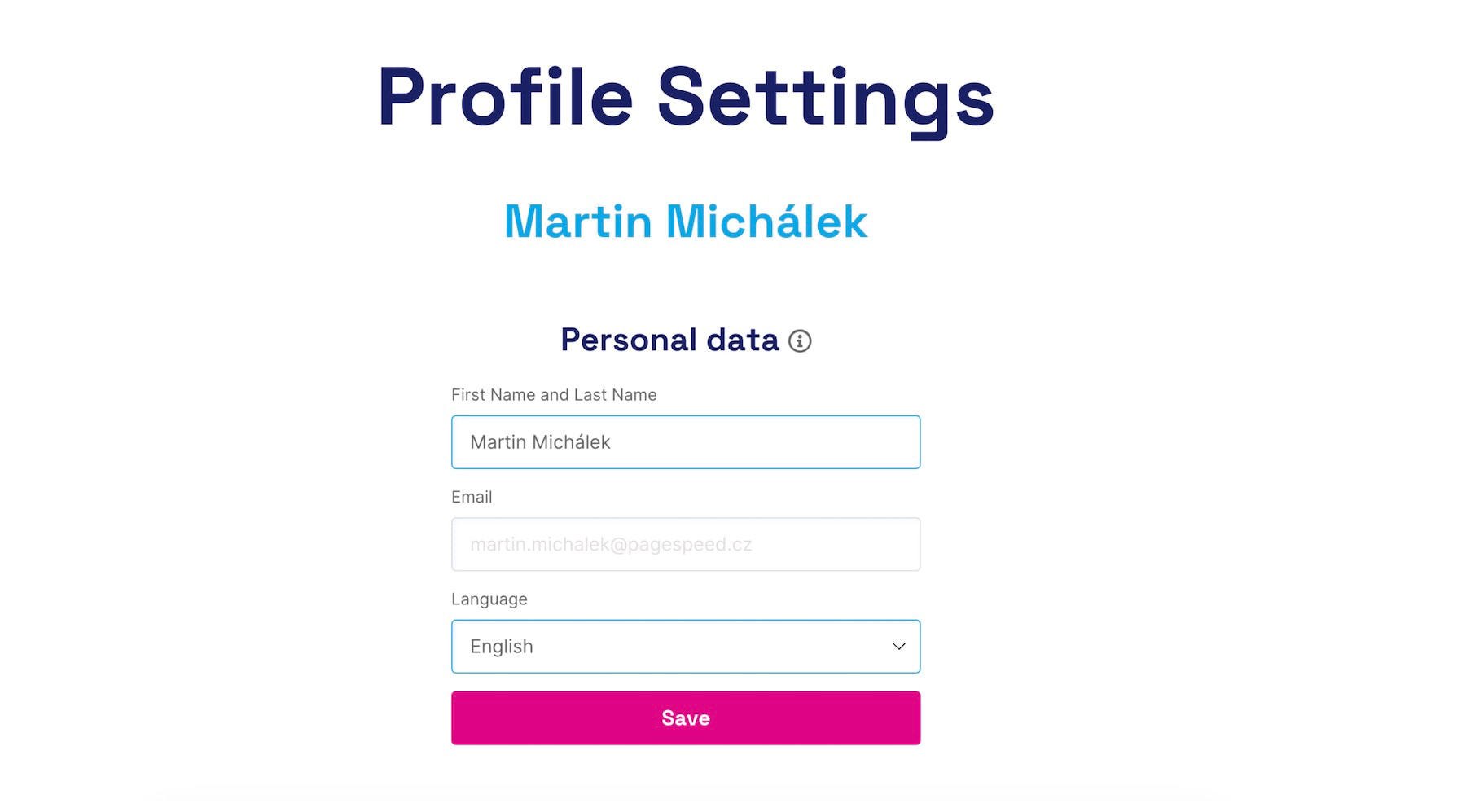 Set your name, email, language, and more
- User's First and Last Name – You can change your first and last name.
- Email – The field is locked, but you can change it in the form below.
- Language Selection – A dropdown menu where you can choose your preferred interface language (Czech/English).
- Change Email or Password – A button will send an automated email to the address in the field above, with a link to change these settings.
How to Set the Language?
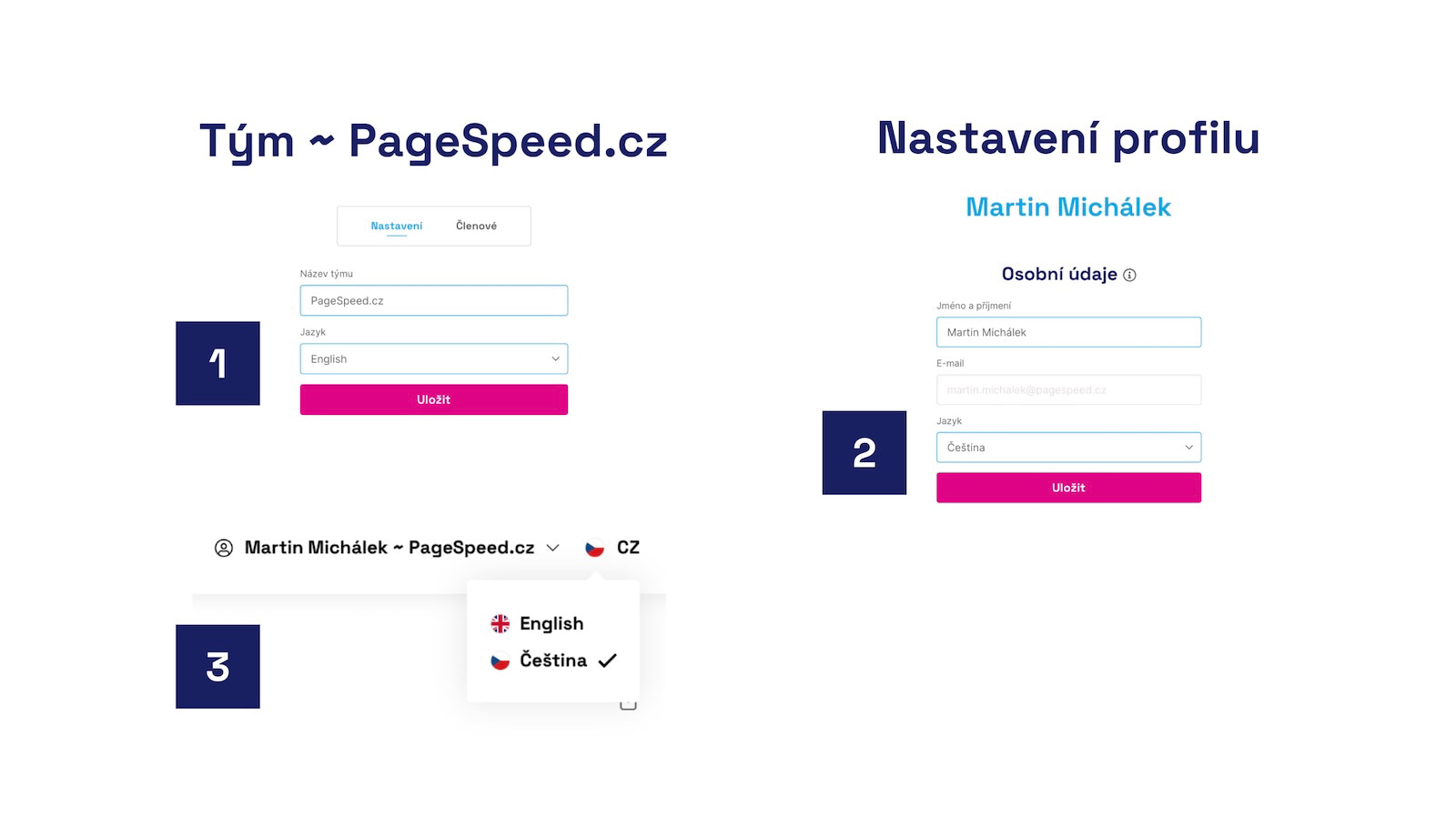 Three places where you can change the interface language.
If your company has international colleagues, you can choose the language in the team settings (marked as 1 in the image). Another option is to switch to English in your user profile settings (2) or directly in the app's interface, on the top bar (3).
Changing the language at the team level means that monitoring will also communicate in English or the chosen language outside the app, such as in Watchdog notifications or monthly email reports.
