Performance Budgets (Web Speed Limits)
Performance budgets are a methodology designed to maintain the speed of web pages at a predetermined level. Think of a budget as a set limit for various metrics.
Tools that monitor web speed limits will alert us to potential problems if these limits are exceeded. This assists teams in maintaining the set speed level even as new content is added or features are changed.
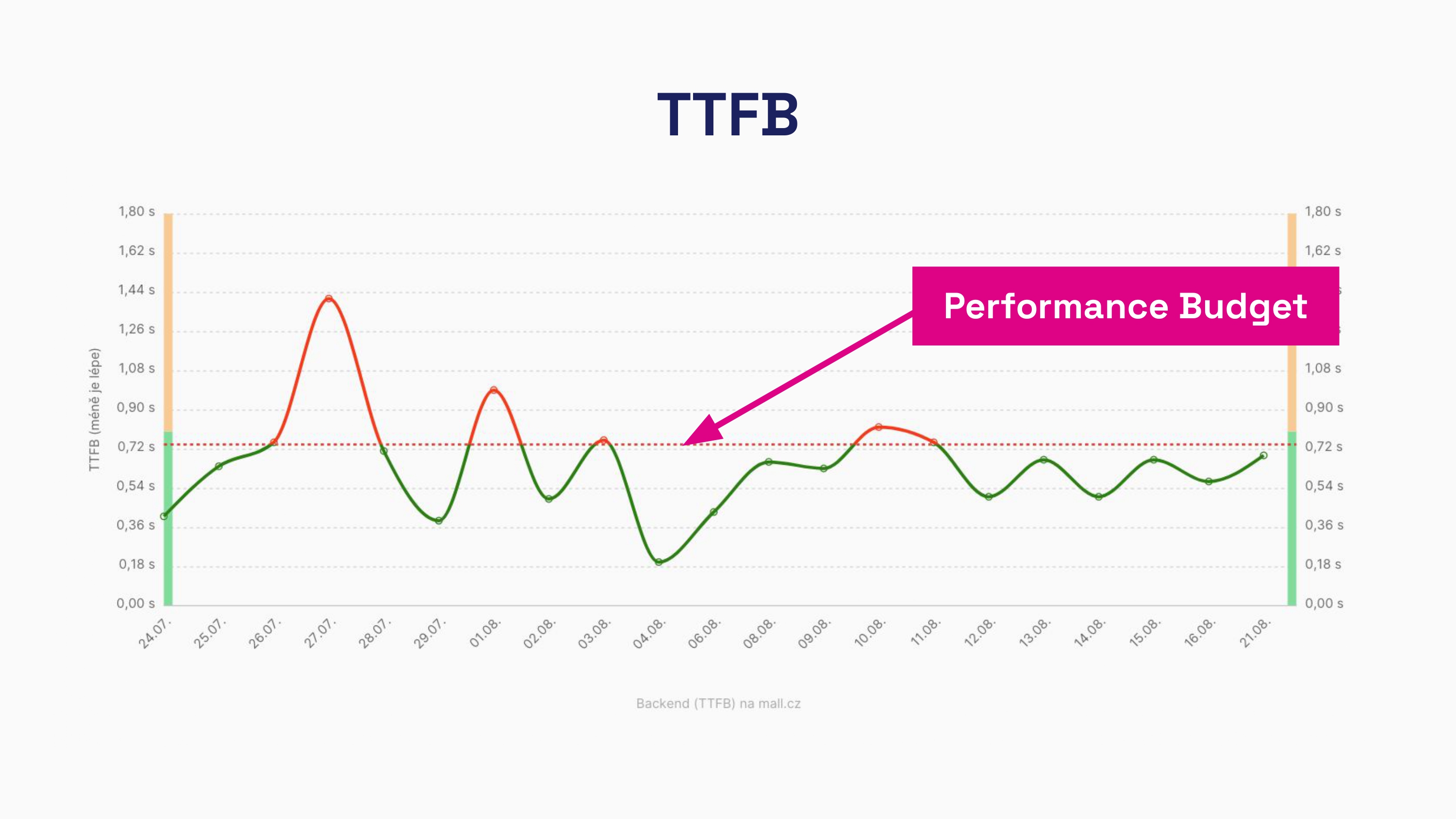 Performance budget for the TTFB (server response time) metric.
How Do Speed Limits Help Optimize Performance?
Performance budgets are a set of rules ensuring that pages remain fast and user-friendly. They work well with various measurements — both synthetic and RUM.
It's wise to monitor speed limits for all key metrics. We specifically recommend tracking metrics from the Core Web Vitals set and additional supporting metrics. The list of metrics to monitor should look like this:
- Time to First Byte (TTFB)
- First Contentful Paint (FCP)
- Largest Contentful Paint (LCP)
- Cumulative Layout Shift (CLS)
- Interactive to Next Paint (INP)
- Total Blocking Time (TBT)
However, keep in mind that there are significant differences between synthetic and RUM measurements.
Synthetic measurements are limited to assessing metrics during page load, which means that results for metrics like INP or CLS may be unavailable or inaccurate. Therefore, synthetic CLS results should be considered partial compared to user data (CrUX), and instead of tracking the INP metric in synthetic data, focus on TBT.
Why Do We Recommend Everyone Track Performance Budgets?
Page load speed directly affects user experience and, consequently, business performance. A slow website can reduce conversion rates and increase bounce rates.
Performance budgets help achieve this goal:
- Maintain Consistent Metric Levels.
Setting limits prevents issues when deploying new features or content. - Automate Monitoring.
With automatic alerts for issues, you don't need to manually monitor constantly. - Test Long-term in a Stable Environment.
By maintaining a consistent testing environment, you can compare current status and trends with historical data.
How to Properly Set Performance Budgets?
If you're using tools for website speed monitoring, these tips will come in handy for setting your limits.
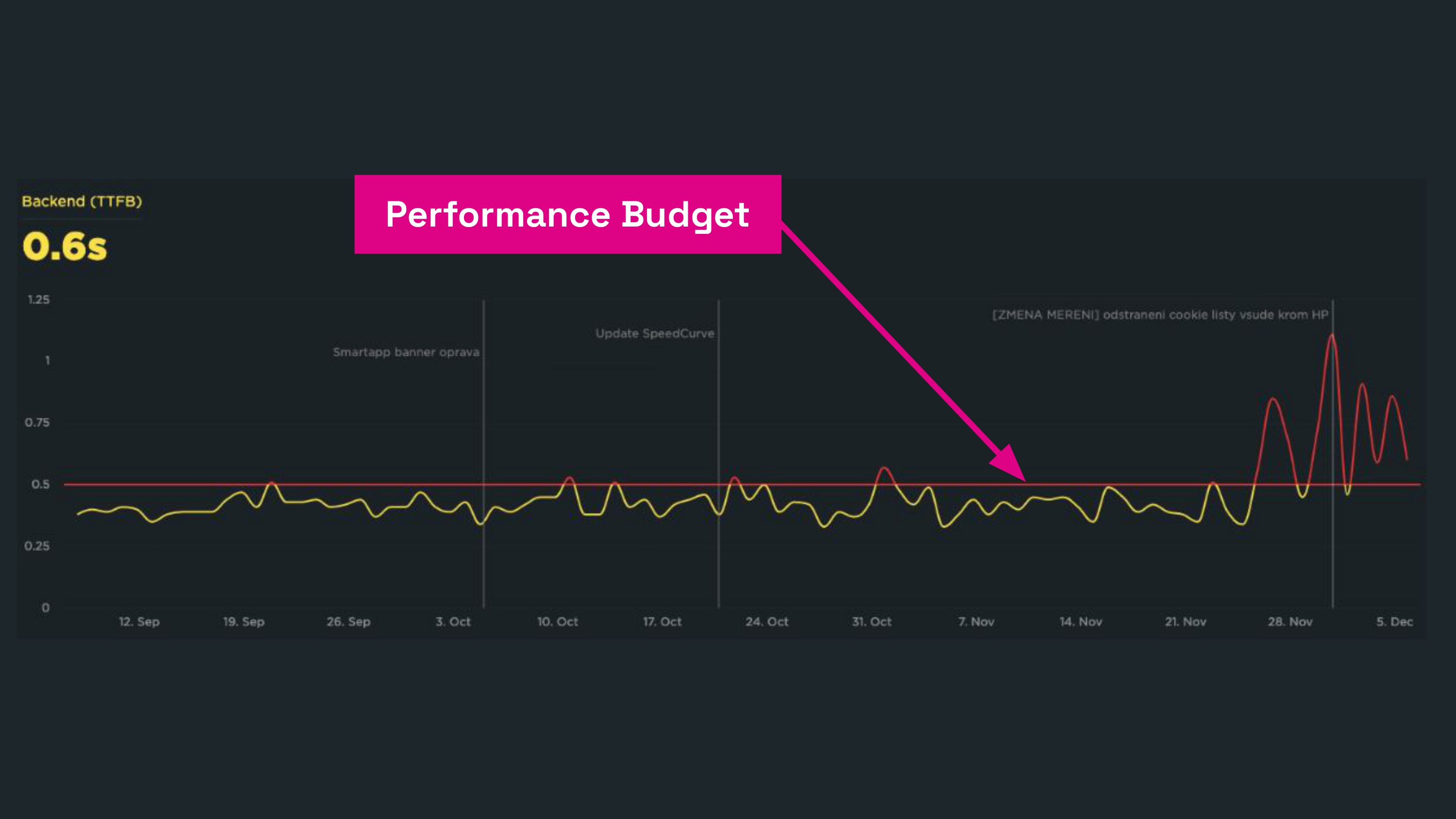 Example of Performance budgets in the SpeedCurve tool.
If you are setting web speed limits manually, we recommend the following basic procedure:
- Analyze and Set Limits.
Review data from the past 2 to 4 weeks and identify the worst cases. Set the budget based on the worst results. This is a crucial point, as there's often a misunderstanding of speed limits—they truly reflect the current state. Don’t set them merely to achieve Core Web Vitals metrics. Those are your long-term goals. - Start with Key Metrics.
Focus on a few key metrics like TTFB or LCP, and gradually add more metrics as needed. - Regularly Review and Update.
Websites are constantly evolving, so it's wise to regularly update limits based on current user data.
For a deeper understanding of the general topic of setting speed limits, we recommend articles on MDN, the SpeedCurve blog, or by Harry Roberts.
Monitoring PLUS Takes a Different Approach to Web Speed Limits
In our Monitoring PLUS, we automatically set current metric levels as part of performance budgets, unlike the traditional approach.
Speed limits are found within the Watchdog report. The Watchdog monitors the speed of your website's measured pages daily. If any key metric changes, the Speed Watchdog will notify you.
Unlike other tools, the Watchdog operates without requiring active attention or spamming. This allows you to focus on what's crucial for your projects.
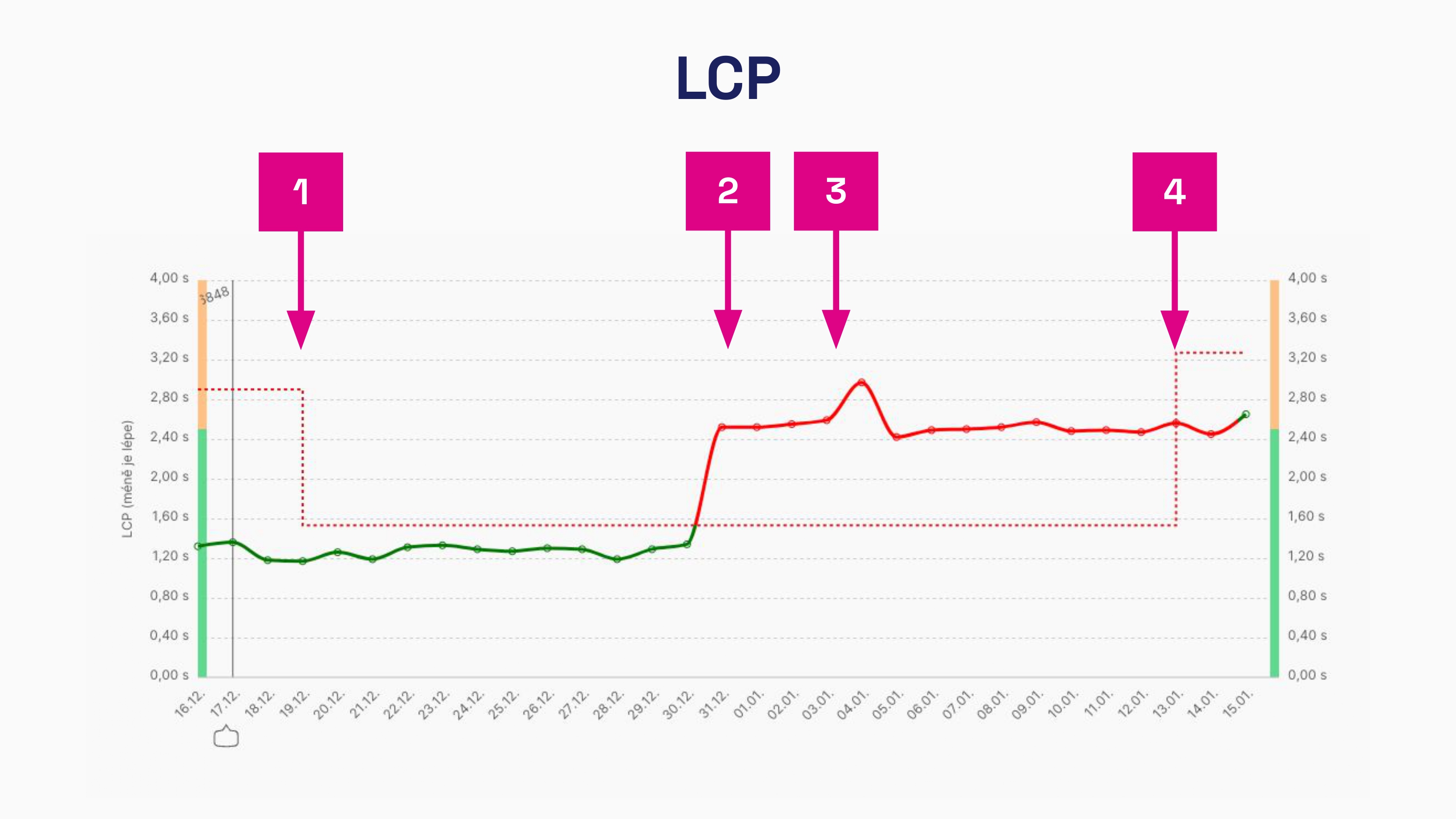 How Speed Watchdog works in Monitoring PLUS.
Here's what you see in the image:
- The LCP metric improved, triggering an automatic recalculation to lower values.
- A sudden deterioration in the metric occurs.
- If it's not a temporary change, the Watchdog will send a notification.
- After two weeks without a fix, the Watchdog remembers the new level for monitoring the LCP metric.
In conclusion, web speed tends to deteriorate. The Performance Budgets methodology serves to maintain the current level and track changes. The most vital feature of monitoring is the ability to keep an eye on these limits and alert you to potential issues.