UX Day 2026: Materials from the Talk "Speed: The Invisible Part of Web UX"
 Martin Michálek3/24/20264 minutes reading
Speed isn't just a technical detail. It's a feeling that determines trust, purchase completion, and overall user satisfaction.
At UX Day 2026, I spoke about how performance affects UX and business, how to measure this impact, and where teams often get stuck in practice. Below, you'll find a summary, embedded slides, and the same link checklist I presented live.
Every 100 ms speed improvement can bring you…
- +5.2% page views per session
- +8.4% in conversion rate
- +9.2% in average order value
…according to Deloitte Digital. And we see it in various forms with PageSpeed.ONE clients.
In a nutshell, what did I discuss? Speed must be measurable on your site, for your users, and over time; Search Console offers Google's perspective; data analysis helps with specific businesses; long-term, performance culture and clear roles are crucial. Details and links are in the checklist.
Presentation from the Talk
Checklist from the Talk: Start with Web Speed
1) Your site at your end? → Chrome Extension "Core Web Vitals Live"
I demonstrated an extension where you can see your site's performance directly in the browser in real-time. It measures LCP, INP, and CLS and displays them with visual overlays right on the page.
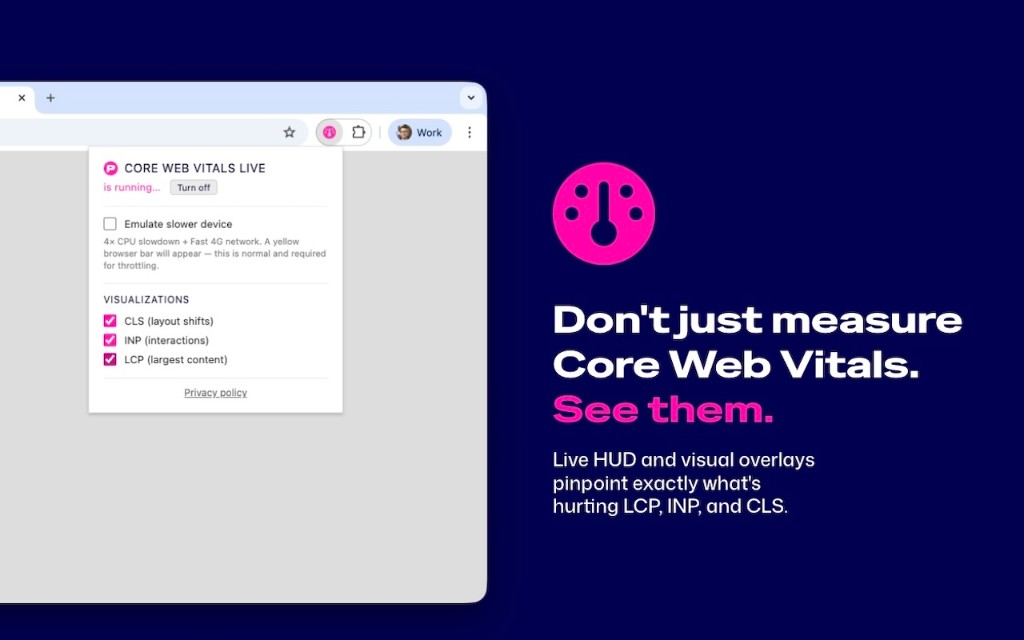
The live indicator and visual overlays show precisely what harms LCP, INP, and CLS.
2) Your site for users? Test it
The first step is to get a real picture of how the site performs for people under normal conditions. A one-off lab test isn't enough. You need data from various devices, ideally from the Chrome UX Report and context for the metrics.
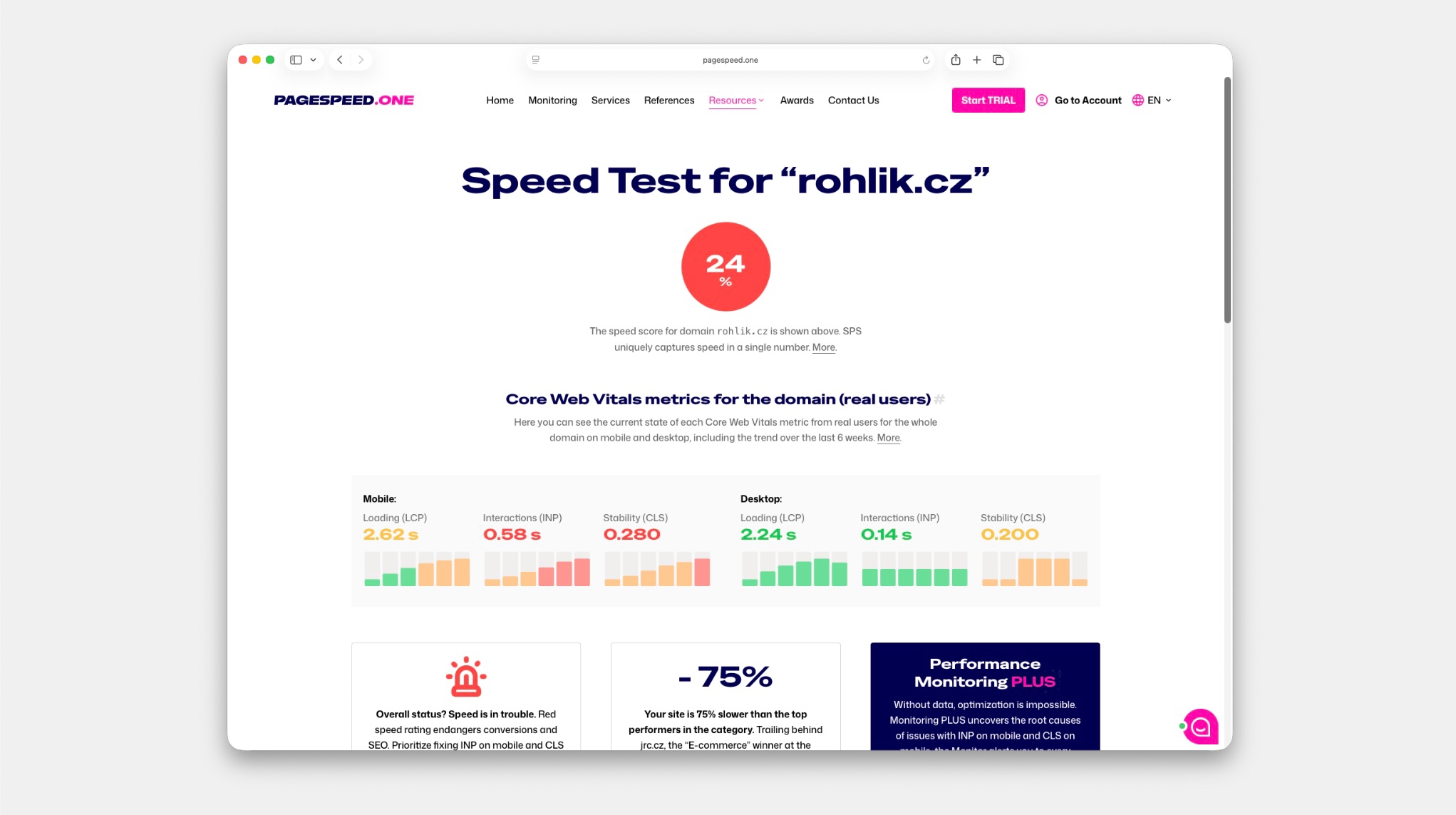
Real operational data (CrUX) and Core Web Vitals in context – not just a one-time lab test.
3) Your site over time? Enable monitoring
The quality of a site changes weekly due to release cycles, campaigns, and third-party interventions. Therefore, it's important not only to monitor the current state but also trends over time. Monitoring helps detect regression the moment it occurs and provides the team with data for prioritization.
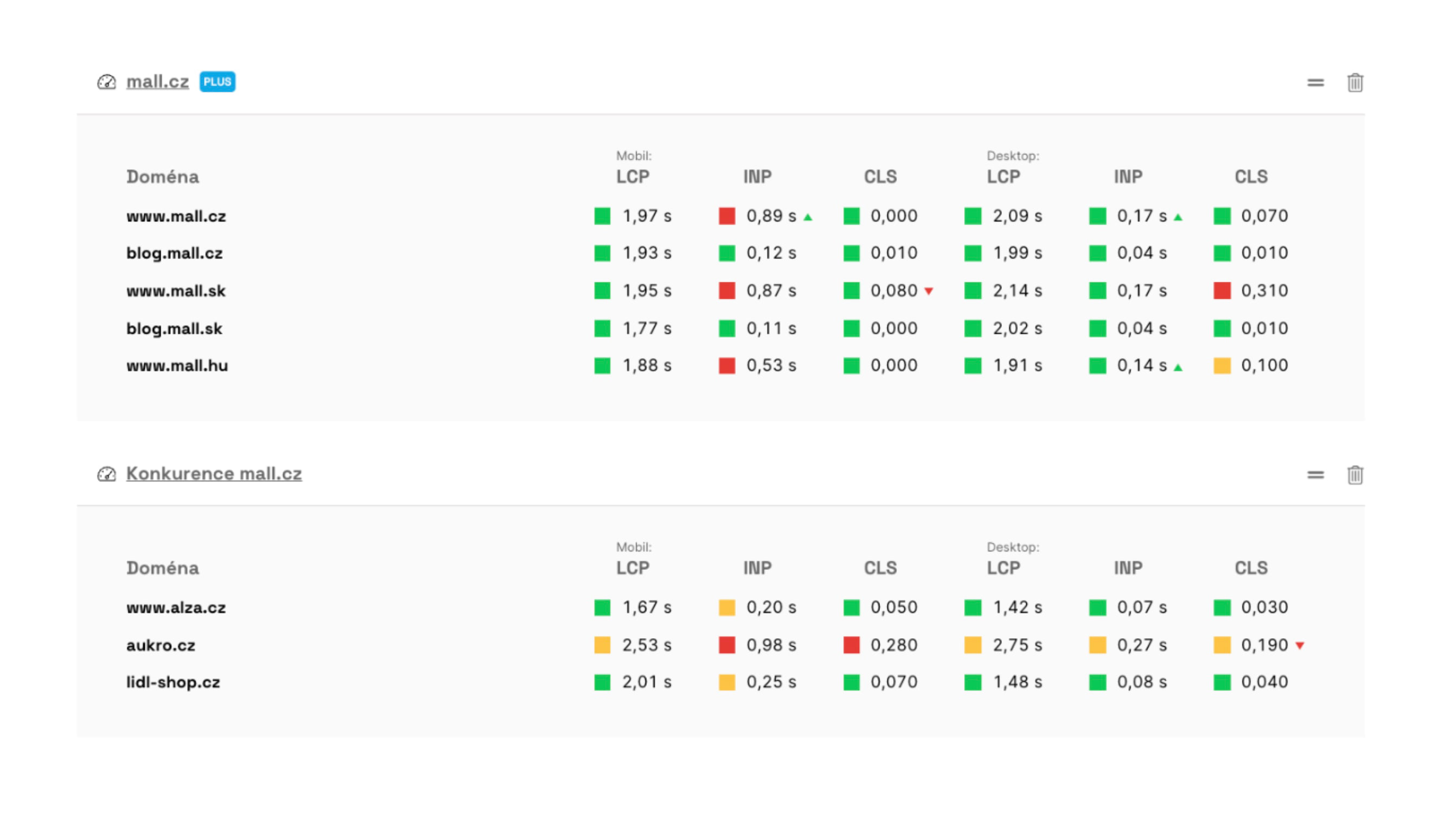
Monitoring helps you track metric trends over time and quickly detect deterioration after releases.
4) Your site in Google's view? Search Console
Speed is also crucial for search visibility. Search Console shows how Google assesses user experience quality, where Core Web Vitals issues lie, and which types of pages need addressing first.
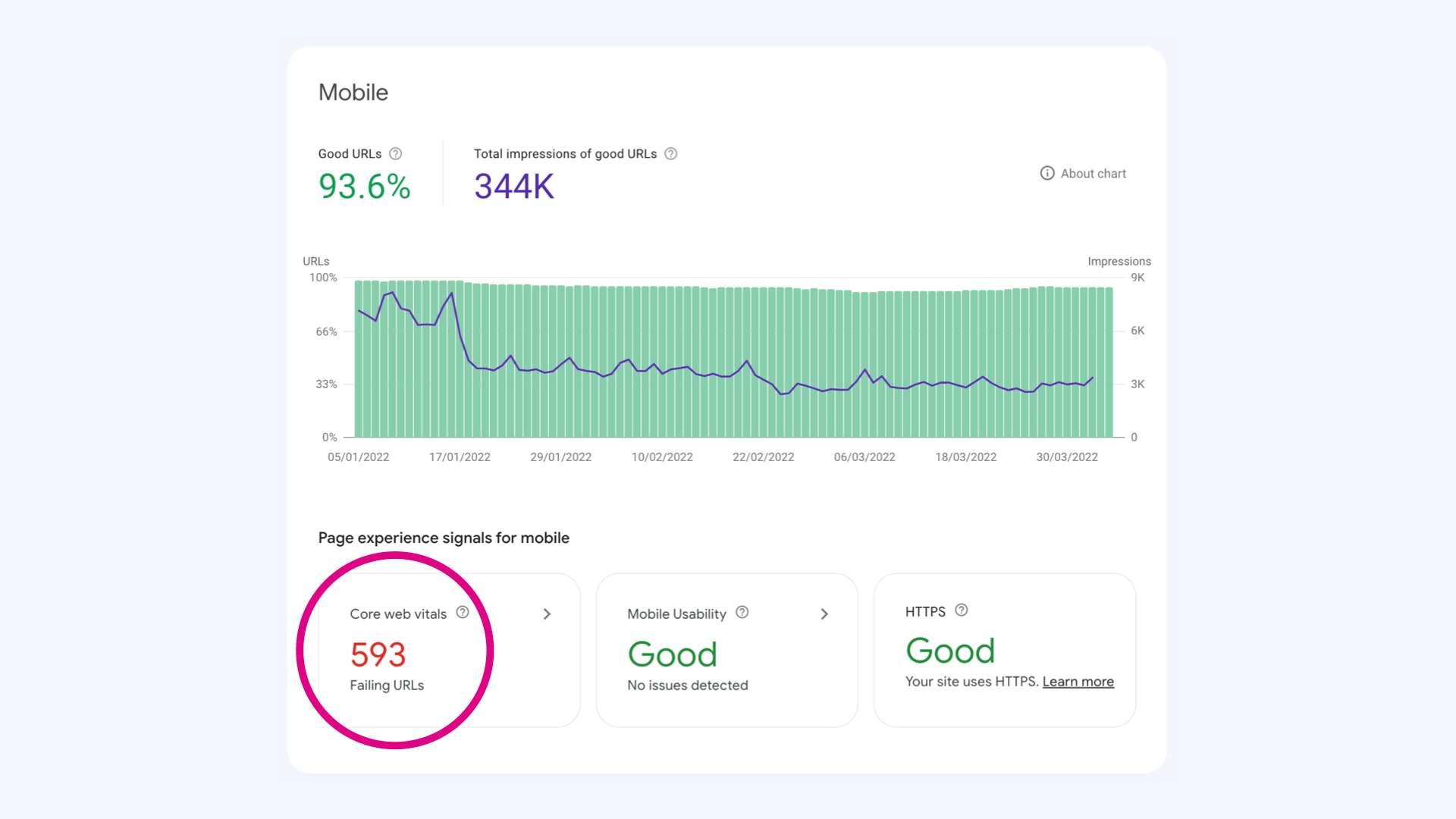
Search Console quickly shows where you have problematic URLs or page groups from Google's perspective.
5) Understand the impact of speed on your site
For most teams, the crucial question is how speed specifically affects conversions and revenue on their site. We conduct business analysis based on data, matching speed metrics with business outcomes to find areas with the greatest impact.
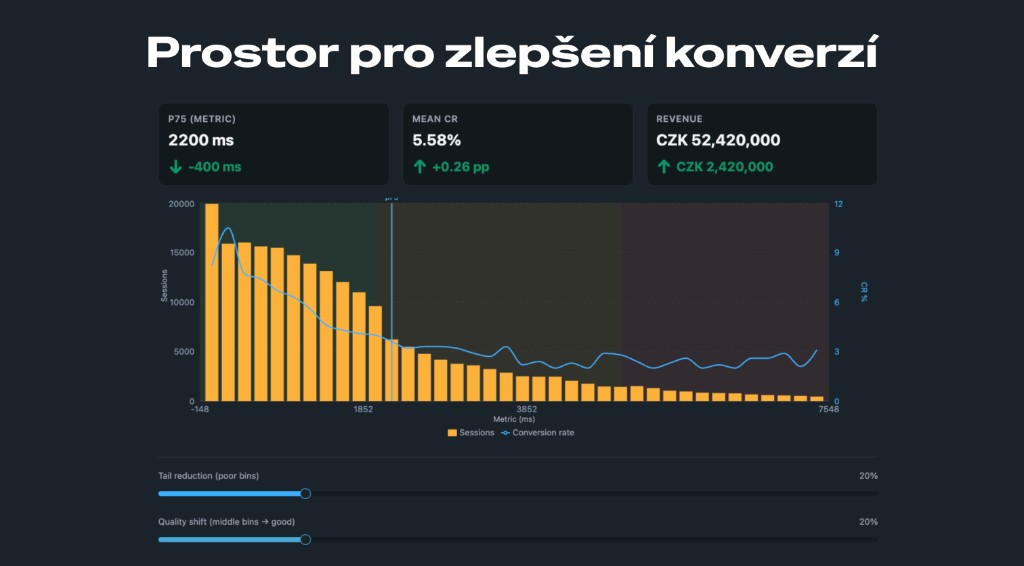
Example output from a business analysis of speed impact on conversions. The graph combines visit distribution by speed and conversion rate, showing where there's room for the greatest revenue growth.
6) Speed as a Topic: Roles, Education, Prioritization
Speed works long-term only when it has a clear owner within the team, a common language between product, marketing, and development, and continuous work on priorities. One-off speed improvements aren't enough. The goal is to create a process that monitors performance with every website change.
Bonus: How to Speed Up Your Site, Checklist
Thanks to TUESDAY Business Network and everyone who prepared UX Day – it was a pleasant meeting, and I hope someone takes a concrete step towards a faster web from it.
If you don't want to miss future events, tool updates, or articles, sign up for the newsletter. And if you want to measure or monitor web speed in practice, start at PageSpeed.ONE.
Stay informed about your website's speed.
Subscribe to our newsletter. Each month, we share the latest in website speed for site owners, marketers, and developers.