Web Speed: 12 Developments of 2022
 Radek Šír12/30/20225 minutes reading
In this article, we explore some of the features, techniques, and tools that caught our attention the most in 2022.
1) WebP and AVIF Images in Almost All Browsers
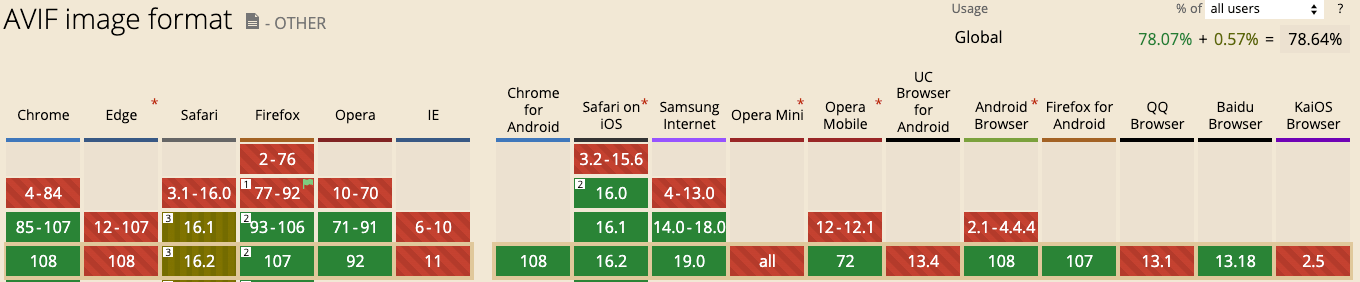
Support for new formats has once again improved. Modern image formats like WebP and AVIF can significantly accelerate web pages by encoding the same information into smaller files.
While WebP has been widely supported for over two years, AVIF support only appeared in Safari this September with the release of iOS 16 and macOS Ventura. Keep in mind, not all Safari users have upgraded yet, and Edge still does not support AVIF. However, you can use WebP with rather little hesitation.
2) Change in CLS Metric Calculation
As the PageSpeed.ONE consultancy team has found, properly understanding metric calculations is a fundamental prerequisite for successful optimization.
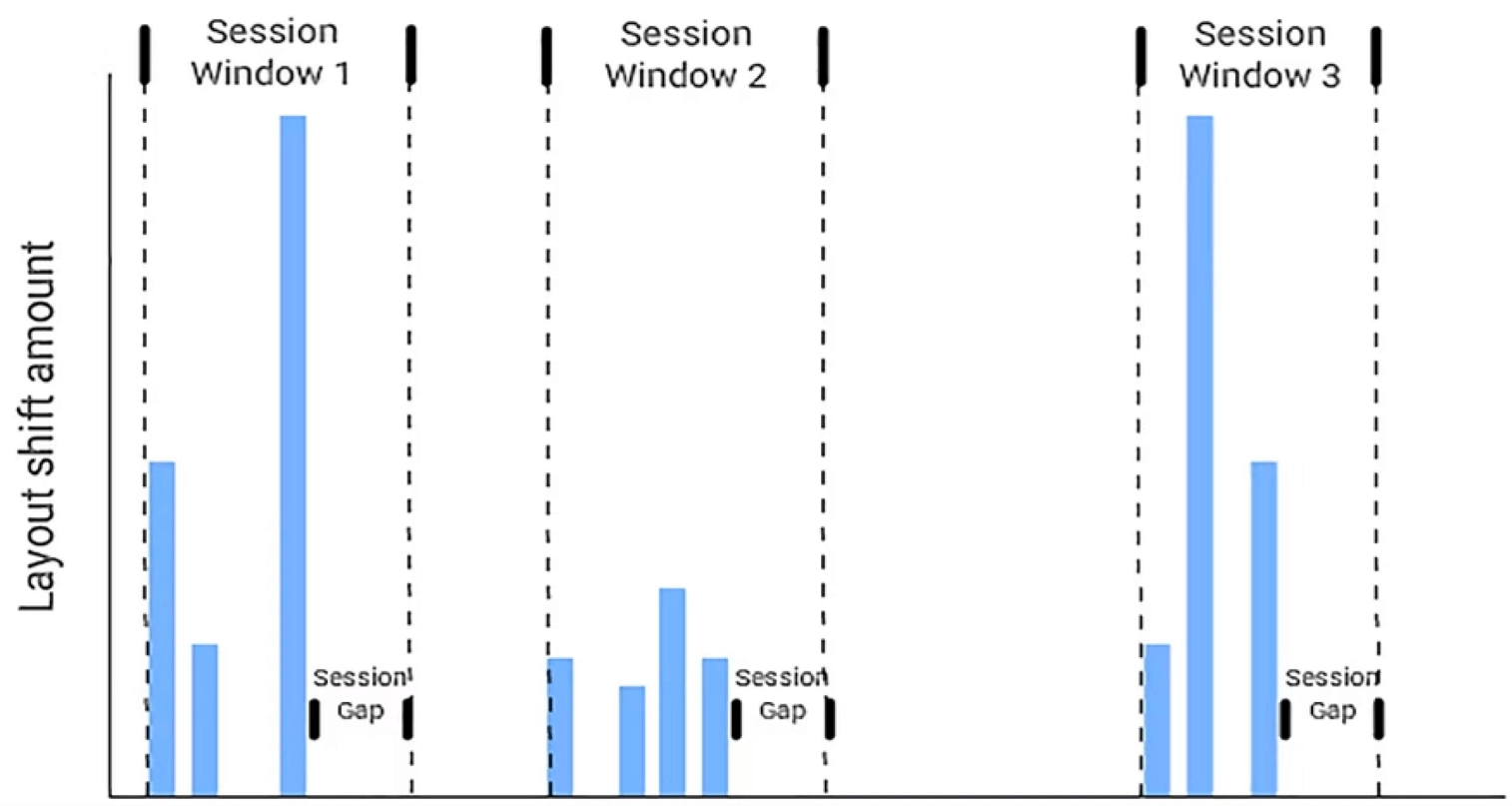
The methodology for measuring the Cumulative Layout Shift metric has changed several times, most recently quite significantly. If you want to understand concepts like Session Window and Session Gap and see how it all works together, read our article on CLS.
3) Early Hints: Load Resources Even Before Preloading
An interesting novelty called Early Hints arrived in Chrome in 2022. It is an HTTP status code (103 Early Hints) that allows sending the server a "hint" about critical subresources.
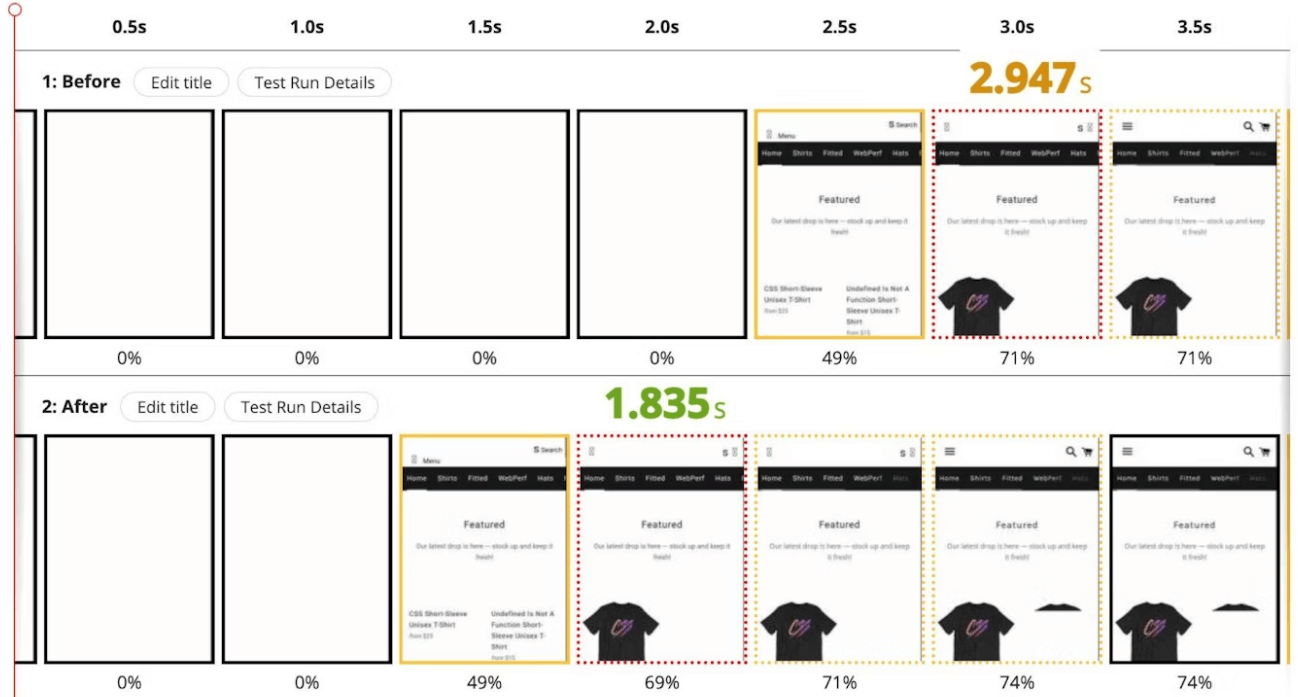
While the server generates the main resource, critical files (CSS, JS files) are already being downloaded to the browser thanks to Early Hints, which can improve web speed.
4) Priority Hints in Chrome and Edge from Version 101
Chrome and Edge from version 101 bring a novelty that goes much further in working with priorities. Priority Hints work with the fetchpriority attribute, which can be added to an HTML element to increase or decrease its download priority. You can learn more at web.dev.

5) Step-by-Step Web Speed Measurement (and Our Tester 3.0)
Martin Michálek has prepared an up-to-date guide for measuring web speed for you. Are you measuring correctly? And are you measuring the domain, specific URLs, and also groups of pages according to Google's requirements? The text is mainly intended for non-technical people and shows how to simplify measurement with the help of the third version of our tester.
6) The Arrival of a New Metric: Interaction to Next Paint (INP)
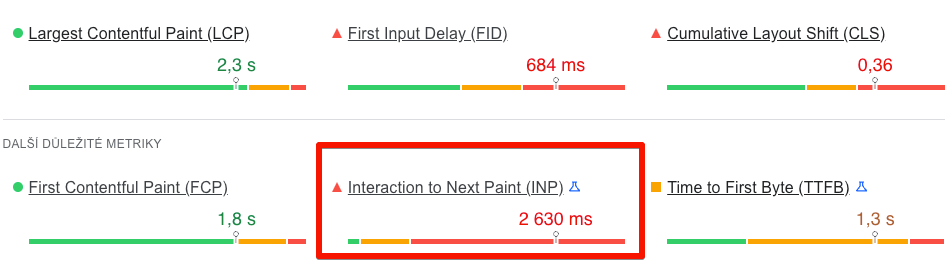
Interaction to Next Paint is currently an experimental metric that measures the responsiveness of a website after user interaction. Google claims it should eventually replace First Input Delay (FID) in Core Web Vitals, as 95% of websites currently meet FID. FID also only measures the first interaction and one part of the interaction cycle. INP will measure all interactions during page browsing, and its threshold is currently set at 200 ms. More can be found in our article on the INP metric. We also add a few tips on how to optimize INP.
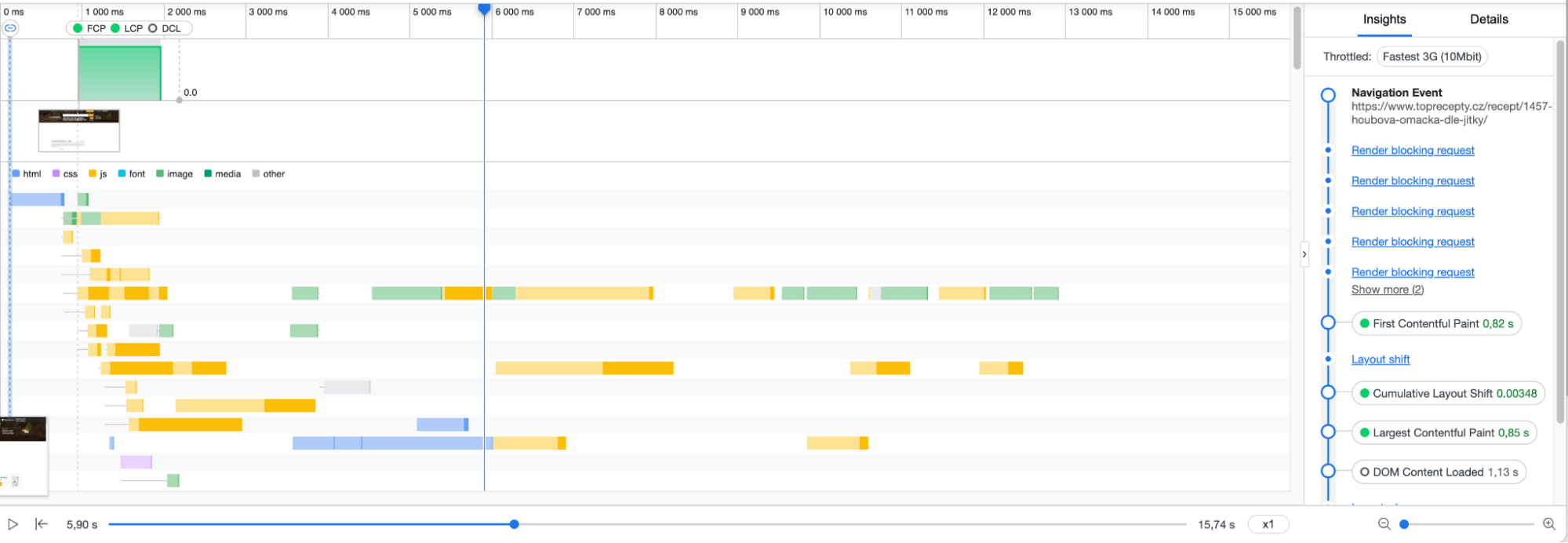
7) Performance Insights: A Simpler and Clearer View of Speed
If you want to optimize speed, but the Performance tab in Chrome DevTools seems complicated, try Performance Insights. It displays only the most relevant information, particularly concerning Web Vitals. A detailed guide on how to use the tool is written on the Chrome Developers site.
8) CSS size-adjust: Harmonizing System and Web Fonts
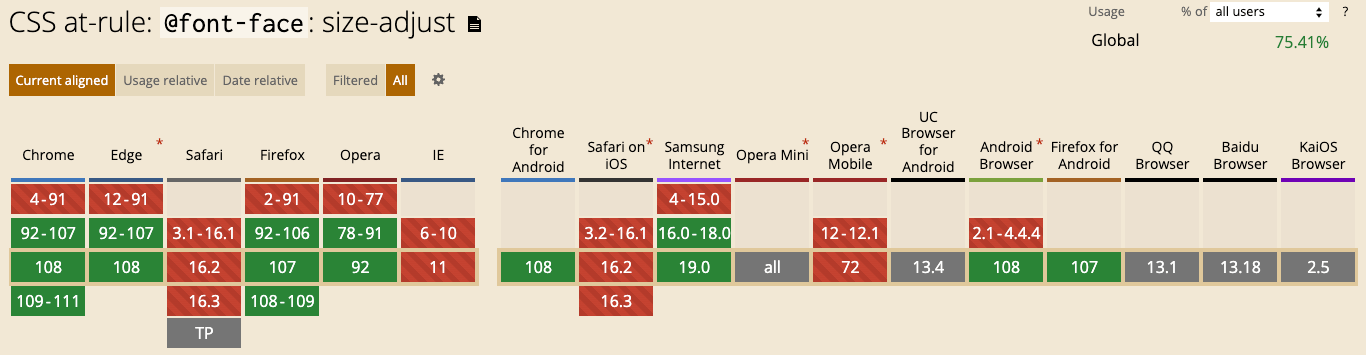
We have begun to make extensive use of the CSS size-adjust rule, which already has high browser support. The difference between the web font from your site's design and the system font can cause unwanted layout shifts (CLS). For these situations, there's a new CSS property size-adjust and ascent-override and this tool, which makes implementation easier.
9) CLS: Ensuring Image Aspect Ratios to Avoid Unwanted Layout Shifts
In his article, Jake Archibald describes two techniques to achieve a stable layout containing images. One is the CSS property aspect-ratio, and the other is the good old width and height attributes in HTML. The author also adds plenty of interesting details. Did you know, for example, about the aspect-ratio: auto 16/9 syntax? It ensures that an element is set to a 16
ratio, but if the image has a different ratio, it is applied upon loading.
10) Full Native Lazyload Support Now in Safari
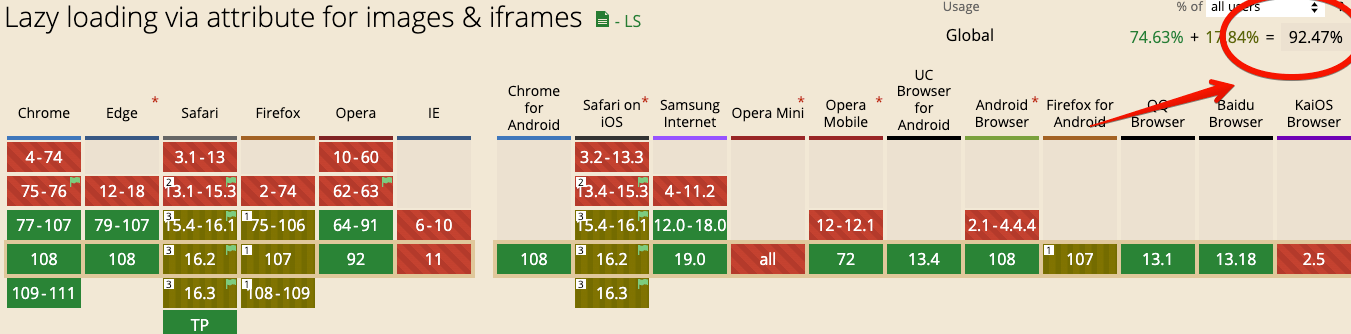
Since Safari version 15.4, which was released this March, the loading="lazy" attribute is supported by all browsers for images. For lazy loading support in <iframe>, the function still needs to be enabled in some browsers. Native lazy loading ensures that images load only when they are about to appear in the viewport, saving network resources and prioritizing more important page content.
11) Back/Forward Cache in Chrome
Bfcache is a browser memory cache that stores a complete snapshot of a page (including lots of JavaScript) while the user navigates away. If the entire page is in memory, the browser can quickly and easily restore it when the user decides to return.
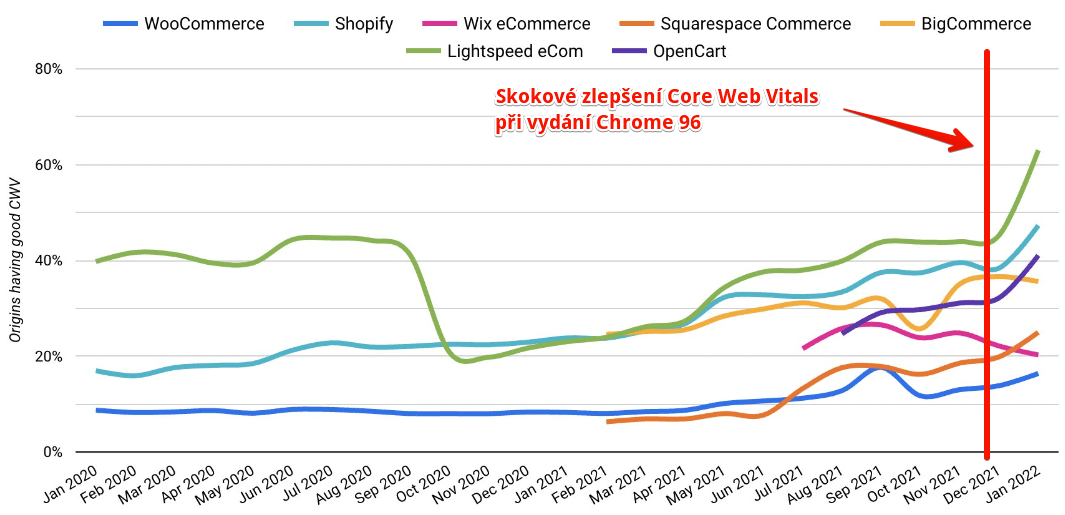
Since Chrome version 96, Bfcache is usable for all Chrome users, both on desktops and mobile devices. This can have intriguing effects on real user speed, thus also affecting data from the Chrome UX Report.
12) Prefetching Entire Pages in Chrome
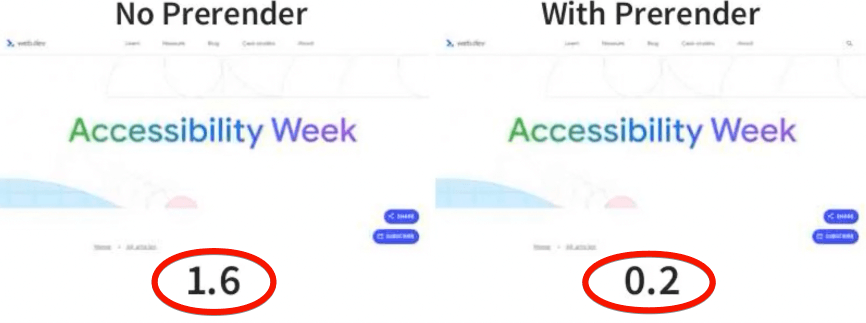
Sometimes it's highly likely that a user will soon navigate to a new page, and since the release of Chrome version 108, the browser starts loading the page even before transitioning to it.
When the transition to this page occurs, the page that was loaded in the background is "prefetched", or instantly rendered.
This concludes our summary of 2022. What do we expect in 2023? Certainly, there will be improvements in support for the already introduced features across all browsers.
Moreover, we look forward to how and when exactly Google will utilize the INP metric. We will indeed keep an eye on developments around Web Performance and bring you fresh information on them. Follow us on Twitter, LinkedIn or Facebook.
Stay informed about your website's speed.
Subscribe to our newsletter. Each month, we share the latest in website speed for site owners, marketers, and developers.
Tags:Web PerformanceINP