Measurement History (Log)
 Martin MichálekUpdated 2/25/20262 minutes reading
Our long-term goal is to visualize everything that happens on your website concerning speed. The newly introduced Measurement History serves this purpose.
Measurement History merges previous notes and newly displayed synthetic measurements into a single view. This feature is applicable only to PLUS tests.
Speed Monitoring PLUS
Try our monitoring app free for a month.
220 EUR annually per site. Invoiced, no credit card needed.
What will you newly see in this view?
These updates (manual measurements, more times, faster start) are described in the changelog for release 4.10.
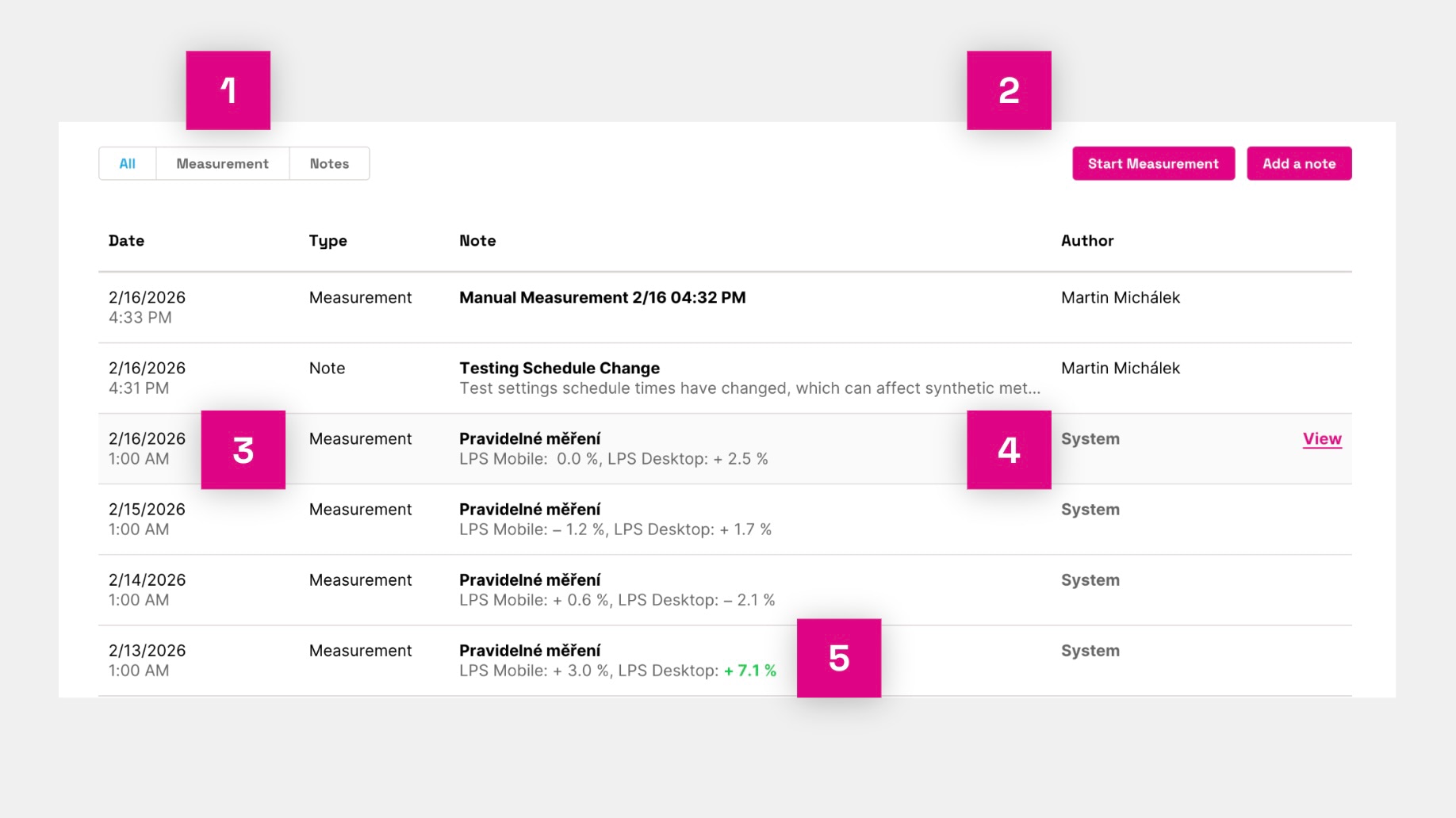 New measurement history table.
- In the table, you will see a list of Measurements (regular or manual synthetic measurements) and Notes (your own or system notes in graphs) with the option to switch between these types of content.
- Above the table on the right, it's possible to start a manual synthetic measurement (currently in beta version) or add a note.
- Each row can be clicked to open a modal window with the details of the measurement or note.
- System items are inserted automatically, whereas those marked with the author's name can be edited.
- For measurements where a significant change in the Lighthouse score is observed compared to the original state, we also add a color indication.
In the measurement details, you can view individual Lighthouse measurement details or Lighthouse Diff, for comparison purposes. More about notes in graphs can be found in a separate guide.
Manual Measurements (beta)
On the Measurement History page, it is now possible to start a manual measurement.
You can start your own measurement at any time outside regular measurements. This is useful for testing changes on development versions or testing after deployment.
Upon completion of the measurement (it may take about 15-20 minutes), we will send you an email.
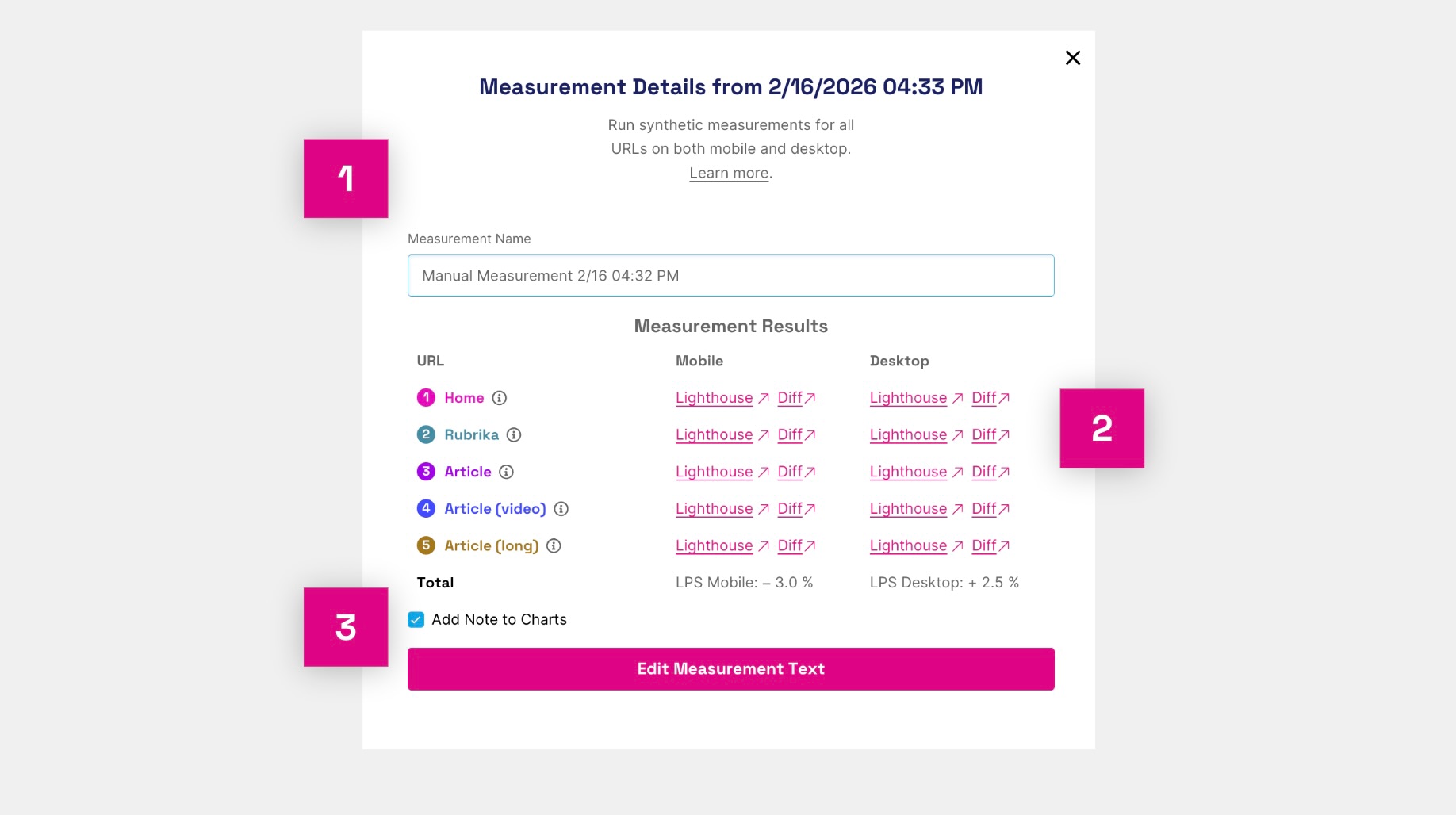 Measurement detail – title, Lighthouse tests, diff, and option to add a note.
What can be seen in the measurement detail? (See the image above)
- The measurement title, which you can choose as you wish.
- Specific Lighthouse tests and Lighthouse Diff.
- Option to add a note to the graph for this measurement.
This feature is in beta. If you are interested, please contact us at info@pagespeed.cz.