User Settings
 Martin MichálekUpdated 7/23/20252 minutes reading
This page allows you to edit personal user information and change the default language for monitoring.
What do you see on the screen?
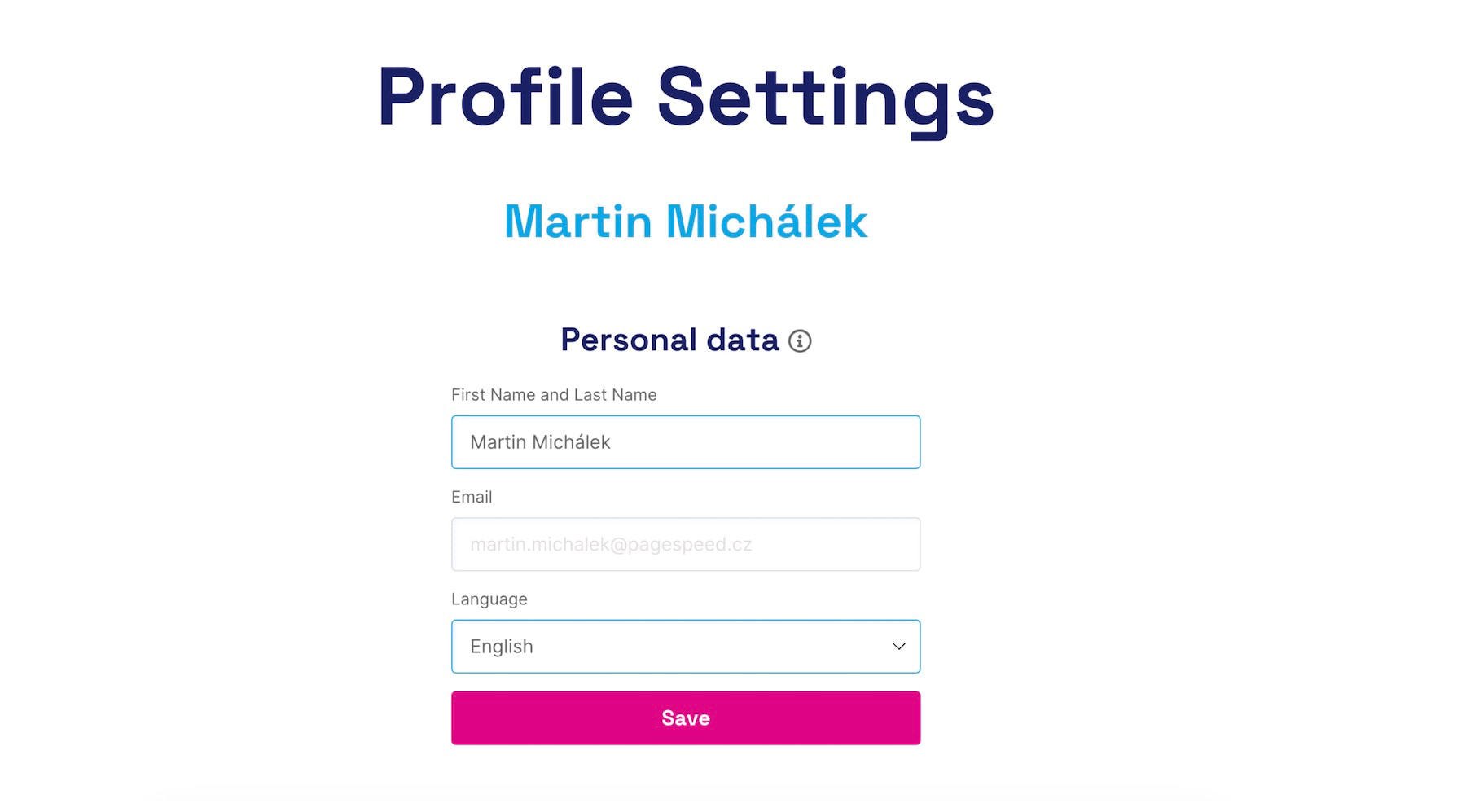 Set your name, email, language, and so on
- User's First and Last Name – You can change your first and last name.
- Email – This field is locked; changes can be made via the form below.
- Language Selection – A dropdown menu where you can choose the preferred interface language (Czech/English).
- Change Email or Password – A button will send an automated email to the address in the field above, with a link to change these settings.
How to set the language?
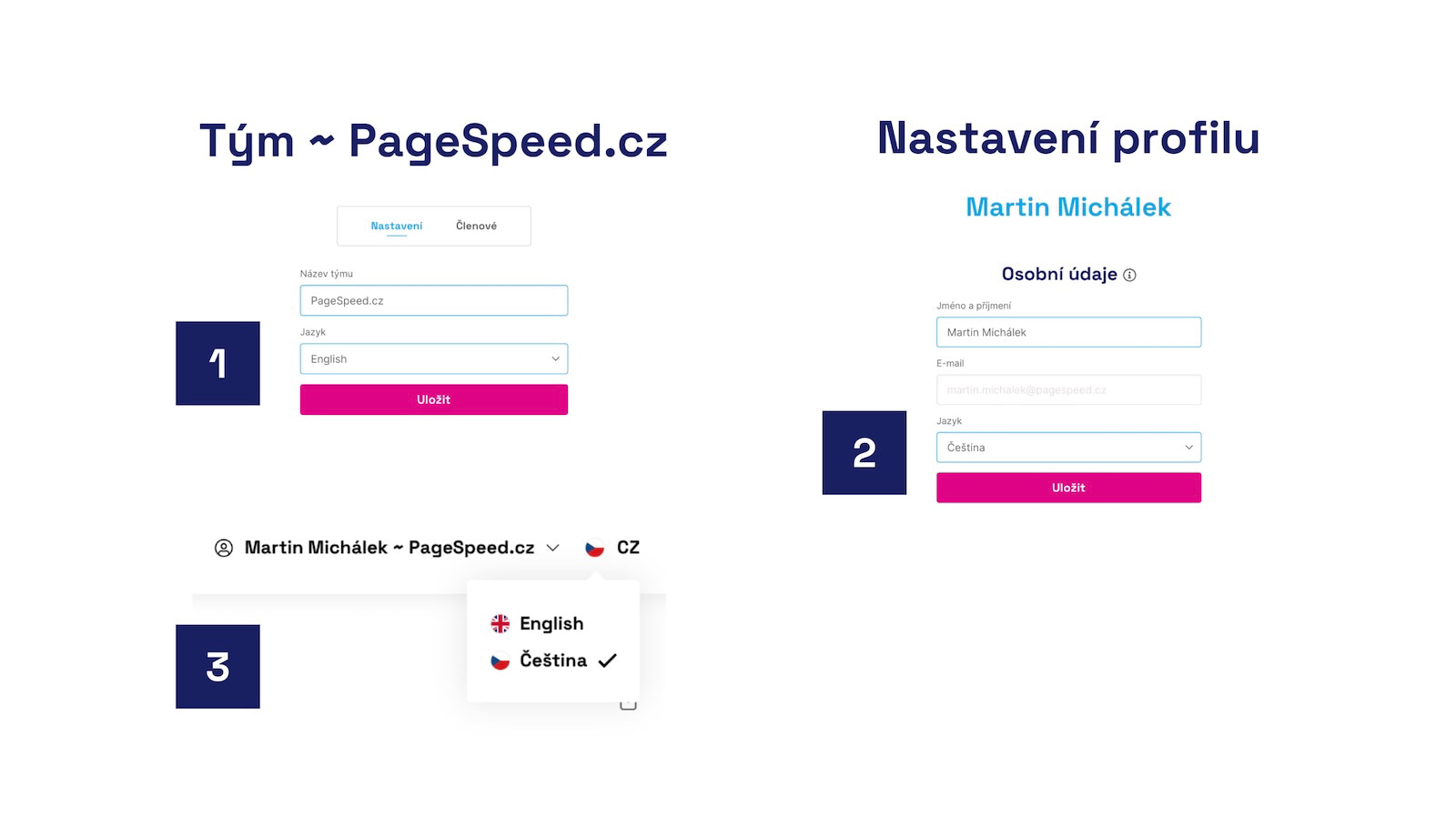 Three places where you can change the interface language.
If you have foreign colleagues in your company, you can choose the language in the team settings (shown as number 1 in the image). Another option is to switch to English in the user profile settings (2), or directly within the app interface, on the top bar (3).
If you change the language at the team level, the monitoring will start communicating in English or any selected language outside the app as well, such as in Watcher notifications or monthly email reports.
Speed Monitoring PLUS
Try our monitoring app free for a month.
5,400 CZK annually per website. Invoice only, no credit card needed.