Team settings in PageSpeed.ONE monitoring
 Martin Michálek10/28/20263 minutes reading
In the team profile you manage everything that applies to the whole team at once: basic settings, members, billing, subscription, and API keys. Open the team and switch tabs in the top menu.
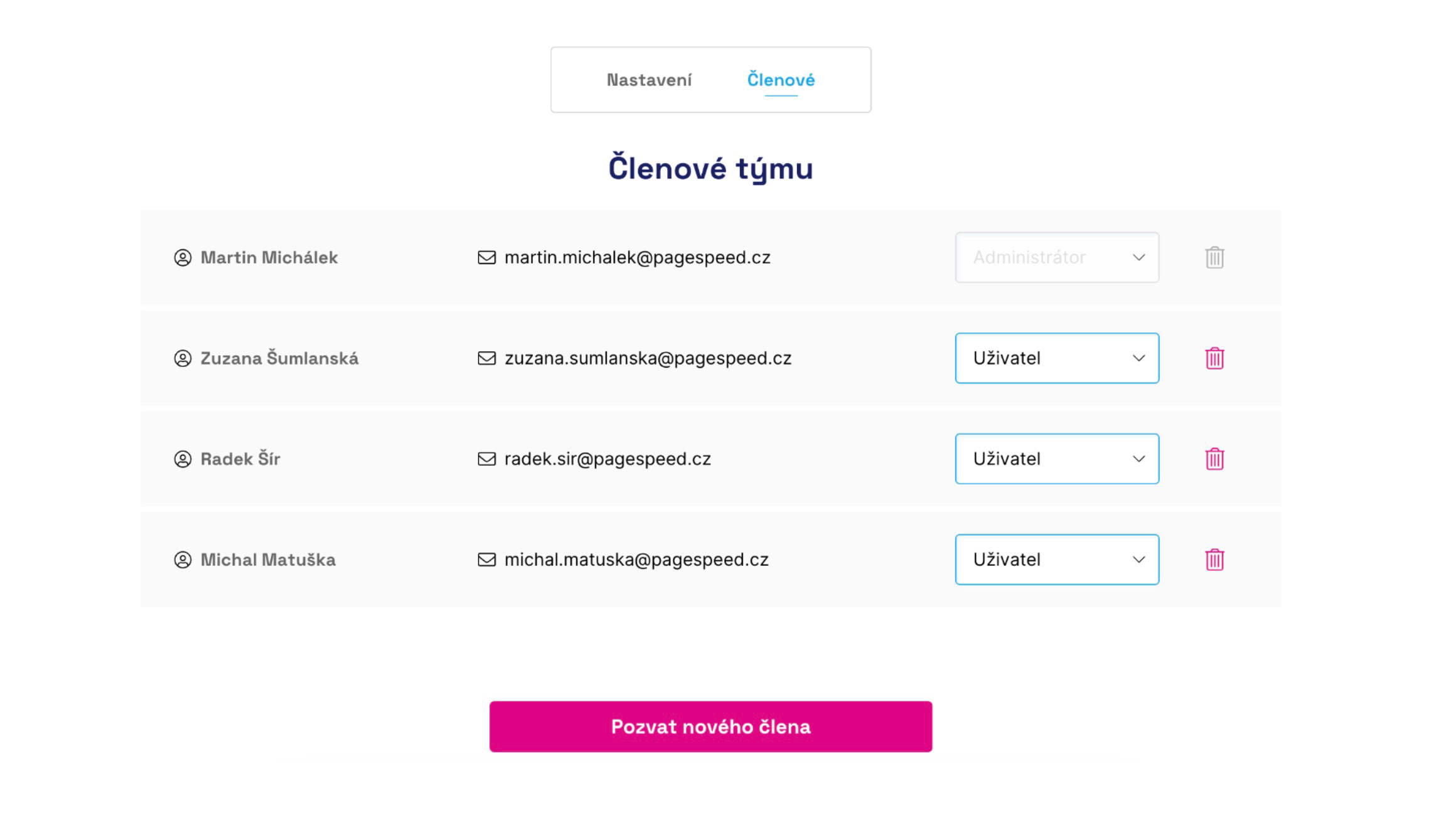 You can assign different permissions to team members.
Settings
In the Settings tab (/app/team/settings) you can edit:
- Team name – how the team appears in the dashboard and overviews.
- Language – affects email reports, Watchdog alerts (for example Slack or Teams), and Lighthouse reports. Each user can still switch the UI language in user settings or in the top bar.
- Watchdog sensitivity – the default alert intensity for new and existing tests in the team. You can override it in a specific test in test settings.
Team administrators manage this tab. Deleting the team is further down on the same page – that action cannot be undone.
Members
In the Members tab (/app/team/members) you invite colleagues, change their roles, or remove them from the team.
Roles in the team:
- Owner – manages billing and subscription.
- Administrator – manages team settings, members, and API keys.
- Editor and User – work with data and reports according to their permissions.
Invitations are sent by email. Until a colleague accepts, you will see Invitation sent next to their name.
We recommend adding everyone whose work is affected by speed – developers, marketers, and managers. More context is in the Welcome guide.
Billing
The Billing tab (/app/team/billing) covers billing details, the Stripe card, and downloading invoices. Only the team owner can see it.
A full description of card payments, shared billing for agencies, and subscription renewal is in the billing and subscription documentation.
Subscription
In the Subscription tab (/app/team/billing/cart) you choose the plan for test suites (START or PLUS), add-ons, and the period (monthly / yearly). The page shows how much you pay now and how much from the next period.
Indicative prices and principles are in the price list. Payment and Stripe details are again in the billing and subscription documentation above.
API keys
In the API keys tab (/app/team/api-keys) you create and manage keys for connecting monitoring to your own tools. Keys belong to the team; you need a paid test suite and an administrator role.
Before generating a key, choose the permission level (read-only, or read and write). Copy the key into a password manager and treat it like a password.
First steps, the Bearer token, and calling endpoints are described in the public API documentation. The full reference is in API docs.
Speed Monitoring PLUS
Try our monitoring app free for a month.
30 days free, no card required. Then from annually, or monthly per site.