Time To First Byte (TTFB)
 Radek Šír
 Martin MichálekUpdated 7/28/20264 minutes reading
The Time To First Byte (TTFB) metric determines how quickly the first byte of HTML code reaches the browser. It signifies the speed of the server and the network. In English, we might refer to it as the “time to first byte”.
TTFB showcases the speed of the server (or infrastructure), the server-side of the application, and the speed of the network between the server and the user's browser.
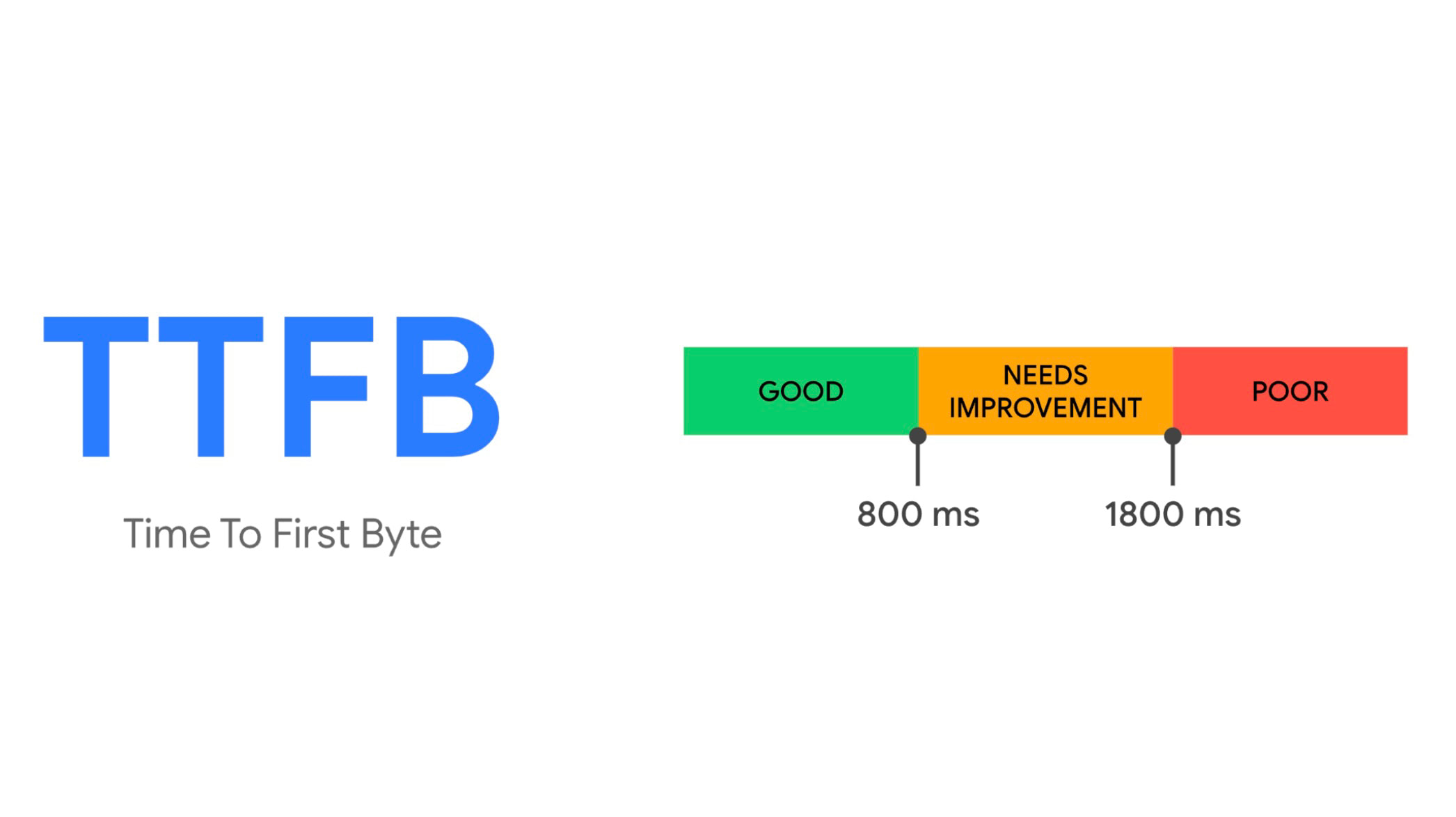 The TTFB metric. How's your backend performing?
We recommend keeping the TTFB value as low as possible, ideally under 0.5 seconds across all page types, with Google suggesting a value up to 0.8 seconds.
Why the TTFB Metric is Important
Impact on the LCP Metric
TTFB directly impacts the FCP and LCP metrics. If your TTFB metric exceeds 2.6 seconds, you won't be able to display the LCP element in under 2.5 seconds, which is the limit set by Google.
The display of LCP elements is the sum of backend speed (TTFB) and frontend speed (downloading and processing HTML, CSS, and JS files).
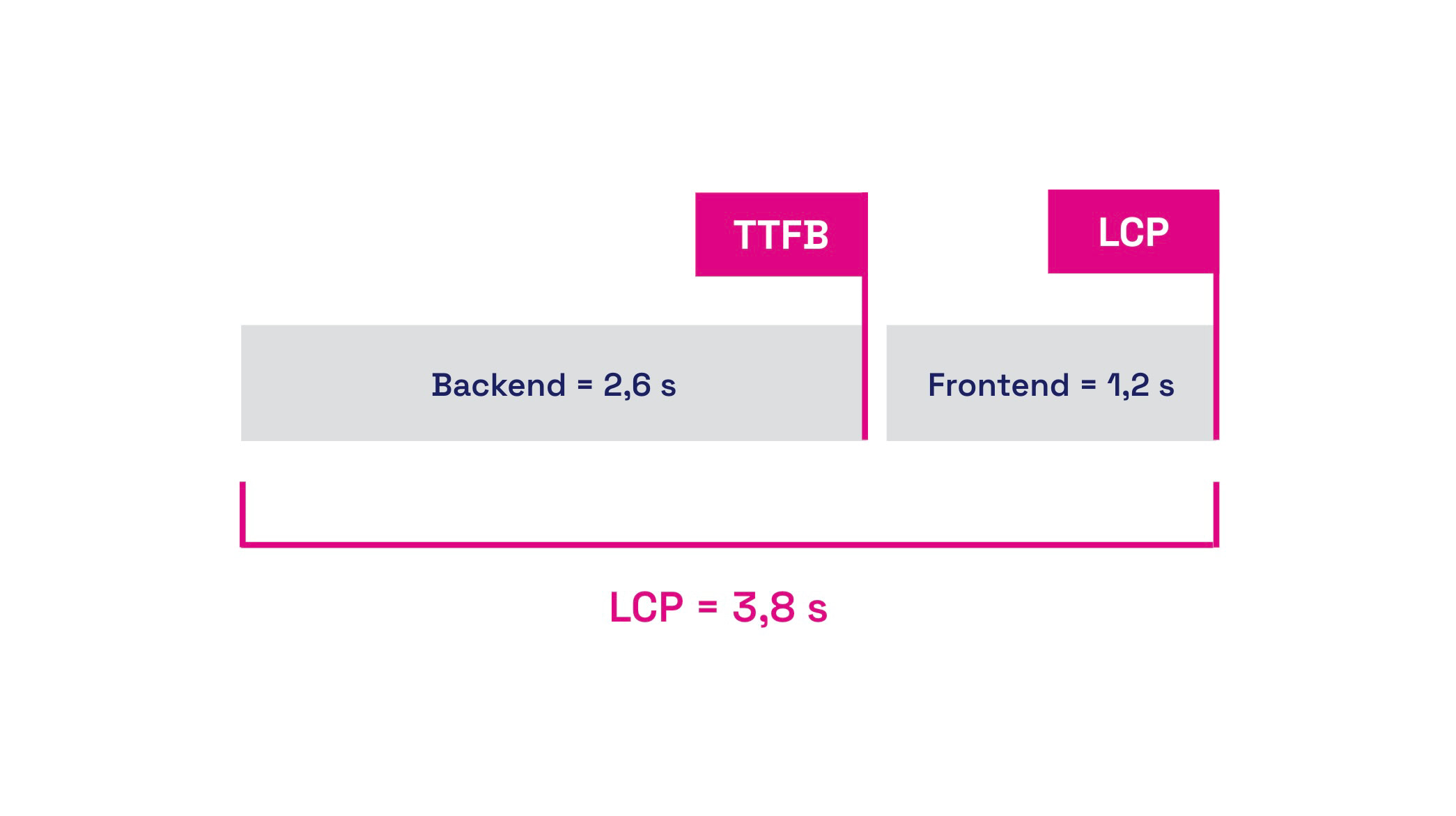 Backend speed (TTFB) + frontend speed = LCP.
Impact on Crawl Budget
TTFB is also important for the crawl budget of search engines. The Crawl Budget determines how many pages the search engine's crawler can process and index. This is particularly relevant for large websites.
If your server response is slow, the crawler will visit fewer pages.
Impact on Web Vitals and Therefore SEO or PPC
The speed of the backend affects not only the speed of the pages themselves but also their ranking in search results. Since it directly influences the LCP metric and other Web Vitals, it helps your site achieve better ratings in SEO or even PPC, as it impacts Quality Score.
How Can We Measure TTFB
Chrome Extension "Web Vitals"
Using the extension directly in the browser, you can determine the TTFB value for individual pages on your site. In the console, you can find a wealth of information on which parts of TTFB to focus on during potential optimization.
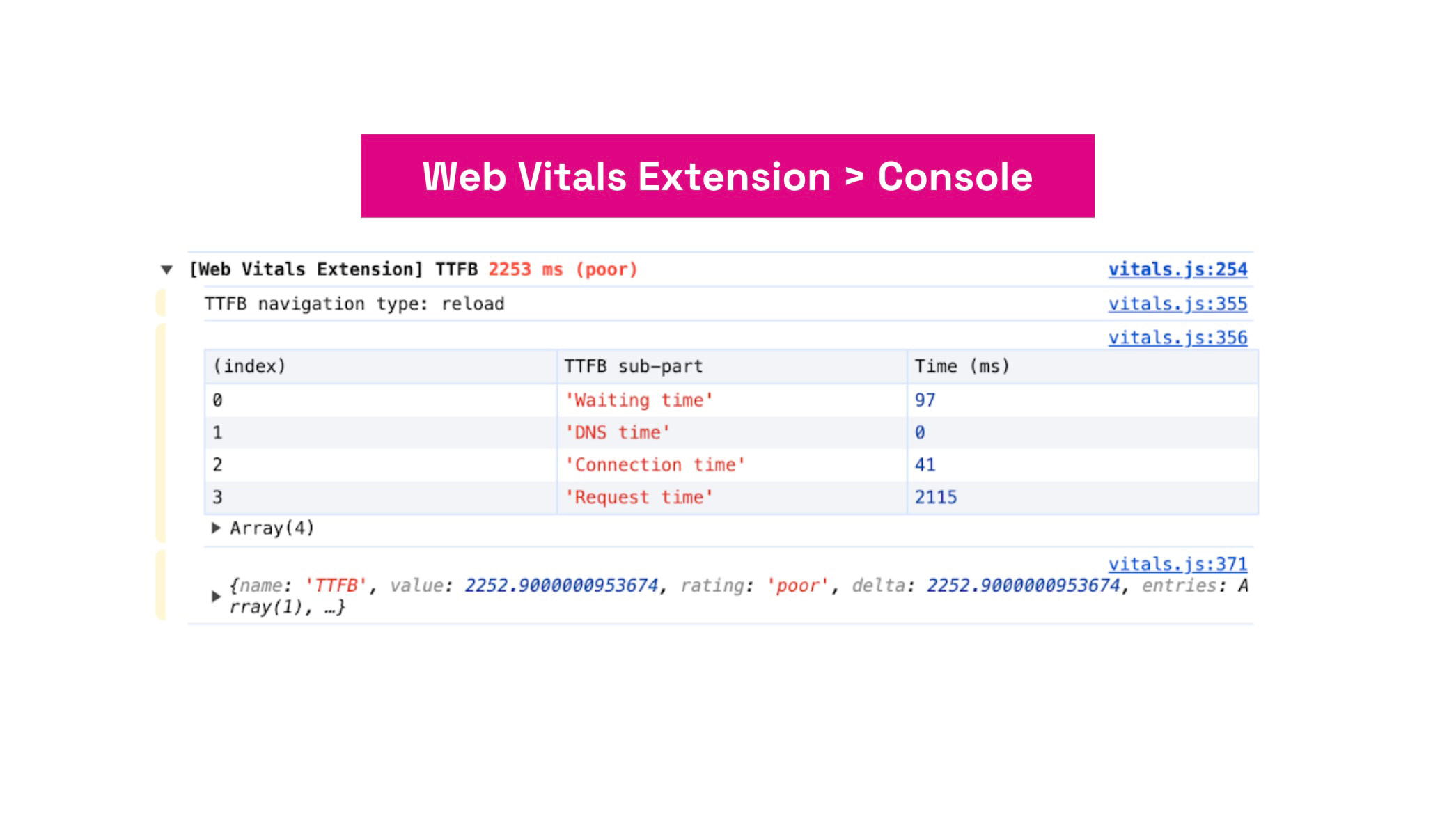 Web Vitals extension.
Read more about measuring speed directly in the browser.
Google User Data (CrUX)
With our website speed test or the PageSpeed Insights tool, you can find out the TTFB metric value for each URL individually or obtain data for the entire domain. The distribution of specific TTFB values among users (including the typical cache vs. no-cache double peak) is shown by a histogram.
Monitoring PageSpeed.ONE
In our PLUS monitoring, we display not only the current TTFB value for individual URLs or the entire domain but also use a graph to illustrate how the metric has changed over time.
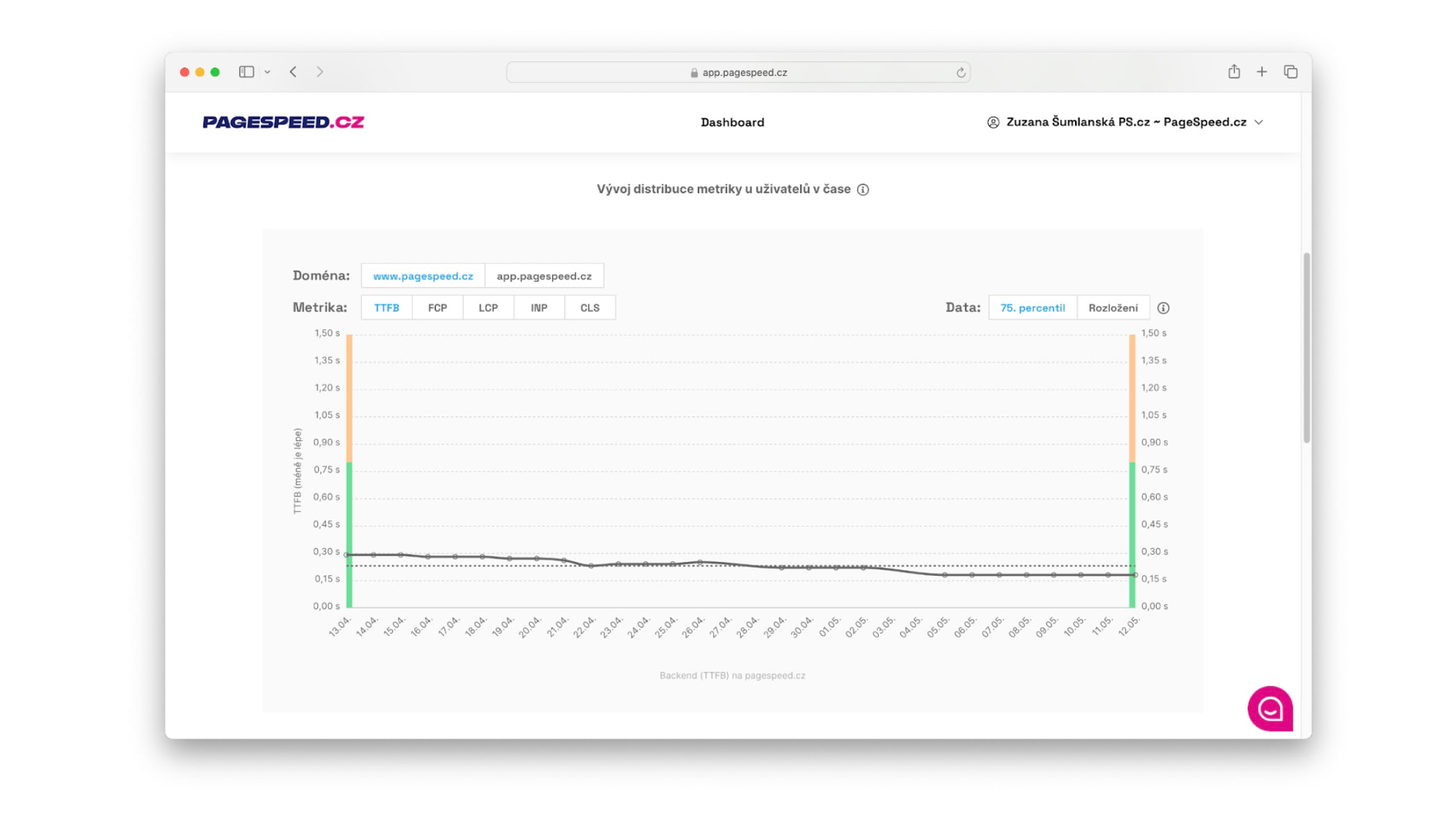 TTFB Metric in pagespeed.one.
We have data from both users (CrUX) and synthetic measurements (synth). (See the different types of web speed measurements.)
How to Optimise TTFB?
There are many ways to optimize the backend. It is always necessary to start from the data provided by measuring tools. Let’s explore a few of them.
Increase Your Server's Performance or Acquire More Powerful Web Hosting
Consult with your server administrator about the possibilities of upgrading memory, replacing processors, or swapping out old disks for new SSDs on your server. Faster hardware will respond more quickly to user requests. Newer data storage technologies ensure faster database operations.
Properly Set Up Server Caching
Check your settings for caching database queries or template caching. Server caching can significantly reduce server load and improve loading times by storing frequently requested content as static versions. This allows the server to respond more quickly without needing to repeatedly process server queries.
Optimize Database Queries
Identify the database queries that take the longest to process and try to improve them. Developers should regularly review and optimize database queries and server settings to ensure maximum performance and code efficiency.
Transition to Cloud Solutions
You can also improve the TTFB metric by transitioning your infrastructure to one of the cloud solutions and leaving the entire operation to global players.
Keep Your Stack Updated
Make sure to maintain an up-to-date development stack. For instance, update systems to the latest PHP versions, keep an eye on new JS framework developments, and utilize the latest practices offered by development platforms.
Optimizing TTFB and, therefore, backend performance is the foundation upon which you can build, even if you are optimizing WordPress, Shoptet, Drupal, or a website built on another CMS system.
Read our more detailed article on how backend developers can help with speed.
A sudden increase in TTFB without an apparent cause? Robots are often to blame. Strategies for AI bots.
Regular updates can not only speed up server response but also prevent security threats and attacks on your infrastructure.
For more information on how to speed up server response time, visit developers.google.com.