Speed Optimisation: How to Help on the Backend?
 Zuzana FatrdlaUpdated 7/28/20267 minutes reading
The backend is pivotal in web speed optimisation, as proper optimisation of both code and server can eliminate the delays often encountered during request processing and content delivery.
This article targets backend developers and server infrastructure administrators.
The Impact of the Backend on Speed Metrics
Let’s begin by acknowledging that speed metrics are not solely about the frontend. The backend significantly influences many metrics, including those from the Core Web Vitals set.
We measure backend speed using the Time To First Byte (TTFB) metric. The ideal TTFB value is less than 0.8 seconds. TTFB directly affects the page load speed, particularly the Largest Contentful Paint (LCP), which measures the loading speed of the largest element on the page.
The following simplified graph illustrates this well. If TTFB takes 2.6 seconds, there is a problem, and we cannot meet the LCP metric threshold of 2.5 seconds. In such cases, even the best frontend optimisation won't save you – backend optimisation is necessary.
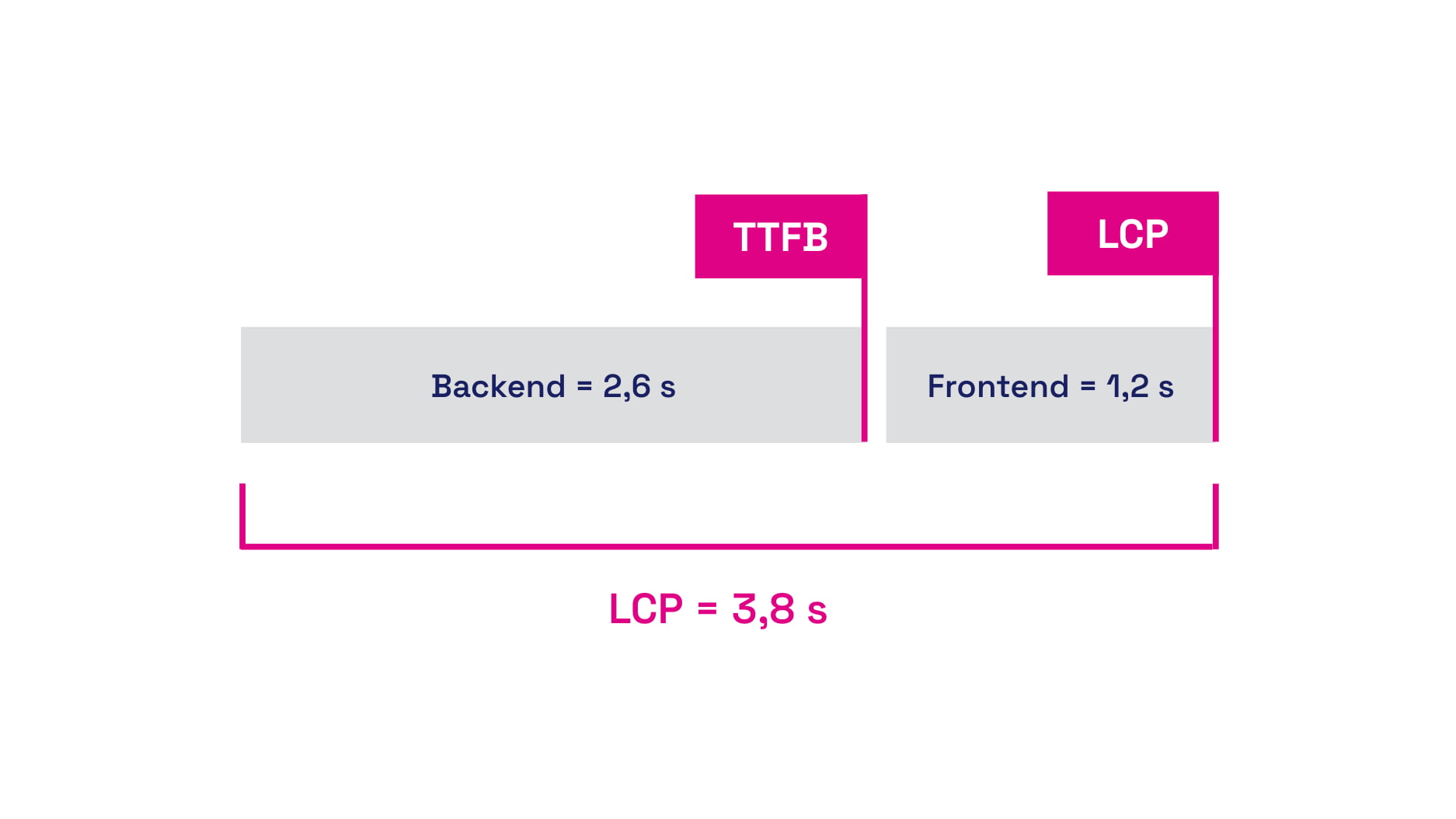 Backend and frontend time together form the LCP metric value.
TIP: Speed optimisation is one of the key factors for web success. A fast website not only enhances user experience but can also contribute to better SEO rankings.
Besides LCP, the backend also affects one of the auxiliary Web Vitals metrics, the First Contentful Paint (FCP), which measures the speed of rendering any content.
Backend optimisation is foundational, even when optimising WordPress, Shoptet, or other CMS systems.
General Tips to Speed Up the Backend
The potential areas for optimising TTFB are endless. To the above list, we can add a few “evergreen” points, including:
- Increase server performance (CPU, memory)
Adequate server resources can process requests more quickly. - Optimise the database
Fine-tune database settings, efficient queries, and use indexes. - Use cache
Implement caching at the database, memory (e.g., Redis), or HTTP cache levels for frequently repeated queries or endpoints to eliminate the need for repeated data loading from the database. - Beware of multiple redirects
Long round trips extend the total page load time. - Optimise DNS and network latencies
Set up optimised DNS and cache it to make loading as fast as possible. In some cases, moving servers closer to the target audience may help.
How Can a Backend Developer Help with Web Speed?
The following tips aren't directly aimed at optimising the TTFB metric but can help improve web speed overall.
Data Compression, Brotli, GZIP
Brotli and GZIP are lossless compression methods that save data volume when downloading text files like CSS or JS from the server to the browser. However, few know that GZIP and Brotli have so-called compression levels. GZIP has 9 levels, while Brotli has 11.
For compression, we generally recommend setting level 6. Levels higher than 6 do not provide significant differences in file size, and the higher the compression level, the greater the server performance demand and time.
For fonts (WOFF and WOFF2), do not use compression, as they are already compressed by their format nature. If you're inexperienced with setting up compression, first test the compression level. Services like Cloudflare can automatically handle good compression levels for you.
Want to implement Cloudflare on your site? Check out our Cloudflare setup service.
If bots, rather than people, are taxing your resources, it could be an issue of speed and stability. Consider our AI Bots Strategy service.
Ignoring UTM Parameters
Websites often use cache that is invalidated if there is a parameter in the URL. However, it's important to note that UTM parameters do not change content; they are used solely for analytical tools.
Ignoring UTM parameters in the cache can be a good optimisation step, as it can eliminate double distribution for the TTFB metric, which is very typical for cached and non-cached versions.
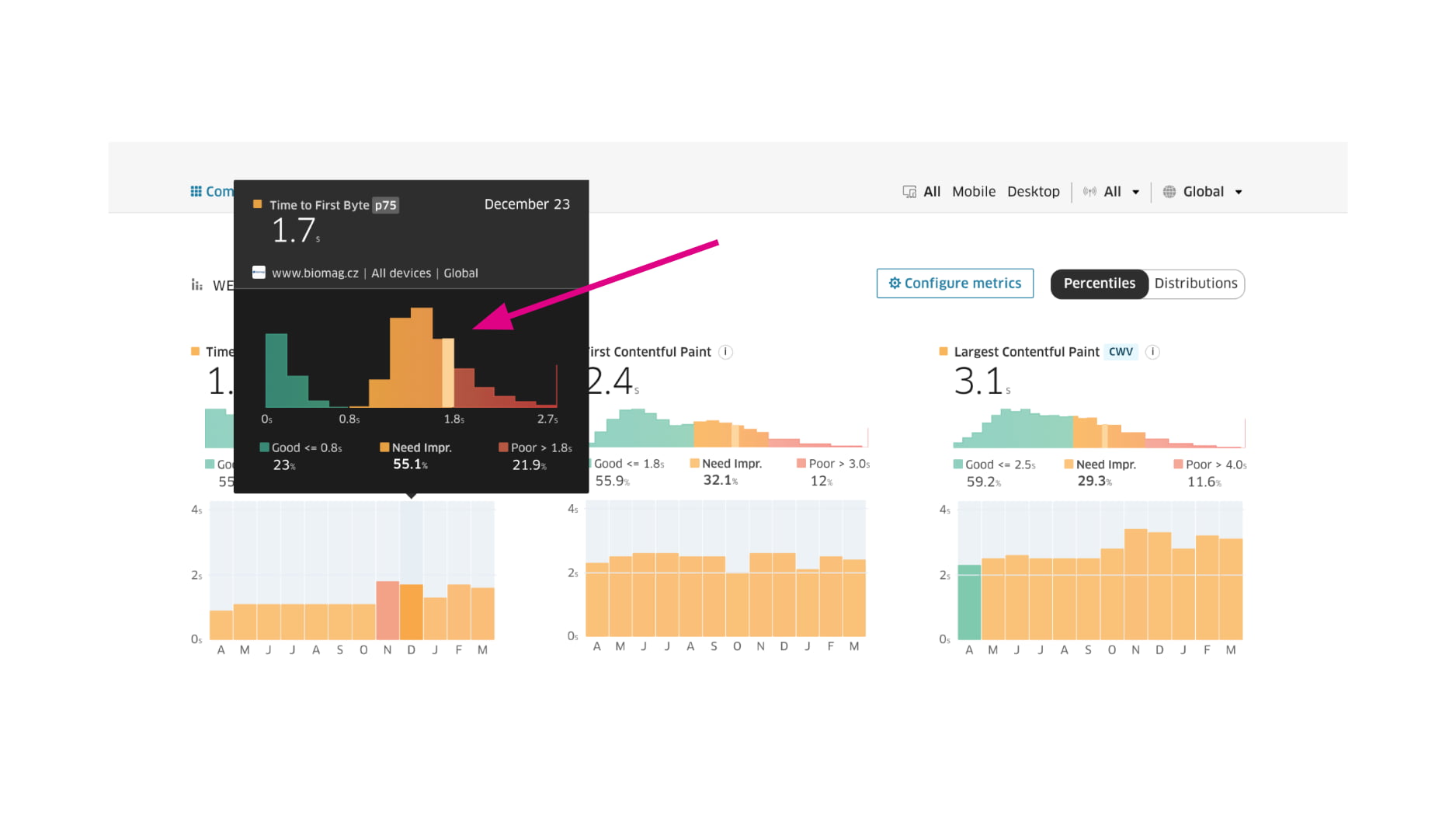 An example of two different user groups in the TTFB metric – green is cached, the other is not.
This pattern can be seen in the CrUX data histogram in the Domain report.
Upgrade the Backend Stack
Maintaining and upgrading technology versions in the development environment is very important. New versions often improve performance, which can enhance your project's speed and eliminate technological debt.
For instance, with PHP, you can compare different versions using benchmarks. Upgrading Laravel can result in a significant increase in requests handled per second.
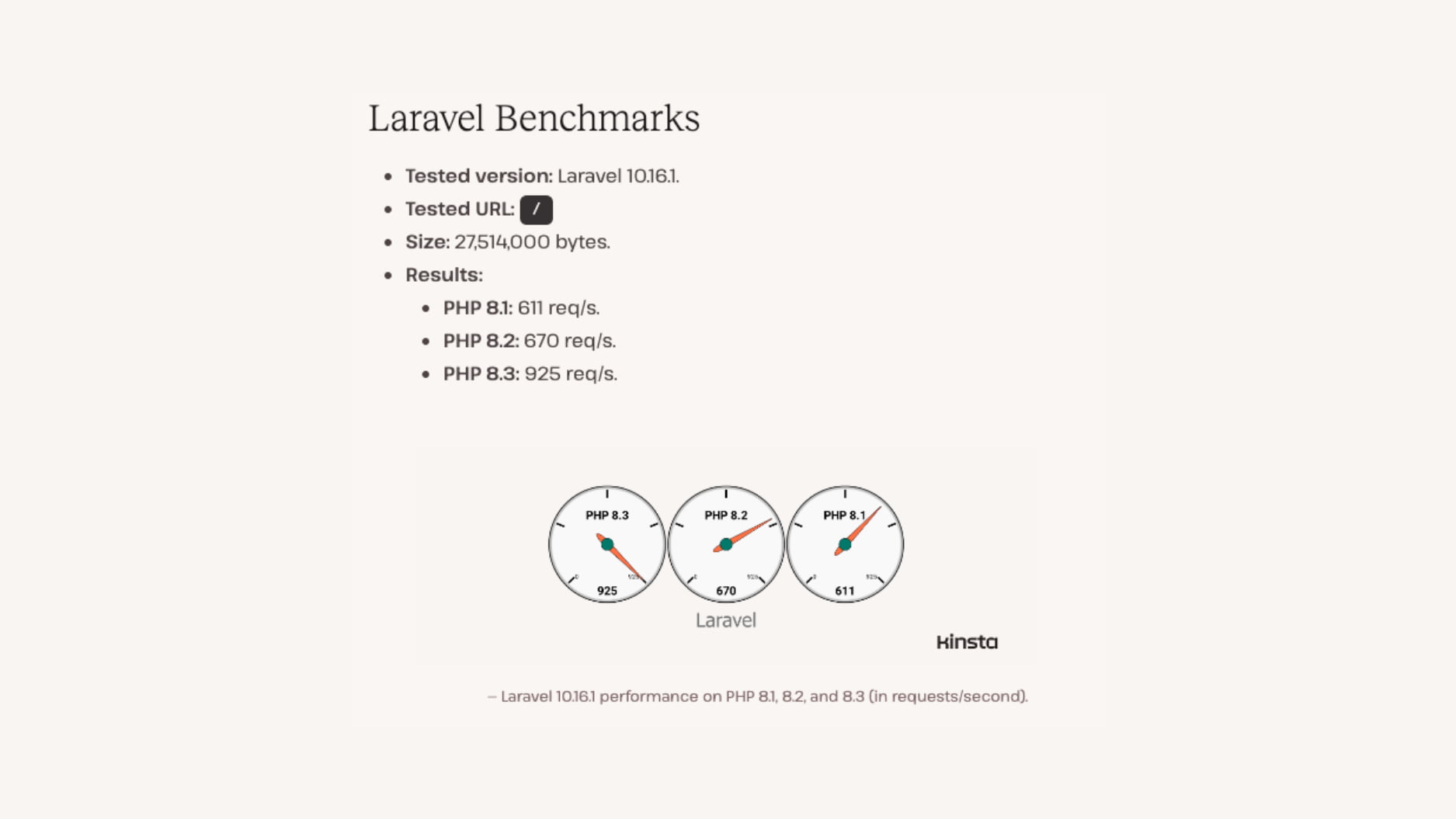 The performance and number of requests handled by PHP version 8.3 is higher than older versions.
New Image Formats (WebP, AVIF)
Web image formats have seen interesting developments in recent years, and we can now use two new formats, WebP and AVIF. Their main advantage is higher data efficiency. Both formats are now widely supported in all modern browsers.
With the WebP format, you can work natively in PHP. Important parameters include $quality, which sets the output image quality.
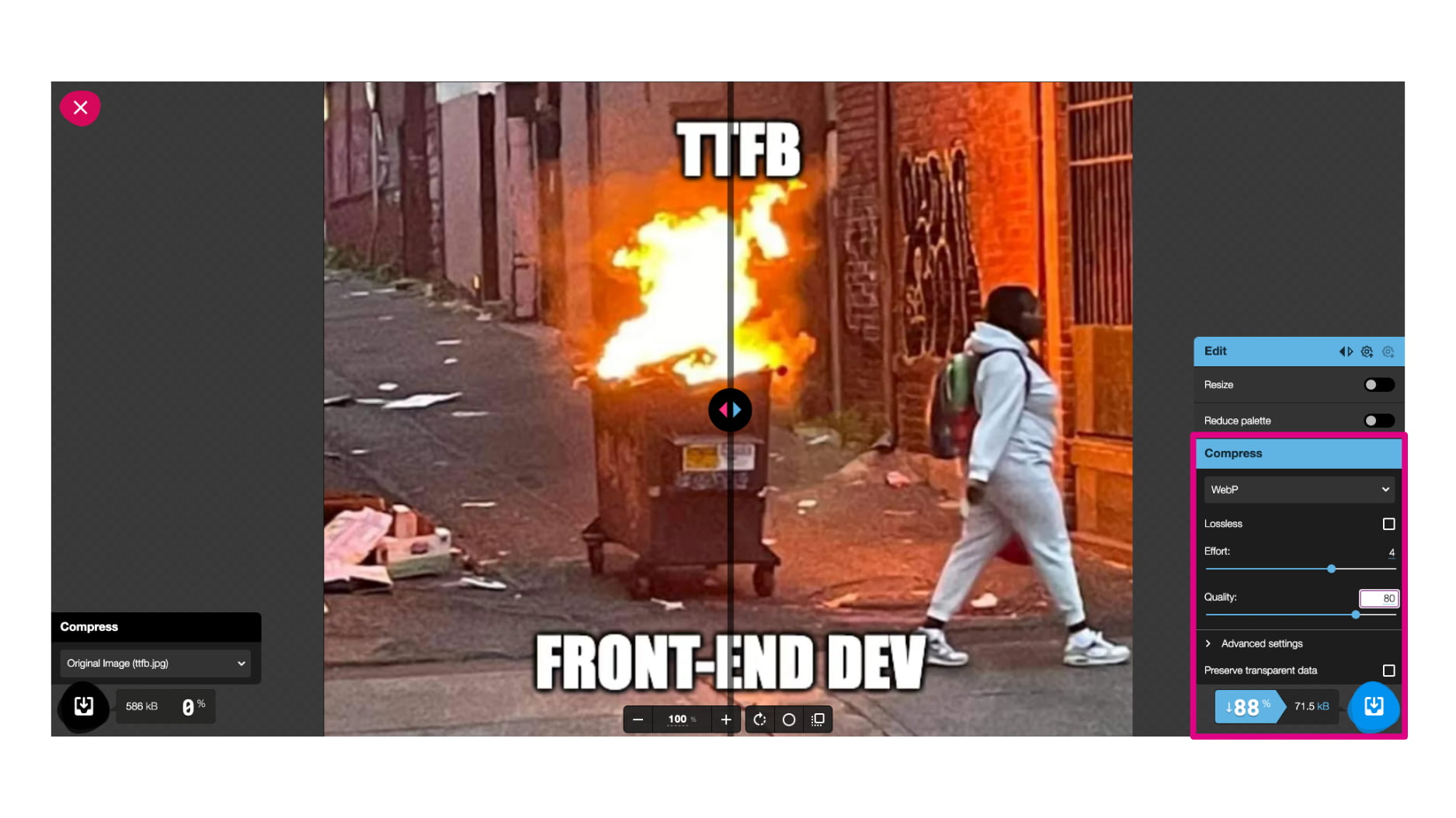 The new WebP format can save up to tens of percentage points of image data size.
AVIF is natively available from PHP version 8.1 and above, where you can also set the $quality and $speed parameters.
AVIF stems from the AV1 video format, with one downside: generating AVIF images takes quite a long time. If you don’t work directly with images, new formats can be implemented for you by services like Cloudflare.
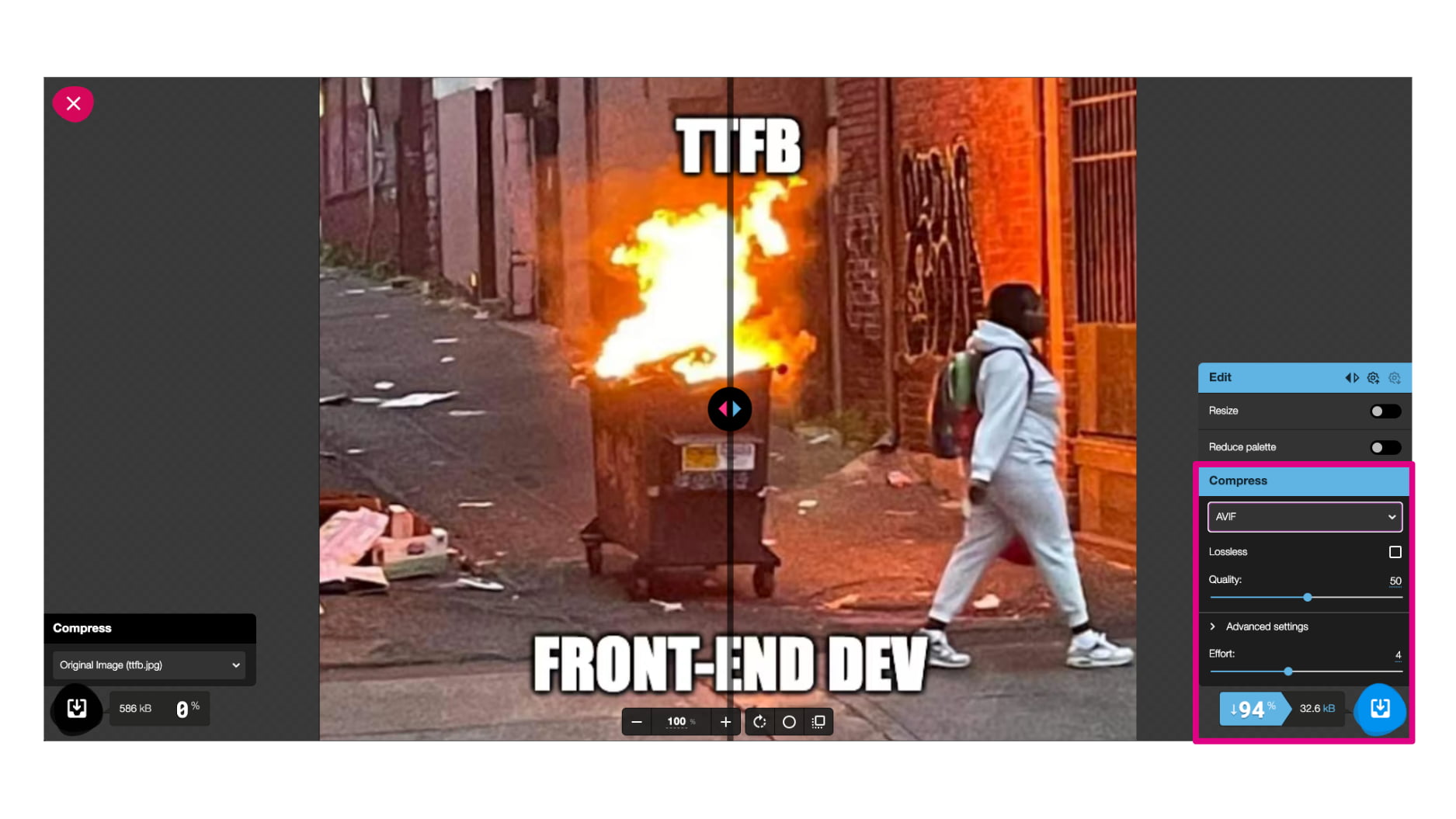 The new AVIF format can save up to tens of percentage points of image data size.
For a detailed guide on implementing AVIF, including our practical experiences, refer to our article on the AVIF format. You'll find more tips for image optimisation on the web.
HTTP3
Significant developments and acceleration have also been seen at the communication level between server and client. HTTP3 introduces improvements where the so-called handshake doesn't occur each time in communication, significantly speeding up the process.
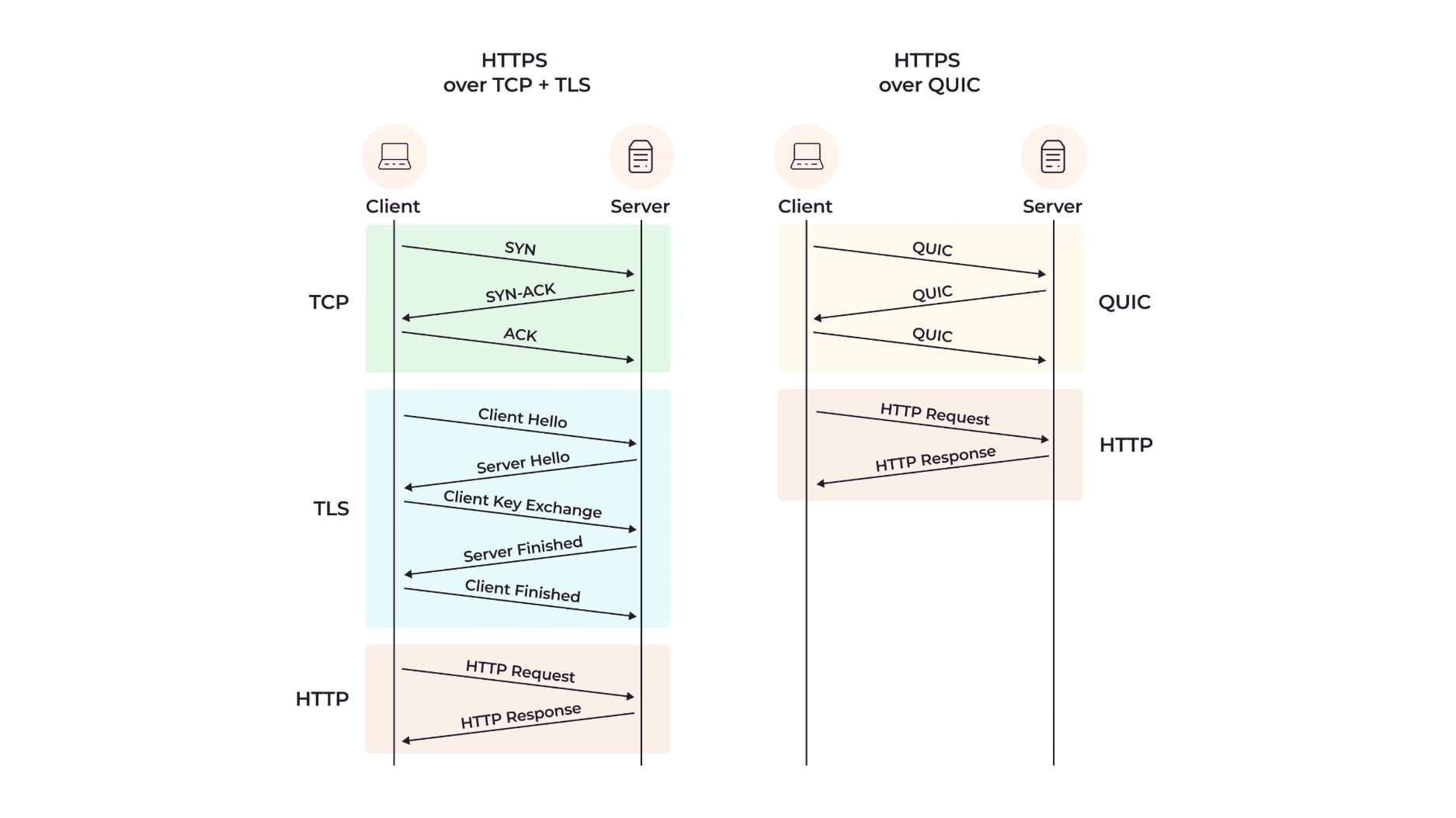 HTTP3 significantly simplifies server-client communication processes.
Other advantages include better prioritisation of downloaded files (e.g., when using additional CDN or subdomains besides the main domain) and better handling of unstable connections. It's certainly an improvement worth considering.
Early Hints
Further efficiency in server-client communication is brought by 103 Early Hints. Simply put, these are even faster preloads and preconnects, unlocking earlier resource downloading for the web.
103 Early Hint
Link: </style.css>; rel=preload; as=style
We certainly don't recommend using Early Hints for a large number of files, but they can be beneficial when downloading resources that block the first rendering. A good example would be downloading CSS with Early Hints.
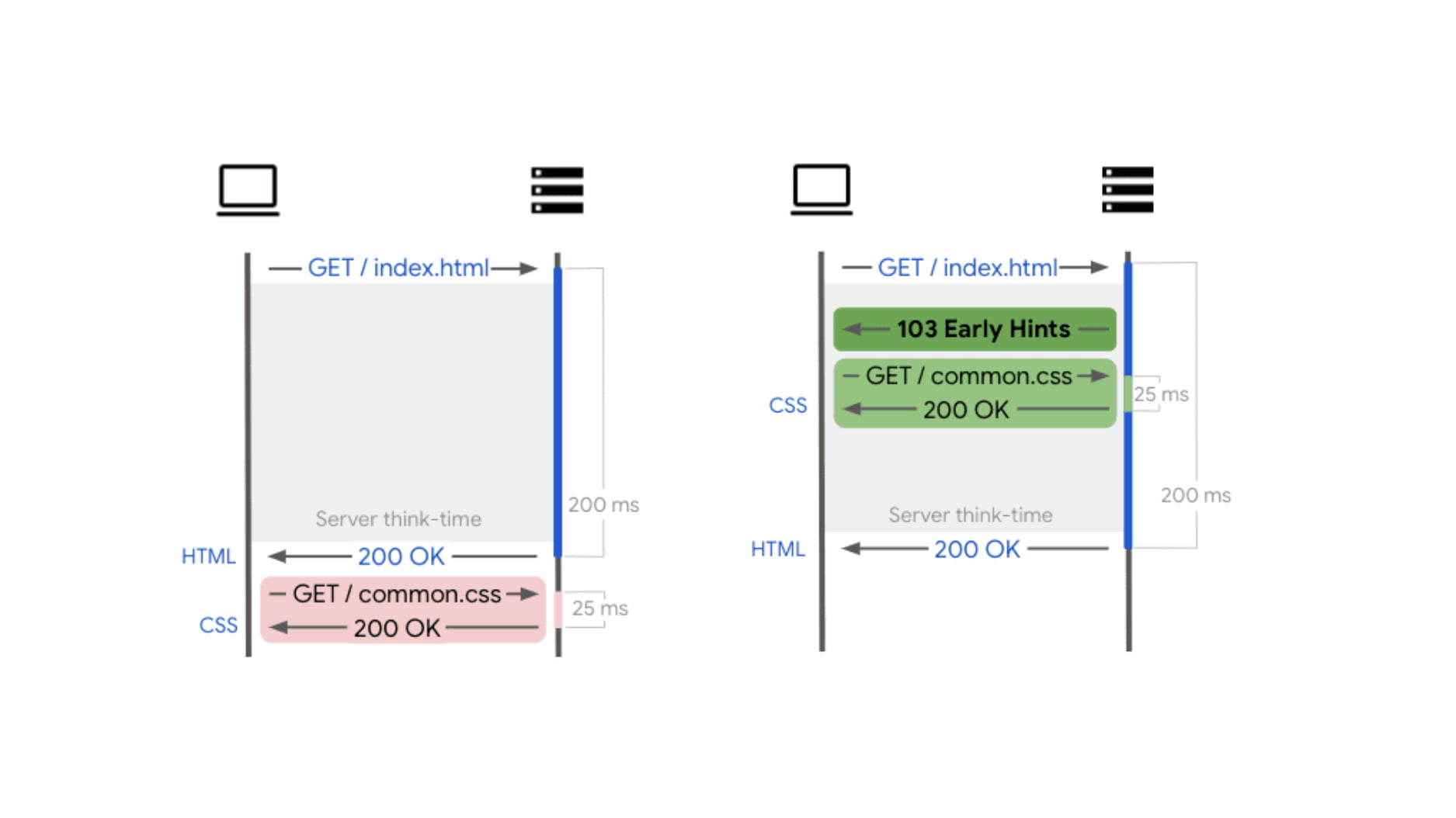 For easier understanding, an infographic showing server/client communication without and with Early Hints.
Speculation Rules API
This year, Chrome introduced an enhancement with the Speculation API, allowing preloading pages ahead of time. Current implementation of the Speculation Rules API allows better selection, e.g., using CSS selectors, so you can easily target a specific part of links. The prerender option is particularly interesting, as it loads the page into memory, making it instantly available when clicked.
<script type="speculationrules">
  {
    "prerender": [
      {
        "where": { "href_matches": "/next" },
        "eagerness": "eager"
      }
    ]
  }
</script>
Speculation Rules are typically defined in HTML, but if that's not possible in your project, they can also be sent in HTTP headers:
Speculation-Rules: "/rules/prefetch.json","/rules/prerender.json"
Tools for Monitoring Metrics
You can monitor backend speed using specialised monitoring tools. In our practice, the most important data comes from users via the Chrome UX report (CrUX), where TTFB metric values are found.
These data can be tracked in the PageSpeed.ONE PLUS monitoring, where they are presented clearly in the Domain report. A tester's advantage is that it shows metrics evolution over time.
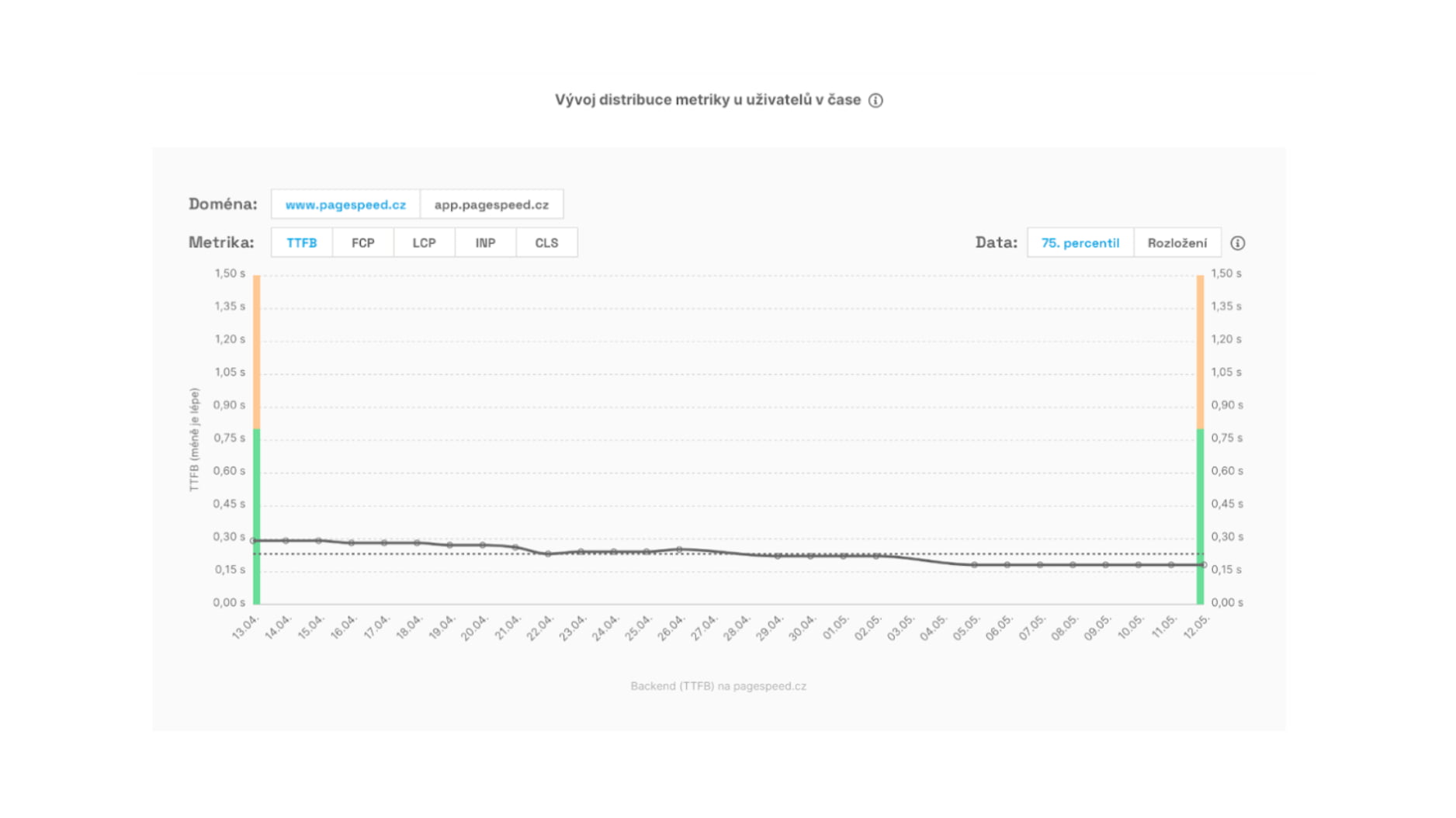 Track the historical evolution of the TTFB metric in the graph.
We have been dealing with optimisation topics for a long time and recommend reading more of our texts:
Speed Monitoring PLUS
Try our monitoring app free for a month.
5,400 CZK annually per website. Invoice only, no credit card needed.