INP Metric: 7 Tips for Optimisation
 Zuzana FatrdlaUpdated 1/21/20265 minutes reading
The Interaction to Next Paint (INP) metric is a significant part of Core Web Vitals, and for some clients, it closely ties to business indicators.
Yet, INP is not the simplest metric to optimise. We've gathered the most frequent issues and their solutions from our experience.
1) Optimise the Number of DOM Elements on the Page
The number of DOM elements on a page often closely relates to the performance of functions directly interacting with the DOM in JavaScript. More DOM elements mean more data for JavaScript to process, thus extending the time it takes.
A large DOM increases the INP metric value, particularly during hydration, if your pages are powered by JavaScript frameworks such as React.js. Third-party analytics scripts, such as TikTok pixel, which scan pages for information, can also pose issues.
According to our experience (and Google's recommendations), the ideal DOM size is up to 1,500 elements. If your site exceeds this, consider optimisation. Common components that contribute to the DOM element count increase are megamenus or extensive filtering options in categories.
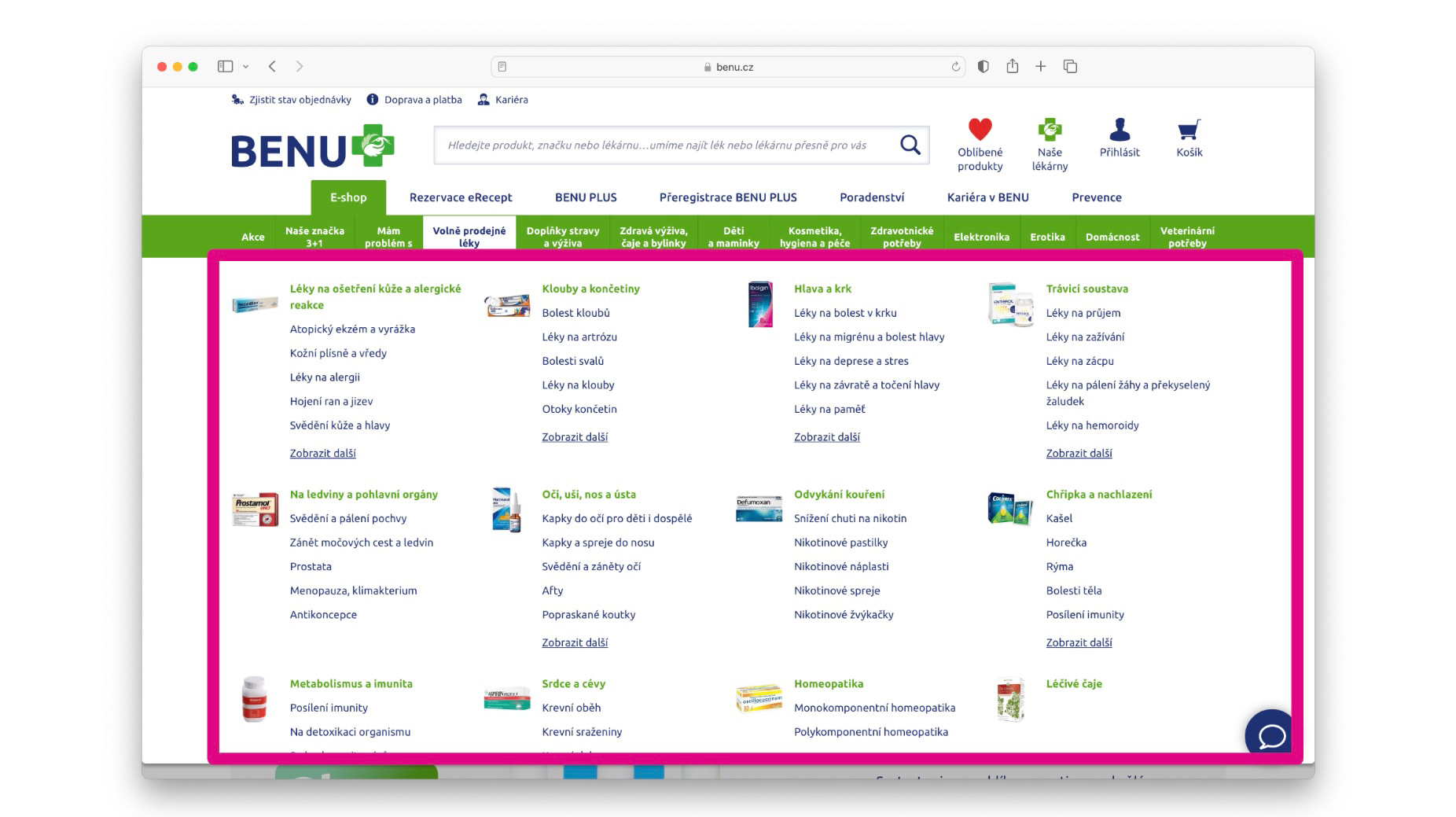 On this site, by reducing the complexity of the DOM in the megamenu (while retaining SEO links), we helped improve the INP metric by several percentage points.
You can optimise the INP metric by reducing the complexity of elements (keeping the content for SEO, but loading surrounding elements lazily) or loading elements outside the initial viewport only after scrolling using the Intersection Observer.
2) Minimise the Number of Heavy Scripts like Hotjar, Smartlook, TikTok Pixel, etc.
Careless deployment of third-party code can quickly land your website's INP metric in trouble. We often see scenarios where analytical tools collect data that nobody monitors.
Sometimes, data is only needed for a limited period, but after the measurement ends, the code remains on the website. Reflect on whether some analytical tools are running unnecessarily on your sites, perhaps in collaboration with the marketing team. If so, remove the code entirely from the website.
We recommend regularly conducting such maintenance, especially if the site is developed over a long term with multiple departments contributing independently.
In our PLUS monitoring, you can measure the impact of third-party components using the 3PBT metric.
3) Update Components to Newer Versions
In our analyses, we encounter situations where high INP after interaction is caused by older versions of various JavaScript components.
For instance, an older version of the modal Fancybox can cause long tasks on the web after a click, extending interaction time.
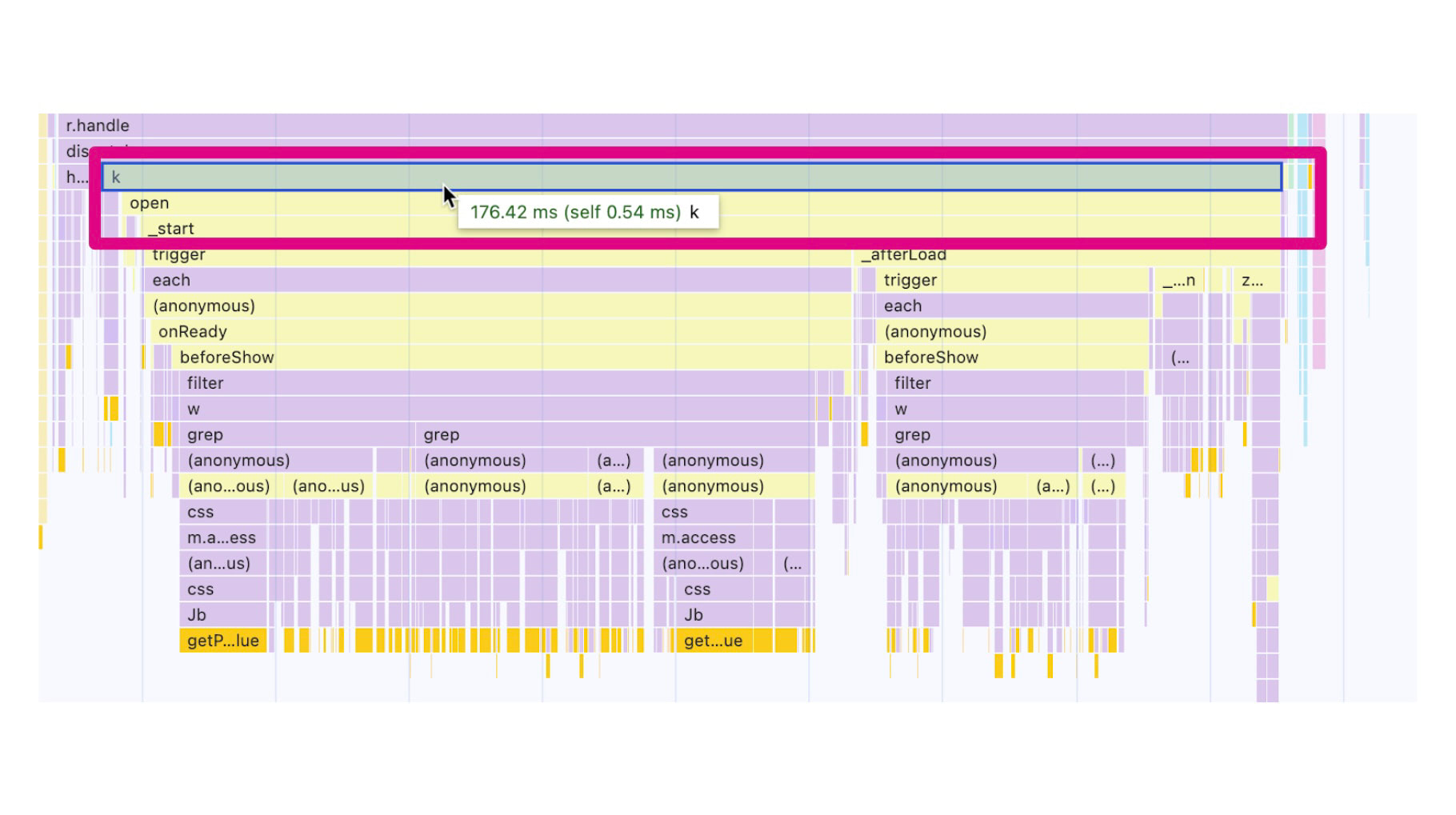 A long task in JS created by an older version of Fancybox.
In any case, it's a good idea to review the components used in your project as part of its maintenance and consider updating them to newer versions.
Replacing certain components can also be beneficial. This applies to popular carousels like Owl or Slick, which are quite performance-intensive. Look for carousels that do not rely on absolute positioning and recalculating the left property in CSS, but use the transform property. An example of such a carousel is Embla.
4) Intersection Observer: Defer Initialisation of Heavy Components Not in the Initial Viewport
Another optimisation option is to defer the initialisation of heavy components, such as the aforementioned carousels. If components are outside the initial viewport, there's no need to initialise them on the first load. Instead, wait and initialise them using the Intersection Observer API as the user approaches them while scrolling the page.
let observer = new IntersectionObserver(callback, options);
let target = document.querySelector('#lazy-component');

observer.observe(target);
Another option is to wait for browser idleness, utilising the Idle Request Callback.
5) Break Down Long Tasks in JavaScript
The best JavaScript is the one that's not on the page. JavaScript code can create – and very often does – long tasks (measurable with the JS Long Tasks (JSLT) metric). These tasks need to be split into smaller ones that execute sequentially, without blocking the browser's main thread.
An effective way to break down Long Tasks is to wrap the code in a setTimeout function. This technique can be used to split interactions laden with analytical code that hinder crucial operations.
setTimeout(() => {
  code_deferred_to_next_render();
}, 0);
In the future, keep an eye on scheduler.yield() or Long Animation Frames API.
6) Don't Keep Users Waiting Too Long
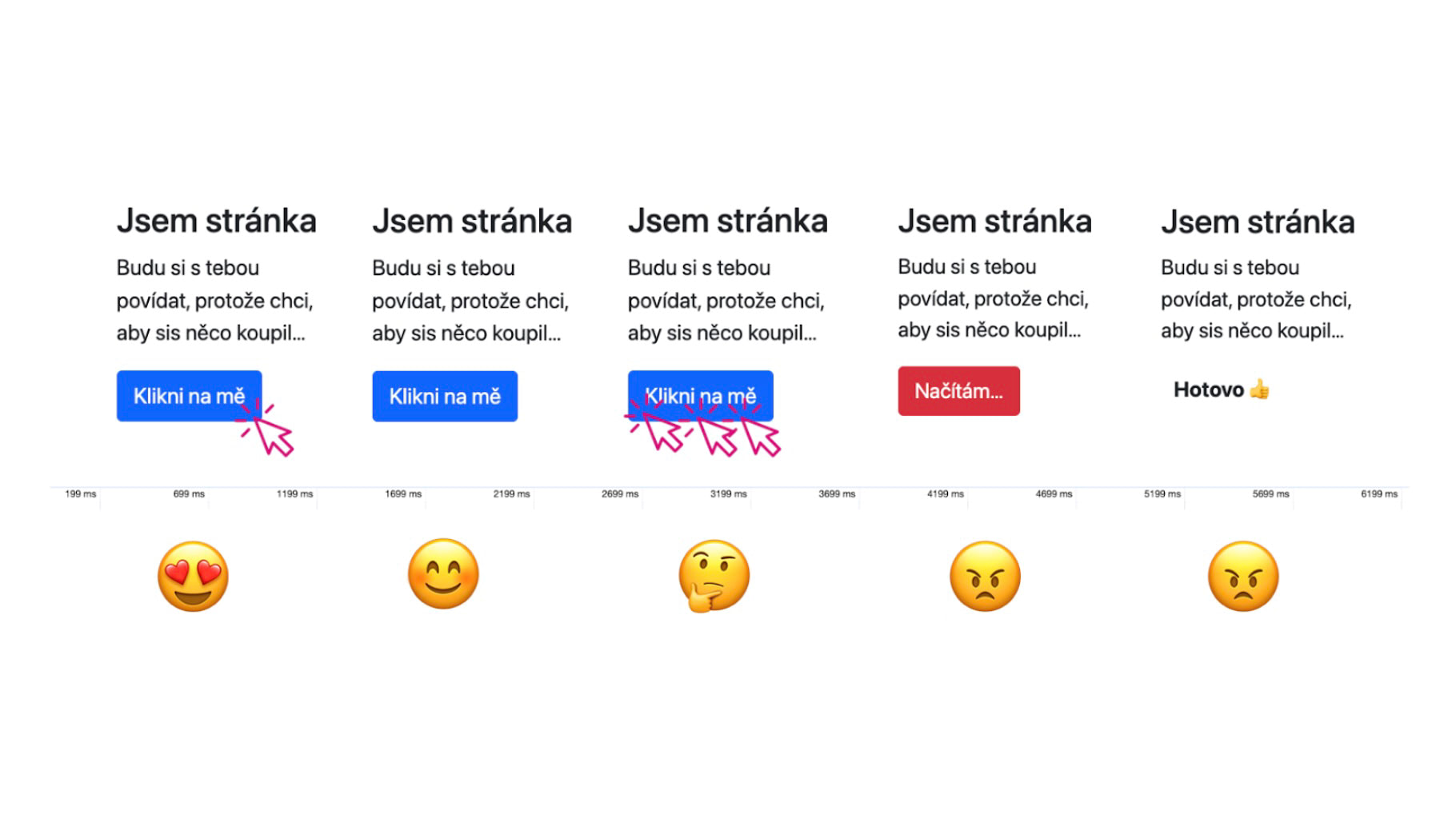
If you expect long request processing following user interaction (click, tap, keyboard input, etc.) on the web, such as AJAX/fetch, ensure a rendering change on the user's screen. This visual change should occur as soon as possible, ideally within Google's 200 ms limit, and display a loading indicator to users after interaction.
7) Optimise React, Not Just Hydration
Let's dwell a bit more on React optimisation and similar frameworks. Many issues arise during hydration, the moment a web page becomes interactive.
During hydration, the browser processes all available resources to assemble a page that can respond to user inputs. This involves significant browser load and numerous long tasks (measurable with the JS Long Tasks (JSLT) metric).
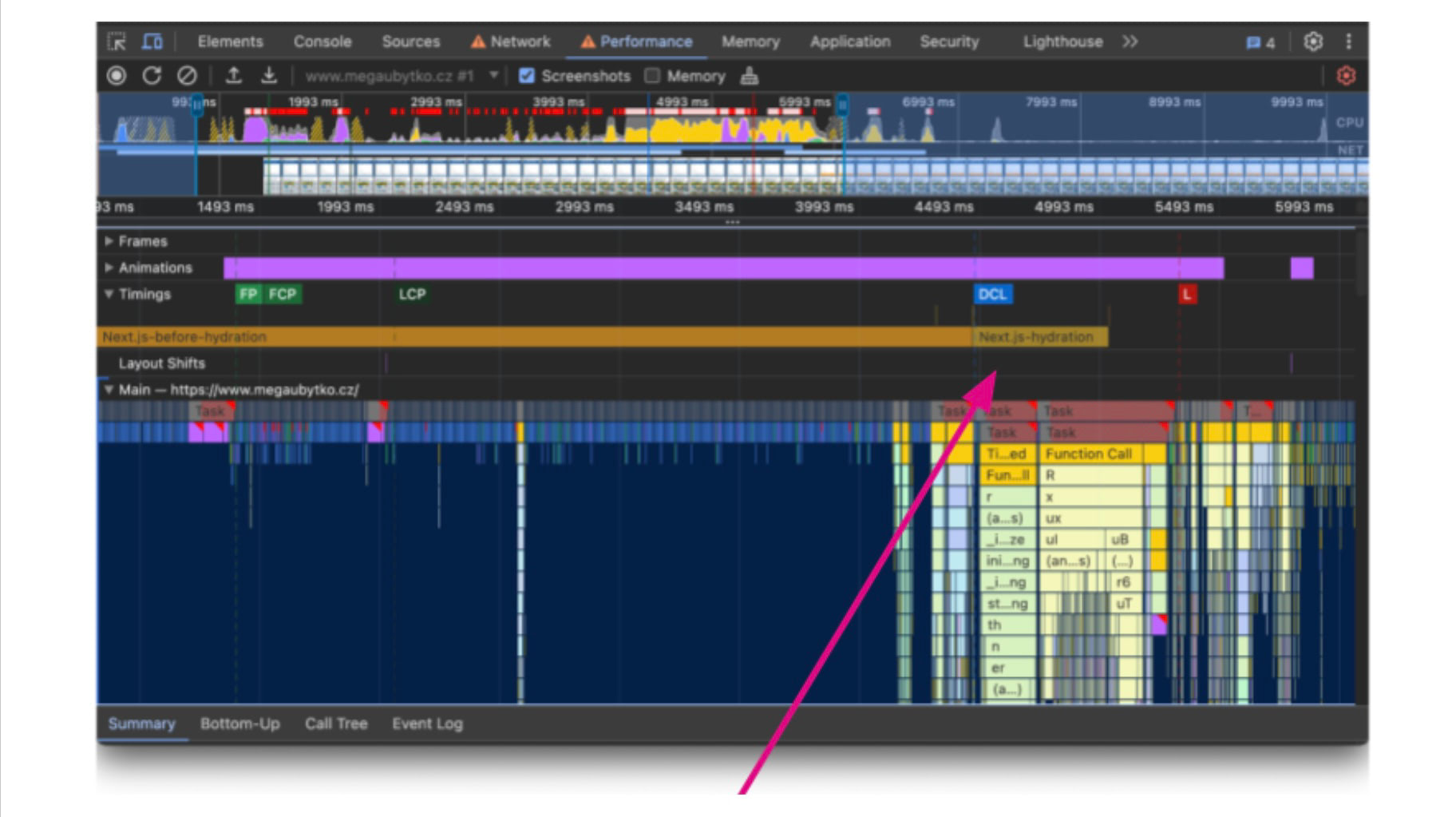 You can observe the impact of hydration in the Performance panel inside Chrome DevTools.
The good news is that you can optimise hydration. Here are some methods we use:
- Reduce DOM size
- Create dual versions of components: simple and full
- Use
<Suspense> - Watch out for hydration errors
- Be cautious with
useEffect() - Utilise Server Components
Check out our full text on the basics of React optimisation.
We cover the optimisation of Core Web Vitals metrics in depth. Read our other articles: