BFcache: Speed Up Users' Navigation in Browsing History
 Radek ŠírUpdated 8/19/20257 minutes reading
Back/forward cache (or BFcache) is a browser optimization that allows instant back and forward navigation. It significantly enhances the browsing experience, particularly for users with slower networks or devices.
What is BFcache?
BFcache is a browser cache that stores a complete snapshot of a page when the user leaves it. Because the entire page is stored in memory, the browser can quickly restore it if the user decides to return, rather than having to repeat all the network requests needed to load the page.
The following video demonstrates just how much BFcache can speed up navigation:
Addy Osmani: BFcache on Chrome for Android
How BFcache Works
The cache used by BFcache differs from HTTP cache, which plays its own role in speeding up repeat navigations. BFcache is a snapshot of the entire page in memory, including JavaScript, while HTTP cache contains only responses to previous requests.
Repeated visits using BFcache restoration are always faster than the best-optimized navigations without BFcache. With BFcache, the previous state of the page is essentially displayed instantly.
You can track BFcache's contribution to page views using Navigation Types in our monitoring PLUS.
For one of our clients, Key4you.cz, we activated BFcache, resulting in 16.5% of mobile users now benefiting from it. After accounting for TTFB (server response time), the LCP metric value for the entire domain dropped by 60 ms.
Browser Compatibility
BFcache has been supported for many years in both Firefox and Safari, on both desktop and mobile devices.
Starting with version 86, Chrome allowed a small percentage of users to use BFcache for page navigation on Android. From version 96, BFcache has been enabled for all Chrome users on both desktop and mobile.
The Google Chrome developer group commented: “The introduction of BFcache led to the largest CLS improvement we recorded in 2022”.
Optimisation for BFcache
Not all pages are automatically stored in BFcache, and even when a page is stored, it doesn't stay there indefinitely. Here we describe what makes pages eligible for BFcache storage. Developers should evaluate which pages should and should not be stored in BFcache, while maximizing the number of pages that benefit from it.
Event Unload
Use the pagehide event instead of unload. The most crucial way to optimize for BFcache across all browsers is to never use the unload event listener. Instead, use pagehide.
The unload event must not be used even in third-party scripts. To check if any JavaScript on your pages uses unload, we recommend using the no-unload-listeners audit in Lighthouse.
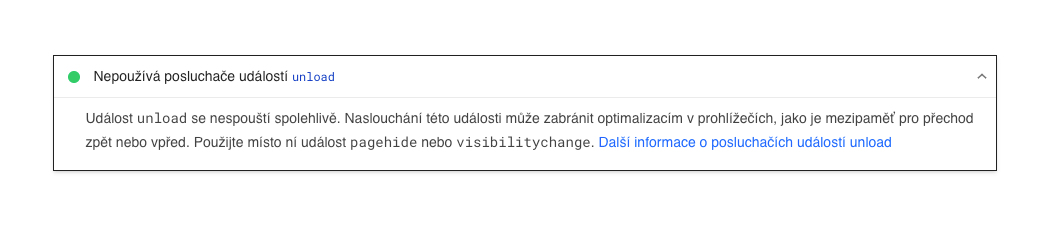 Audit on the
 Unload event from a Lighthouse test
Cache-Control: no-store
Minimize the use of Cache-Control: no-store and instead use Cache-Control: no-cache or Cache-Control: max-age=0.
Cache-Control: no-store is an HTTP header that web servers can set on responses, instructing the browser not to store the response in any HTTP cache. It is used for resources containing sensitive user information, such as pages behind a login.
To optimize for BFcache, use Cache-Control: no-store only on pages containing sensitive information that must not be cached.
For pages that always want to display current content but do not contain sensitive information, use Cache-Control: no-cache or Cache-Control: max-age=0. These tell the browser to revalidate the content before displaying it, without affecting the page's eligibility for BFcache.
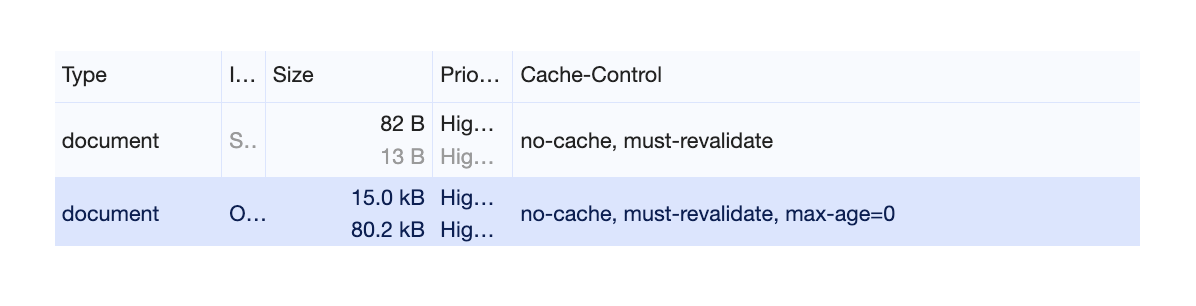 Using
Using Cache-Control: no-cache ensures BFcache storage.
Window.opener
Avoid references to window.opener.
In older browsers, if a page was opened using window.open() from a link with target=_blank without specifying rel="noopener", the opened page contained a reference to the window object of the opening page.
Apart from being a security risk, it is not possible to safely place the page in BFcache because it cannot be unequivocally determined where you came from.
To avoid these risks, use rel="noopener" to prevent window.opener references. This is the default behavior in all modern browsers.
Open Connections
Always close open connections before the user leaves.
This applies to cases of:
- Pages with an open
IndexedDBconnection - Pages with an ongoing
fetch()orXMLHttpRequest - Pages with an open
WebSocketorWebRTCconnection
Tip: If these tips aren't enough, you can watch a video on how to debug and optimize your site for BFcache by Chrome for Developers.
Testing BFcache Functionality
How can you actually test your web pages to see if they will be loaded from BFcache?
DevTools
- Navigate to a specific page in Chrome.
- Then in DevTools, go to the menu Application > Back-Forward cache.
- Click the Run Test button, and DevTools will show you the status for the specific page.
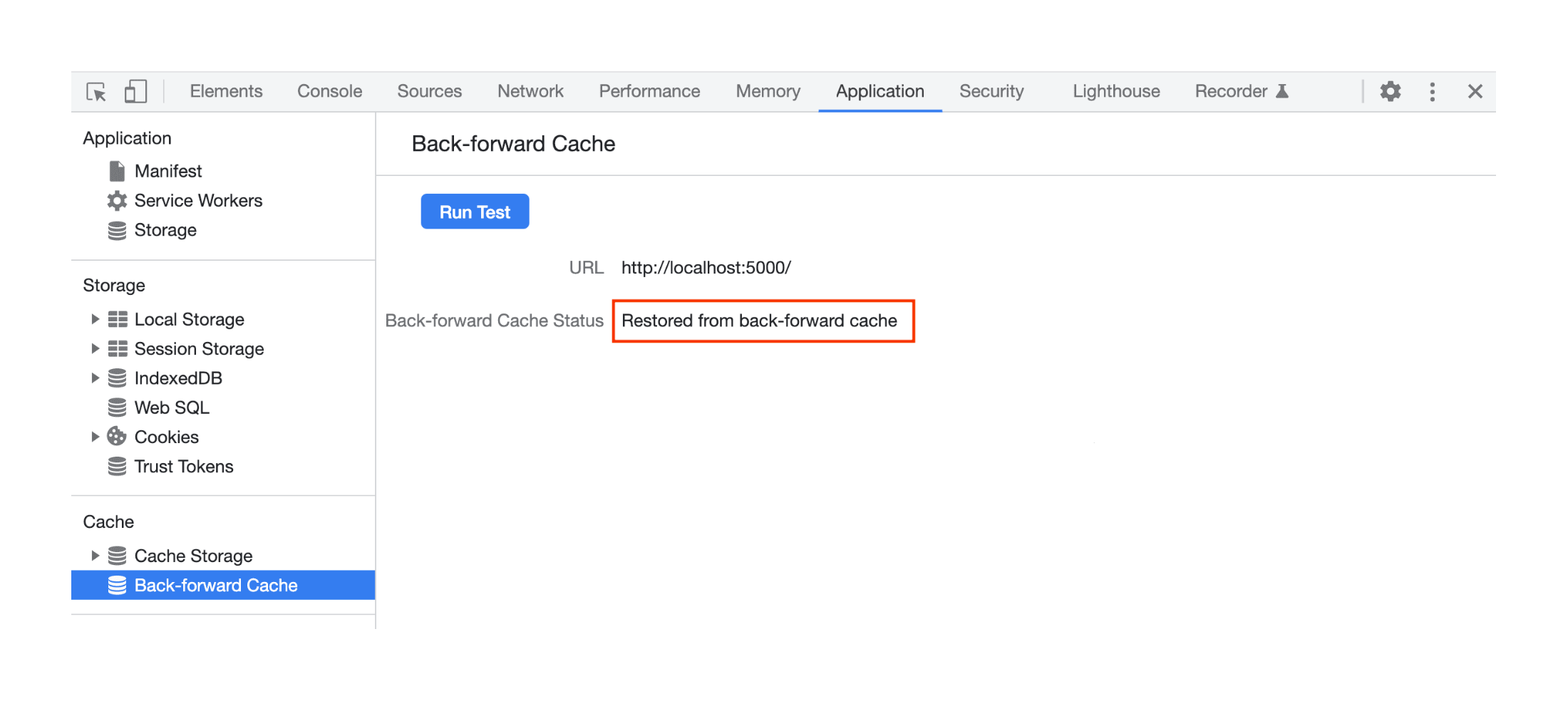 Page stored with BFcache.
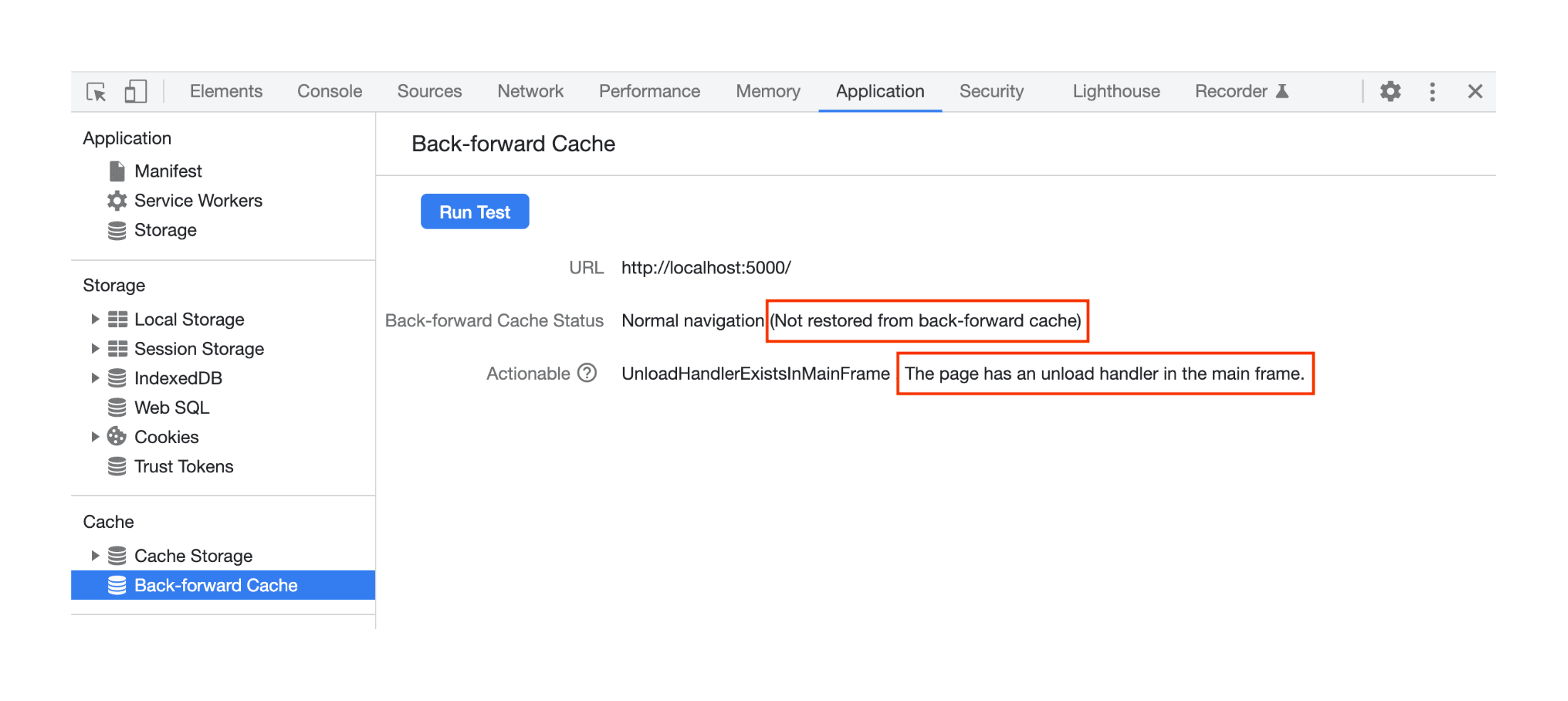 Page not meeting conditions for BFcache storage.
Lighthouse 10
In Lighthouse, one of the tests in the audit checks the eligibility of the page for BFcache.
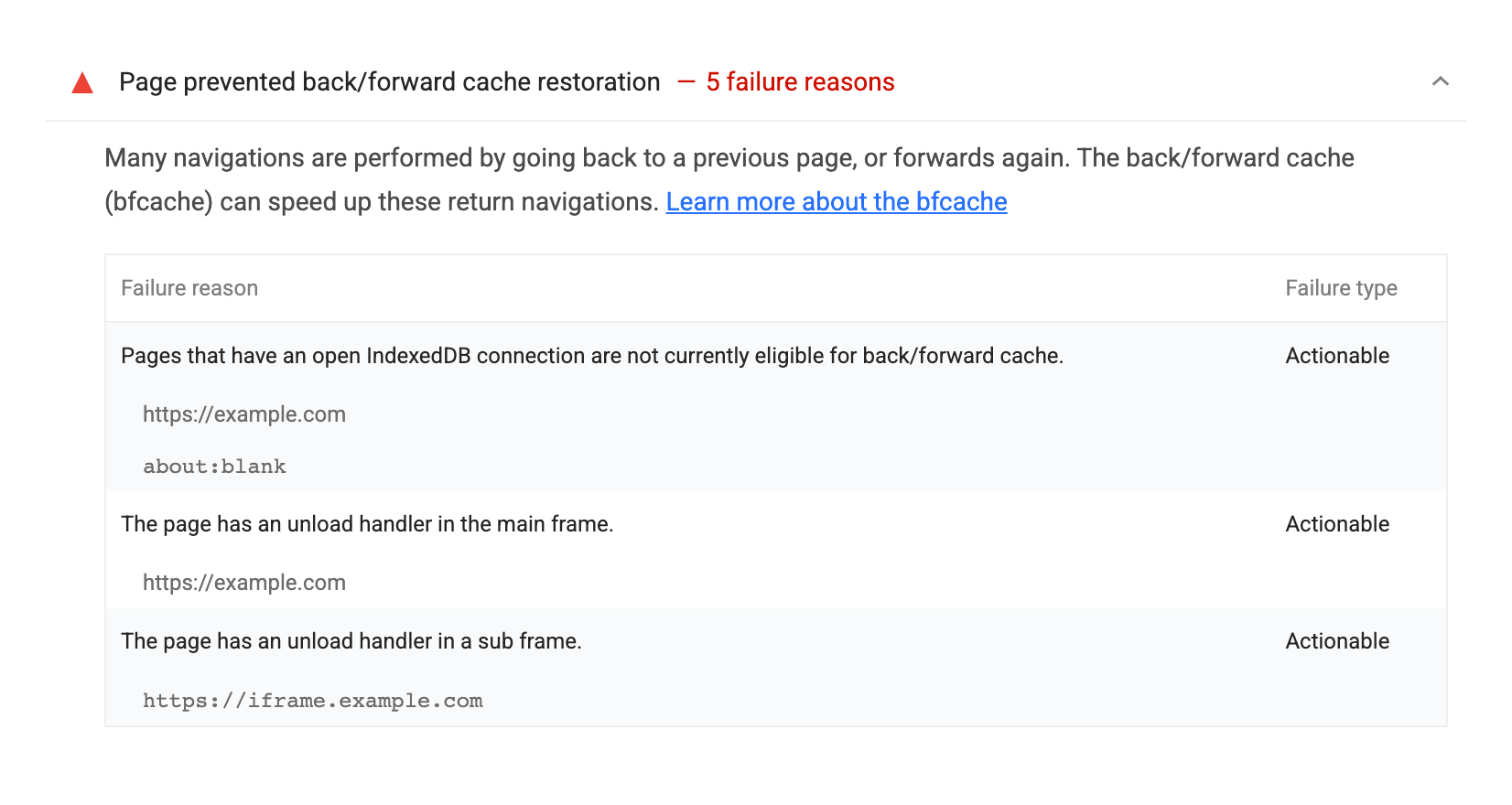 Lighthouse 10
Disadvantages
While BFCache offers a myriad of advantages for speed and smooth web browsing, there are some drawbacks associated with this technology:
Memory Consumption
BFCache requires a certain amount of memory to store the state of web pages, which can increase the overall memory consumption of the browser, especially on devices with limited resources such as mobile phones or older computers.
Possible Data Inconsistencies
There is a risk that enabling BFCache may lead to data inconsistencies, particularly if web pages contain interactive elements such as forms, shopping carts, or chat windows. Users might encounter outdated or invalid information if BFCache is not properly updated.
Security Risks
Caching sensitive data can pose a security risk, especially if the device is shared or not properly secured. There is a possibility that sensitive information could be misused if stored in BFCache and then accessed by unauthorized individuals.
Despite these disadvantages, BFCache remains a beneficial technology for most users and developers, enhancing the user experience and web browsing efficiency.
Impact on Core Web Vitals
BFCache can have a significant impact on Core Web Vitals, which are crucial for assessing the user experience of web pages by Google.
Largest Contentful Paint (LCP)
BFCache can positively influence LCP by allowing the main content of the web page to be displayed quickly when using back or forward buttons. This can lead to better LCP ratings and improve the overall user impression.
Cumulative Layout Shift (CLS)
BFCache can positively affect CLS if restoring the page without BFcache causes unexpected content shifts.
Interaction to Next Paint (INP) and First Input Delay (FID)
BFCache can impact INP and FID when the user interacts with the web page after using the back or forward buttons. If the page state is restored from BFCache, it may result in lower FID and also improve INP metrics, as the browser does not need to reload and render content again.
We introduced BFcache during our recent webinar:
Enable BFcache
By removing obstacles for storing pages in BFcache, you gain:
-
Faster Navigation:
BFCache allows instant restoration of the webpage state when using back or forward buttons, significantly speeding up navigation between pages and enhancing the overall impression for users. -
Data Traffic Savings:
By storing page states in memory, BFCache can minimize the need for repeated loading and rendering of content, leading to reduced data traffic and faster page loads. -
Improved User Experience and Core Web Vitals Metrics:
With faster loading and smooth navigation, BFCache contributes to the overall improvement of the user experience when browsing the web, leading to higher user satisfaction.