Navigation Types
 Martin MichálekUpdated 9/29/20253 minutes reading
Navigation Types describe the method by which users access a webpage. This may include directly entering the URL, refreshing the page, or navigating back through the browser's history.
Understanding different navigation types is crucial, as some are markedly faster than others. From a web speed optimization perspective, the goal is to steer as many users as possible towards faster navigation types.
How to Obtain Navigation Types
Browsers provide these through APIs such as PerformanceNavigationTiming.type. Google collects this data from users via the Chrome UX Report (CrUX). For your site, you can gather this data through the PageSpeed.ONE PLUS monitoring service.
Why Are Navigation Types Important?
There are several reasons to monitor Navigation Types:
- They help you understand user behaviour and optimize webpages for faster loading, thus enhancing user experience, SEO, and other business aspects.
- They allow you to identify loading issues and analyze how different navigation methods impact website performance.
- They assist in planning and implementing caching and pre-rendering strategies, leading to improved performance of web applications.
Possible Values of Navigation Types
| Navigation Type | Description |
|---|---|
navigate | Direct page load by the user entering a URL or clicking a link. |
navigate_cache | Loading the HTML document from the browser cache. |
reload | Page refresh by the user. |
restore | Page reloaded after a browser restart or tab restore due to memory reasons. |
back_forward | Moving back or forward in the browser history. |
back_forward_cache | Loading from BFcache, which allows for instant page display from browsing history. |
prerender | Preloading a page for quicker display upon a future request, e.g., using the Speculation Rules API. |
What Can Be Done With This?
Knowing Navigation Types allows you to optimize page display for instant navigation types:
- Implement BFCache: Enables fast page loading when users navigate through history.
- HTML Caching: Efficient data storage and management for repeated loading. It also allows for better caching across various CDNs.
- Pre-rendering: Preloading key pages, e.g., using the Speculation Rules API.
Navigation Types in PageSpeed.ONE Monitoring
PageSpeed.ONE PLUS monitoring uses Navigation Types data to better understand user interactions and optimize websites for faster loading.
This monitoring allows you to track over time how different navigation types affect speed and user experience, enabling you to tailor your strategies for website improvement.
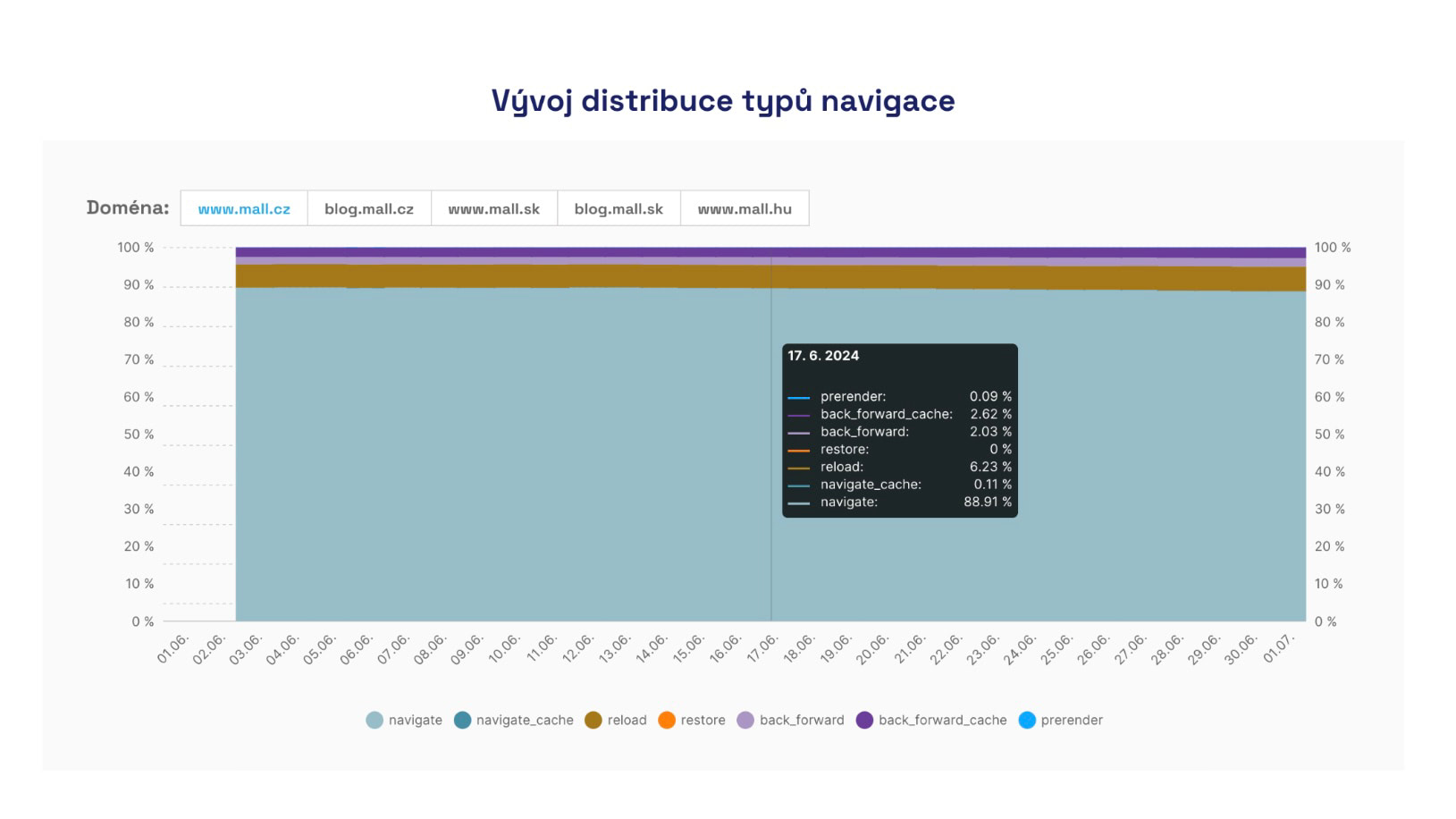 Development of individual navigation types on Mall.cz.
As seen in the image, fast navigation types often occur in mere percentages of pageviews on websites. Thus, Navigation Types can represent a significant and often easily accessible optimization opportunity.