Speculation Rules API: Pathway to Instant Page Loading
 Zuzana FatrdlaUpdated 9/29/20254 minutes reading
The Speculation Rules API offers a means to prefetch or even pre-render another page, allowing for near-instantaneous loading of the page a user navigates to, thereby enhancing the overall web experience.
Some of you might recall the old prerender (<link rel="prerender">), which didn't quite hit the mark. With Chrome version 109, the Speculation Rules API introduces entirely new page loading possibilities, with subsequent improvements in version 122. Overall support is rather reasonable.
Instant page loading will, of course, have an impact on all Core Web Vitals metrics: saving loading time affects the LCP metric, while keeping the page in memory influences layout stability (CLS), as well as the response speed to interaction (INP).
Prerender Under the Microscope
Implementing Speculation Rules is fairly straightforward. You define pre-rendering rules for pages using an HTML tag <script type="speculationrules"> in JSON format. If you cannot modify the HTML, you can also introduce rules via JavaScript or HTTP headers.
The example below shows pre-rendering of a simple page using specific URLs:
<script type="speculationrules">
	{
		"prerender": [
			{
				"urls": ["next.html", "next2.html"]
			}
		]
	}
</script>
However, the possibilities of the Speculation Rules API are far more flexible. You can use CSS selectors or apply the where condition. The next example utilises this to render URLs in the document without explicitly listing them, excluding pages like /logout/*:
<script type="speculationrules">
	{
		"prerender": [
			{
				"source": "document",
				"where": {
					"and": [{ "href_matches": "/*" }, { "not": { "href_matches": "/logout/*" } }]
				},
				"eagerness": "moderate"
			}
		]
	}
</script>
Implementing immediate prerender for all links on a page, however, is not a brilliant idea, as it increases server load.
On mobile devices, this can also lead to excessive CPU and memory strain. To achieve a balanced setup for pre-rendering, the eagerness property in the Speculation Rules API arsenal may prove helpful.
The Eagerness Attribute
With eagerness, you can set various timeframes for when speculative rules are applied.
Your options include:
immediate– Triggers instantly when the browser encounters your rules.eager– Currently behaves likeimmediate, but improvements are expected in the future, positioningeagersomewhere betweenimmediateandmoderate.moderate– Triggers pre-rendering if you hover over a link for at least 200 milliseconds (or on apointer downevent if it occurs sooner and on mobile devices wherehoveris absent).conservative– Activates on apointer downevent.
It's also important to note that Chrome will prevent Speculation Rules API from triggering under certain conditions, such as when a user has enabled power-saving mode, data-saving mode, memory constraints, or on pages opened in background tabs. Users can also explicitly disable pre-rendering in browser settings.
You can check the implementation of your rules directly in DevTools under the Application tab, where you select Speculation Loads in Background services:
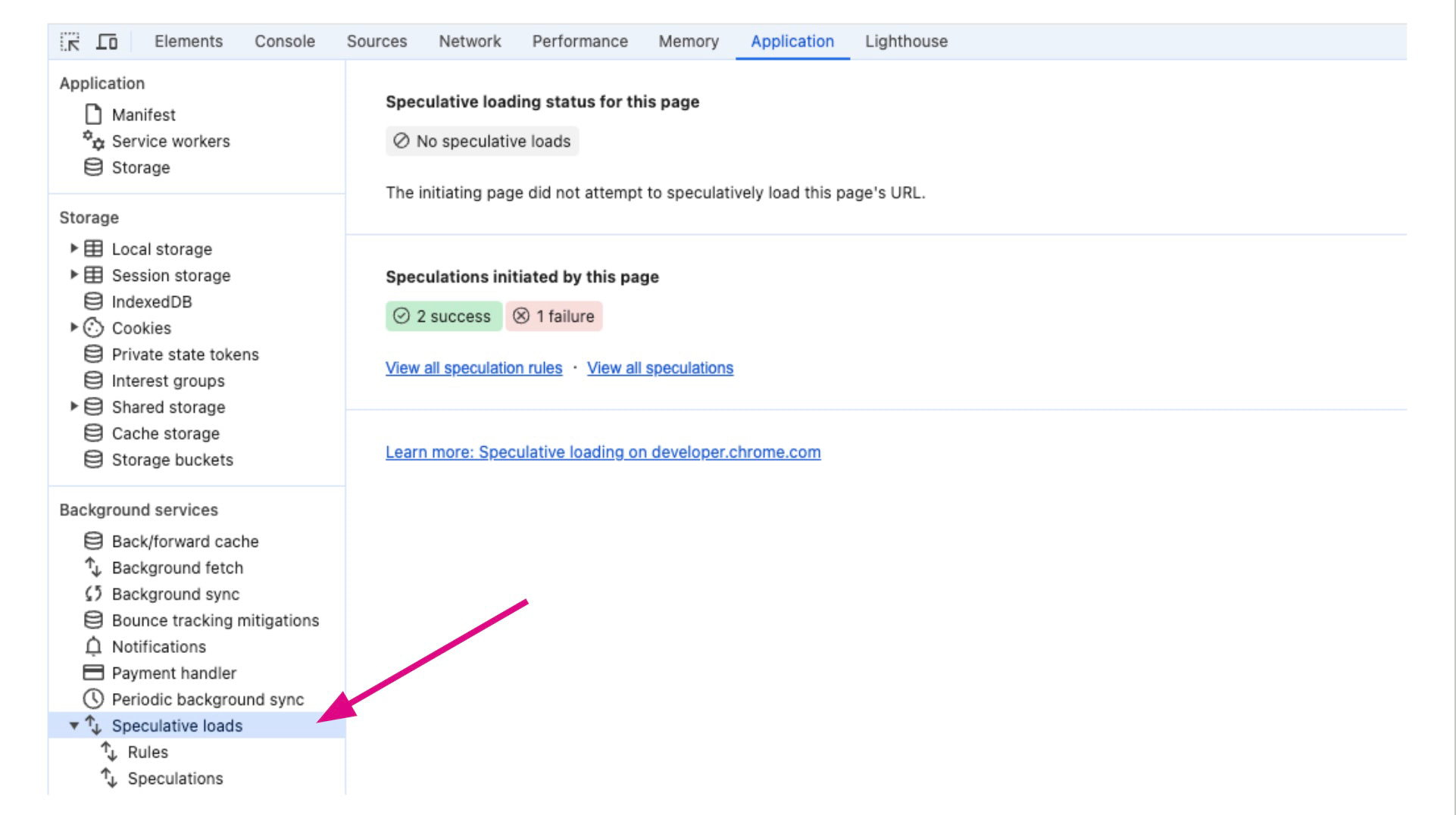 Testing Speculative loads in Chrome DevTools.
Speculation Rules and Impact on Analytics
It is essential to highlight that pre-rendered pages can distort measurements in analytics tools. User interaction might not be recorded properly if the page isn't loaded. We recommend adapting analytical codes to correctly detect page activation.
Most common analytics like GA measure Speculation Rules accurately, but otherwise, it is necessary to monitor when the page is actually displayed to the user. Google elaborates more on this topic in their article.
Which Websites Benefit from Speculation Rules API?
Content-heavy websites or e-commerce platforms are ideal candidates for deploying speculative rules. When choosing specific pages for speculation, always select those with the highest likelihood of user clicks. Such data can be found in analytical tools like Hotjar, among others.
For inspiration, we can offer a few tips on where to deploy speculative rules:
- In e-commerce, for subsequent pages in pagination.
- In e-commerce, for the next steps in the shopping cart.
- On a content website, the latest article on the homepage.
Do not forget the option to set eagerness and preferably start with a less "aggressive" setting, such as moderate. Generally, we recommend using speculative rules sparingly, as they create additional server load. For mobile users, it may result in excessive CPU and memory usage, among other things.
Our PageSpeed.ONE PLUS monitoring uses Navigation Types to track changes in the share of different navigation types. One of these types is prerender, which also includes pre-rendering via the Speculation Rules API.
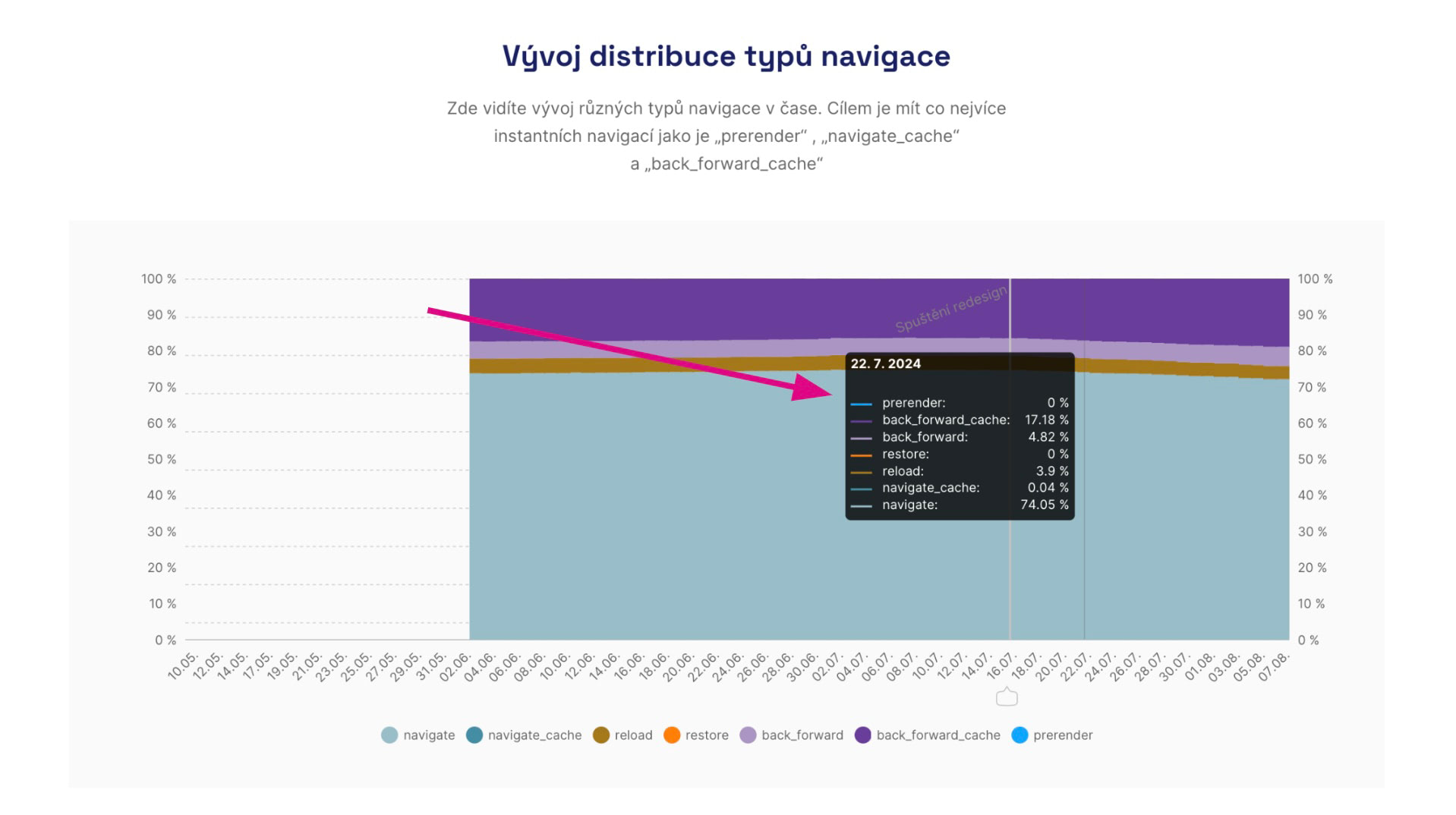 Overview of Navigation Types in PageSpeed.ONE PLUS monitoring.