Image Optimization: When Milliseconds Make or Break Between Kilobytes and Pixels
 Martin MichálekUpdated 1/27/20265 minutes reading
Unoptimized images are like bricks hung on the wings of your website. While the page crawls toward visitors, they have enough time to journey from hope (“just a moment...”) to resignation (“I'm heading back to Google”), never to return.
Fortunately, there are a few tried-and-true tricks to shed those digital ballast tons and make your site fly.
The data volume of images matters because images are often the LCP element that affects the loading speed itself.
Image optimization is a key best practice that never fails, whether you're dealing with WordPress optimization, Shoptet, Drupal, or other CMS.
1. WebP and AVIF: why retire JPEG and PNG
If you're still serving images in formats from the last millennium, it's time to upgrade. Modern formats like WebP and AVIF offer significantly better compression while maintaining quality.
WebP: This format from Google works like a small miracle. In one of PageSpeed.ONE's audits, we reduced banner sizes by 60% simply by converting to WebP. If you're concerned about older browsers, you can use a fallback solution:
<picture>
	<source srcset="image.webp" type="image/webp" />
	<img src="image.jpg" alt="Image description" />
</picture>
AVIF or JPEG XL are even newer formats with even better compression. AVIF can save 30–40% more data than WebP. Browser support is growing every day, but you always need to use a fallback for older browsers. A detailed guide to implementing AVIF can be found in our article.
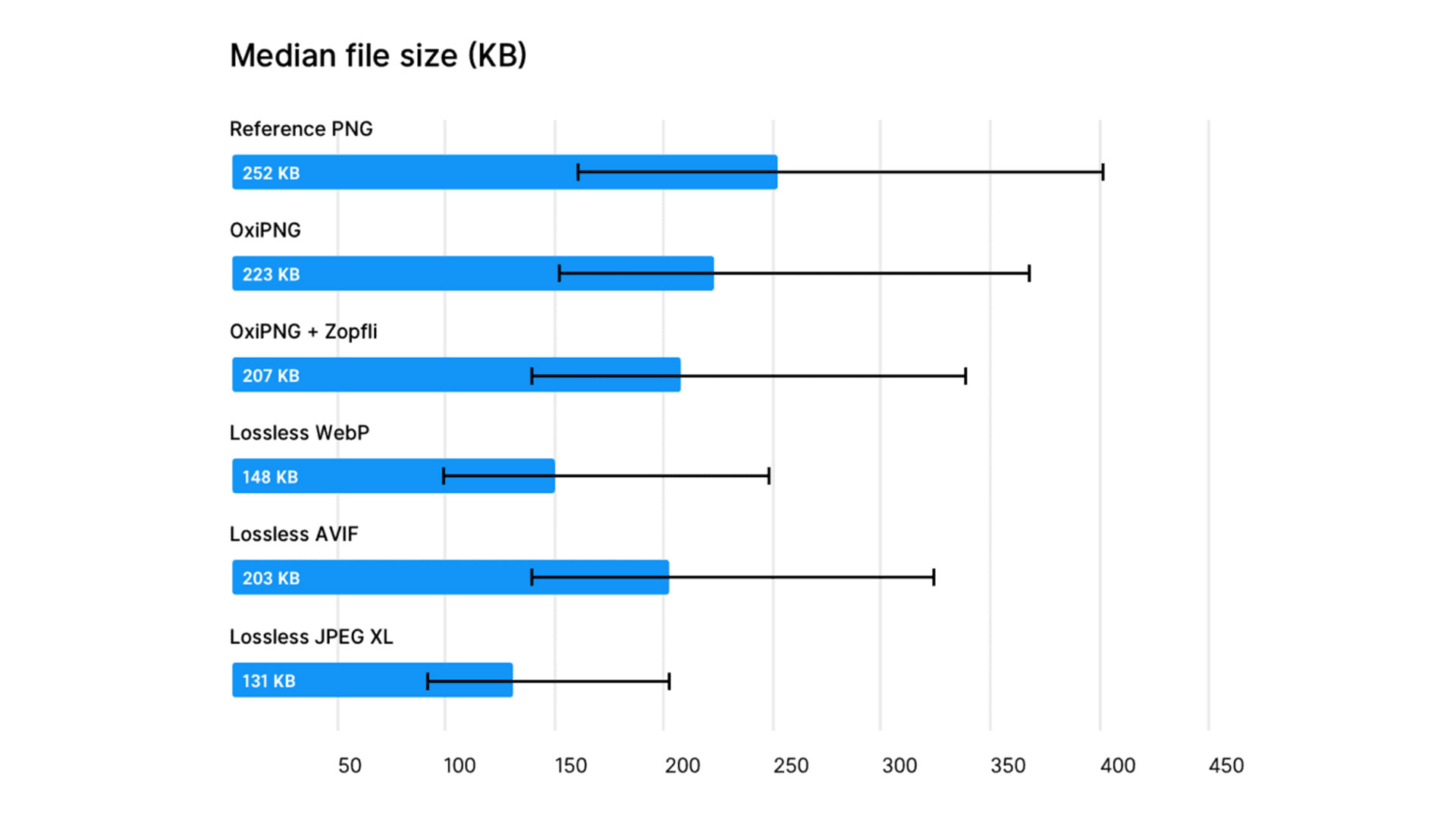 The smaller, the better. Image data volume in one of the tests.
2. Experiment with quality: 100% won't save the world
The human eye is not a scanner, and few can distinguish an image compressed to 80% from one at 100% quality. Meanwhile, the file size might differ by as much as double. Experiment with quality settings until you find the ideal balance between appearance and size.
For easy testing, you can use the Squoosh tool, which allows you to compare different levels of compression in real-time.
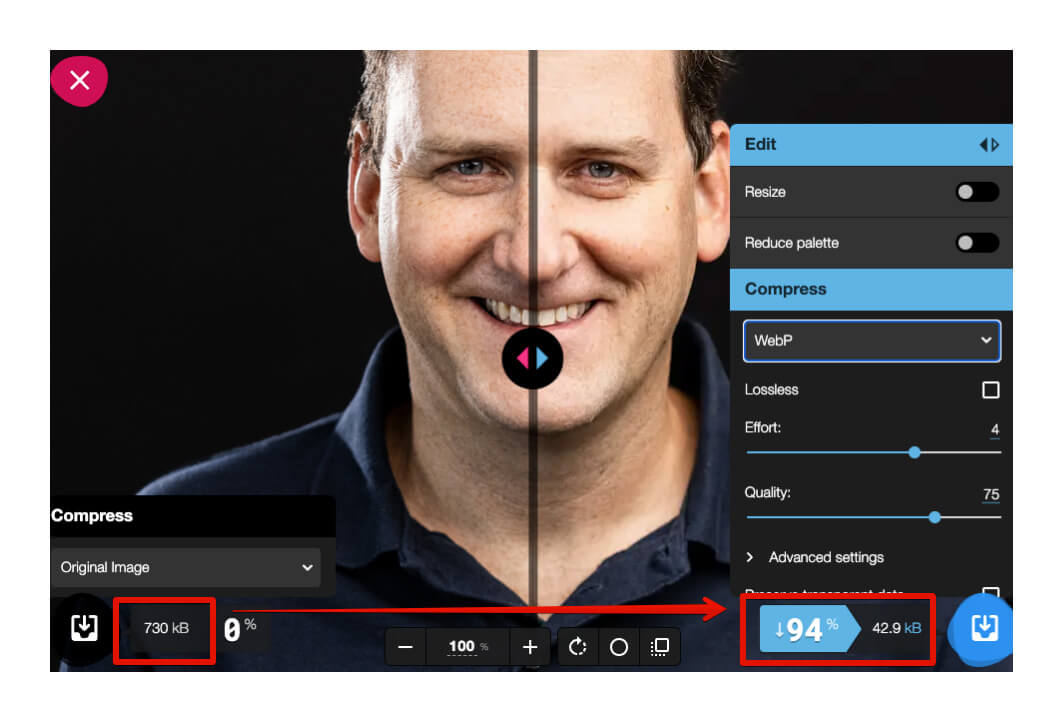 The Squoosh tool is the Swiss army knife of image optimizers.
3. Lazy loading: why load what isn't visible?
Why should a visitor download footer images when they haven't even seen them yet? The principle of lazy loading ensures that images are only loaded when the user approaches them while scrolling.
The implementation is simpler than remembering your credit card PIN:
<img src="image.webp" alt="Loads only when needed" loading="lazy" />
4. Appropriate dimensions: size sometimes matters
Uploading 4K images for a thumbnail the size of a postage stamp is like driving a truck for a loaf of bread.
The browser will obediently resize the image, but the user has already downloaded all the unnecessary data. Before uploading each image, check the dimensions in which it will actually be displayed.
5. Automatic optimization: less data, same impression
Besides format and dimensions, you can further reduce file sizes using specialized tools.
Services like Cloudflare or Cloudinary can automatically optimize all your images. For open-source enthusiasts, there's MozJPEG, which can work wonders with JPEG files.
For individual images, great results can be achieved with the likes of TinyPNG/TinyJPG or an excellent MacOS app called OptImage.
6. Prevent layout shifts: image dimensions are not optional
When the browser doesn't know an image's dimensions, it can lead to content shifting upon loading. This phenomenon (Cumulative Layout Shift, or CLS) is something Google not only dislikes but directly includes in assessing user experience. The solution is simple: always specify width and height attributes.
Alternatively, you can define aspect ratios using CSS to prevent the layout from collapsing like a house of cards.
It's always good to have extra tricks up your sleeve for CLS optimization.
<img src="image.jpg" alt="Stable image" width="600" height="400" />
7. CDN: deliver images from the nearest hub
Content Delivery Networks (CDNs) are like distribution centres for your images, scattered around the globe. A visitor from Prague gets files from Central Europe, while a user from Tokyo receives them from an Asian server. The result? Faster loading for everyone.
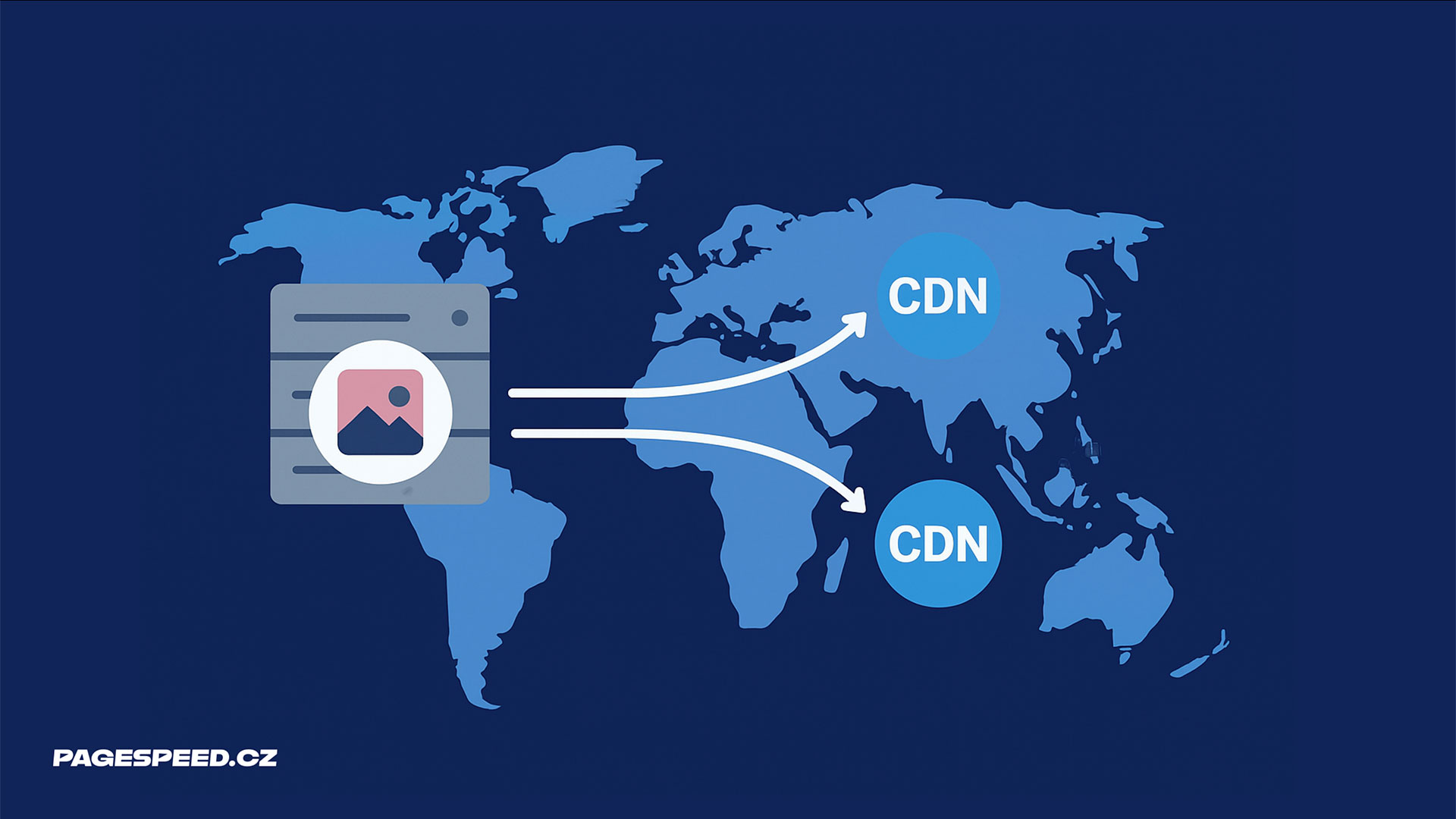 Images don't like long-distance travel. That's why we have CDNs.
Why bother with image optimization?
Website speed is not just a technical detail for enthusiasts. It's a crucial factor influencing business outcomes:
- Faster web = better search engine rankings
- Faster web = higher conversion rates
- Faster web = happier visitors
At PageSpeed.ONE, we help clients achieve impressive results. For example, Livesport improved its Speed Score in Google Ads from a tragic 1-2/10 to a perfect 10/10 thanks to page load optimization.
Our PageSpeed PLUS monitoring allows you to continuously track your site's speed and promptly detect image issues and other problems, including image data volume:
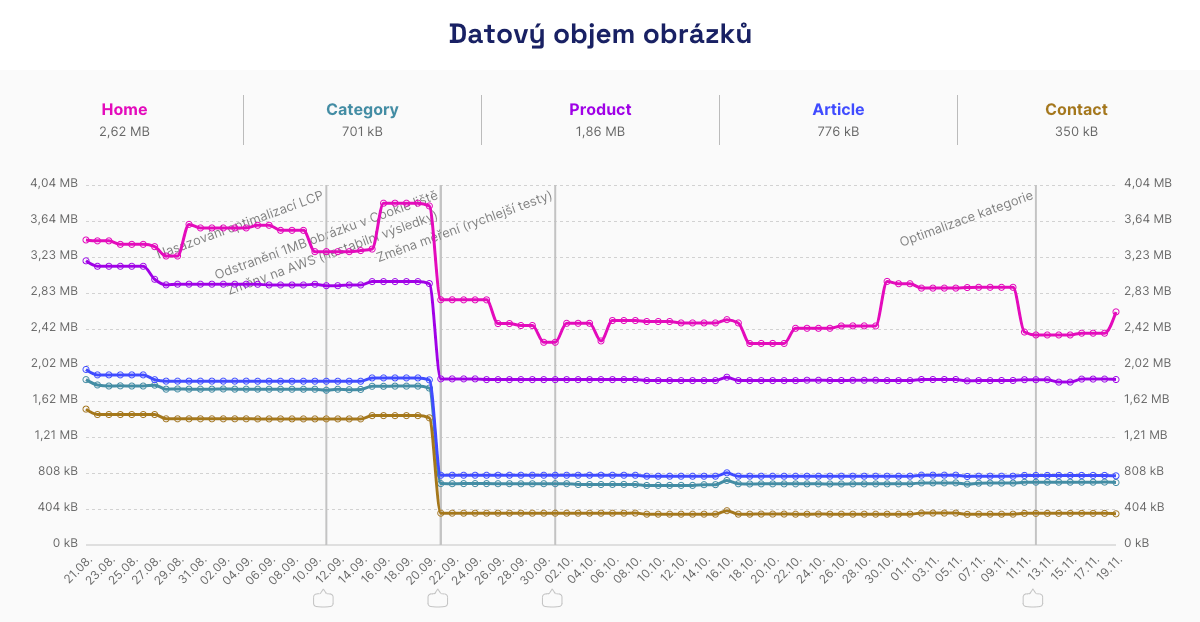 A few lines of code more, 1 MB down. This diet suits images better than keto suits people.
Monitoring also measures your website with real users and notifies you if any slowdown occurs.
Image optimization is an investment that pays off in the form of happier users and better business results. Every kilobyte saved counts.