PageSpeed.ONE Speed Tester: Updates in Version 3.1
 Martin Michálek3/29/20223 minutes reading
You can now customize test settings, we've enhanced monthly email reporting, swapped a few metrics, simplified some complexities, and caught numerous bugs.
Let's take a closer look at these specific changes.
1) Settings: Aliases for URLs
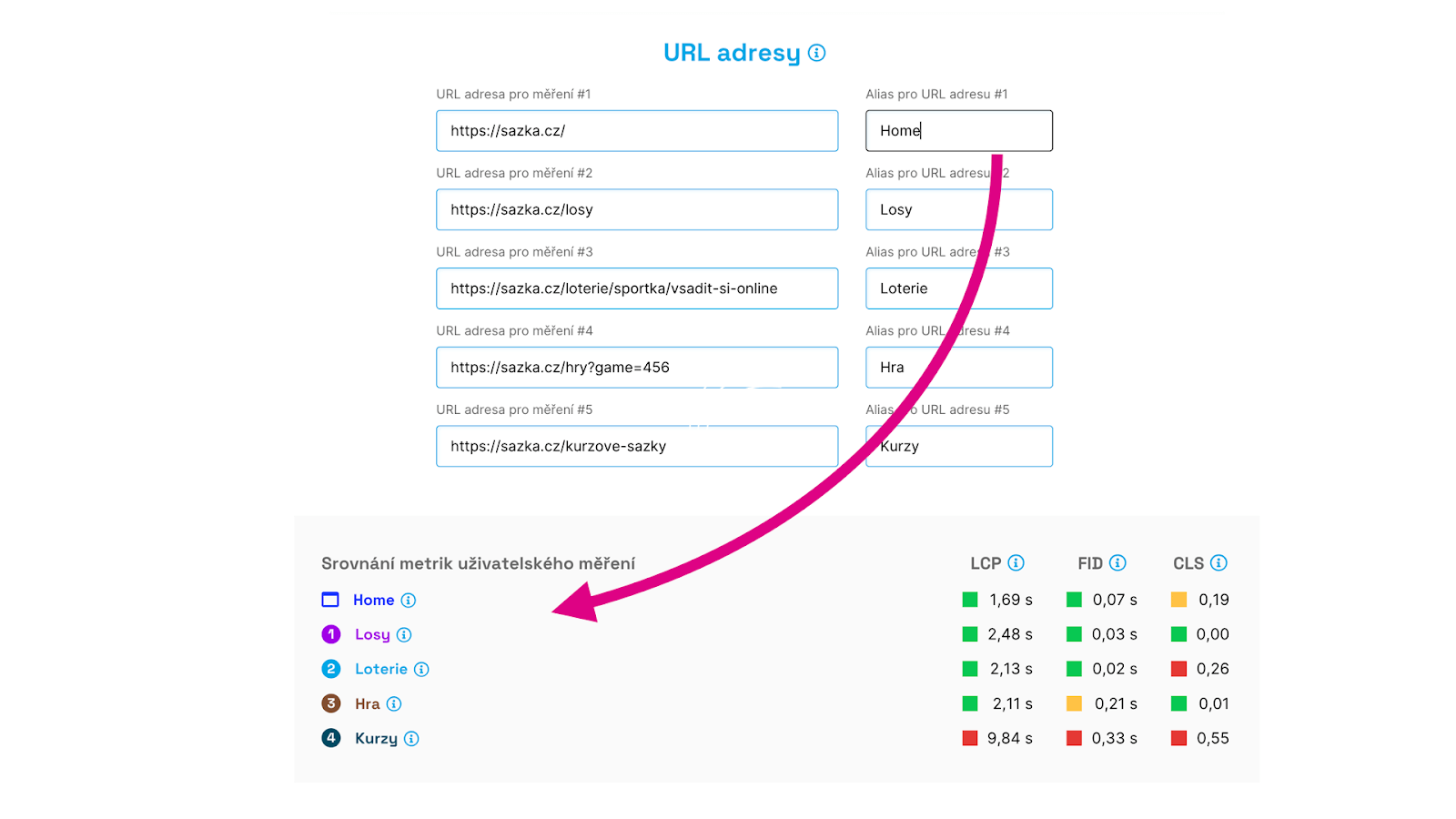 For the tests added to your dashboard, you can modify settings. Besides adjusting the measured URLs, you can now also add an alias, essentially a naming system.
This is particularly useful for clarity in reports and graphs.
2) Settings: Domain Type
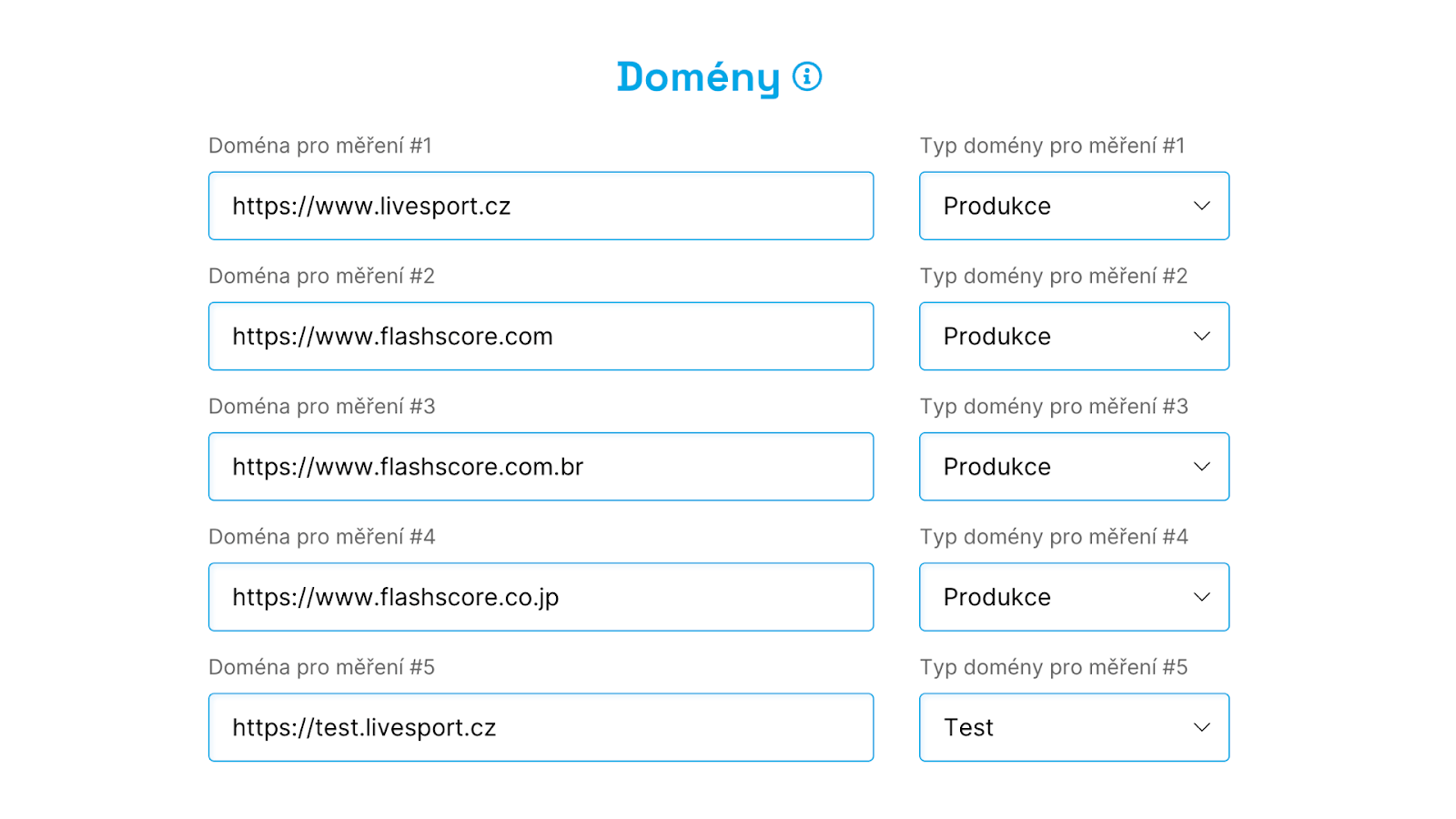 It is now possible to select a domain type in the test settings. You might choose "Production" (for your public domains), "Test" (for your web test versions), or "Competition" (if you're monitoring competitors as well).
We make use of this, especially in email reports.
3) Emails: Improved Reporting
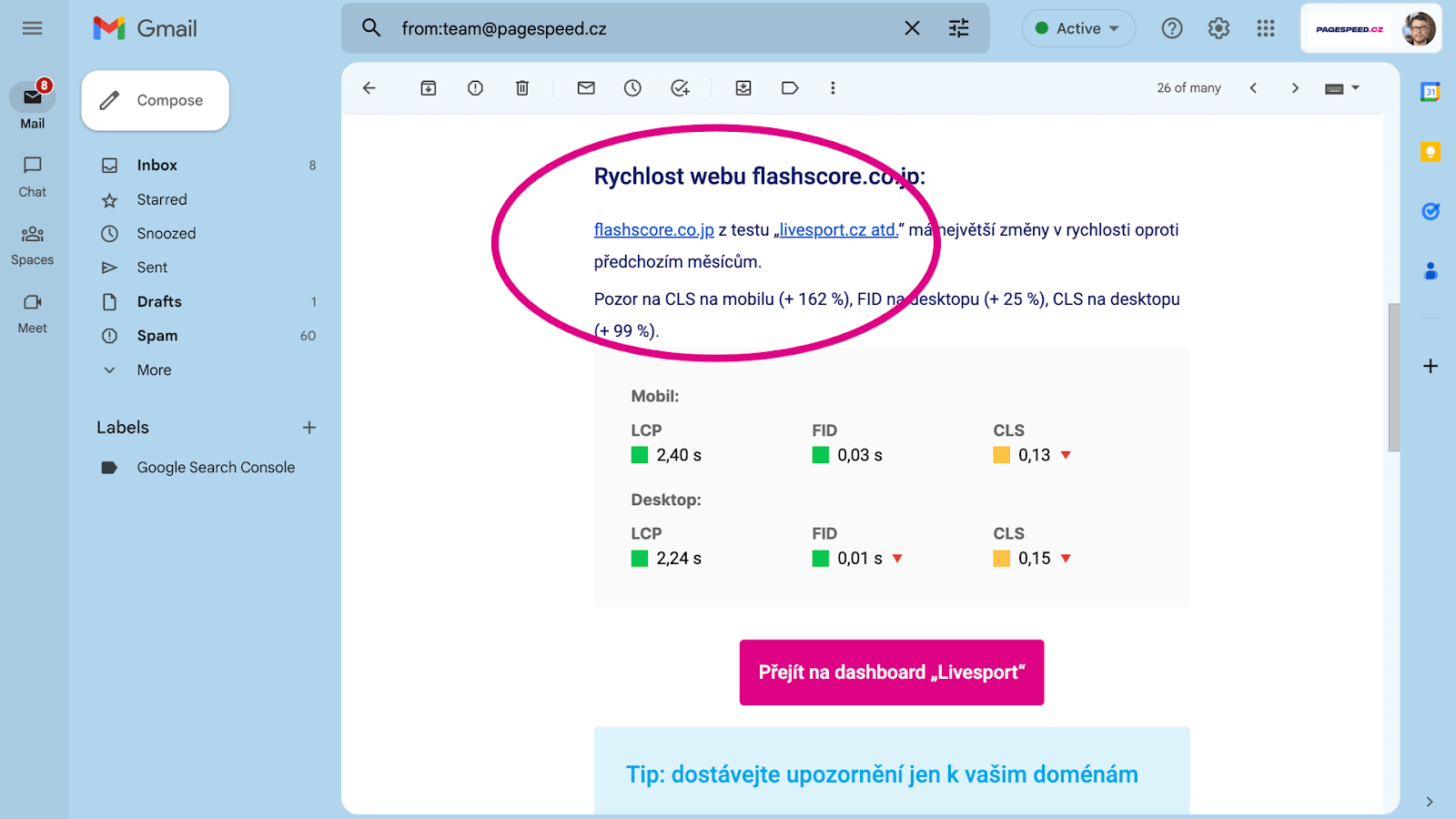
If you select "Production" in the test settings for your domains, we will send you notifications in the email report only for metric changes on your domains.
This way, you get a more precise insight into what's happening on your site.
4) Dashboard: Adding Tests Directly to Dashboard
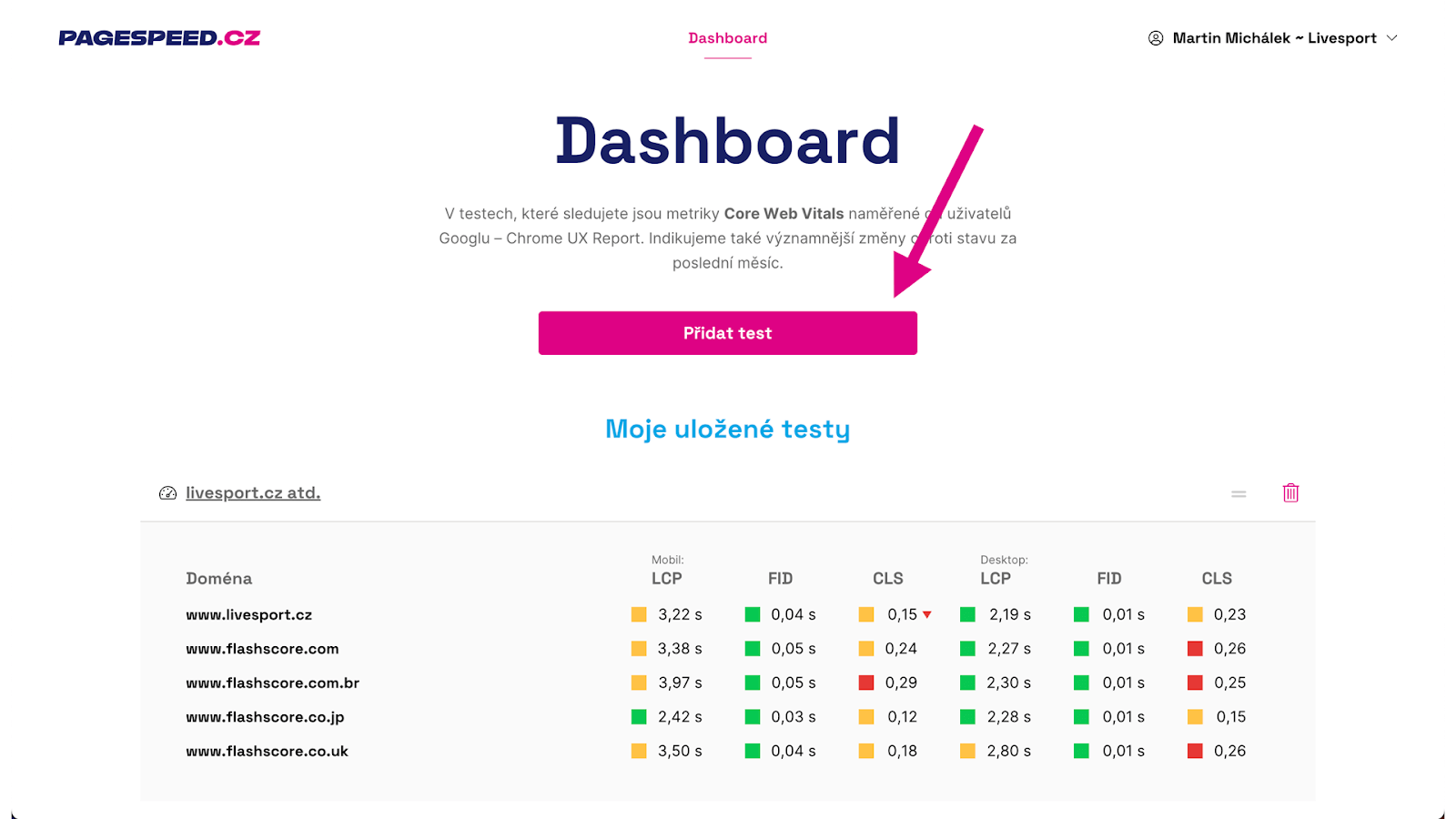
Adding a test directly to your dashboard was initially somewhat cumbersome. Now, it can be done with a single click.
Tip: How to monitor website speed with our tester?
5) Lighthouse: Option to Download JSON File
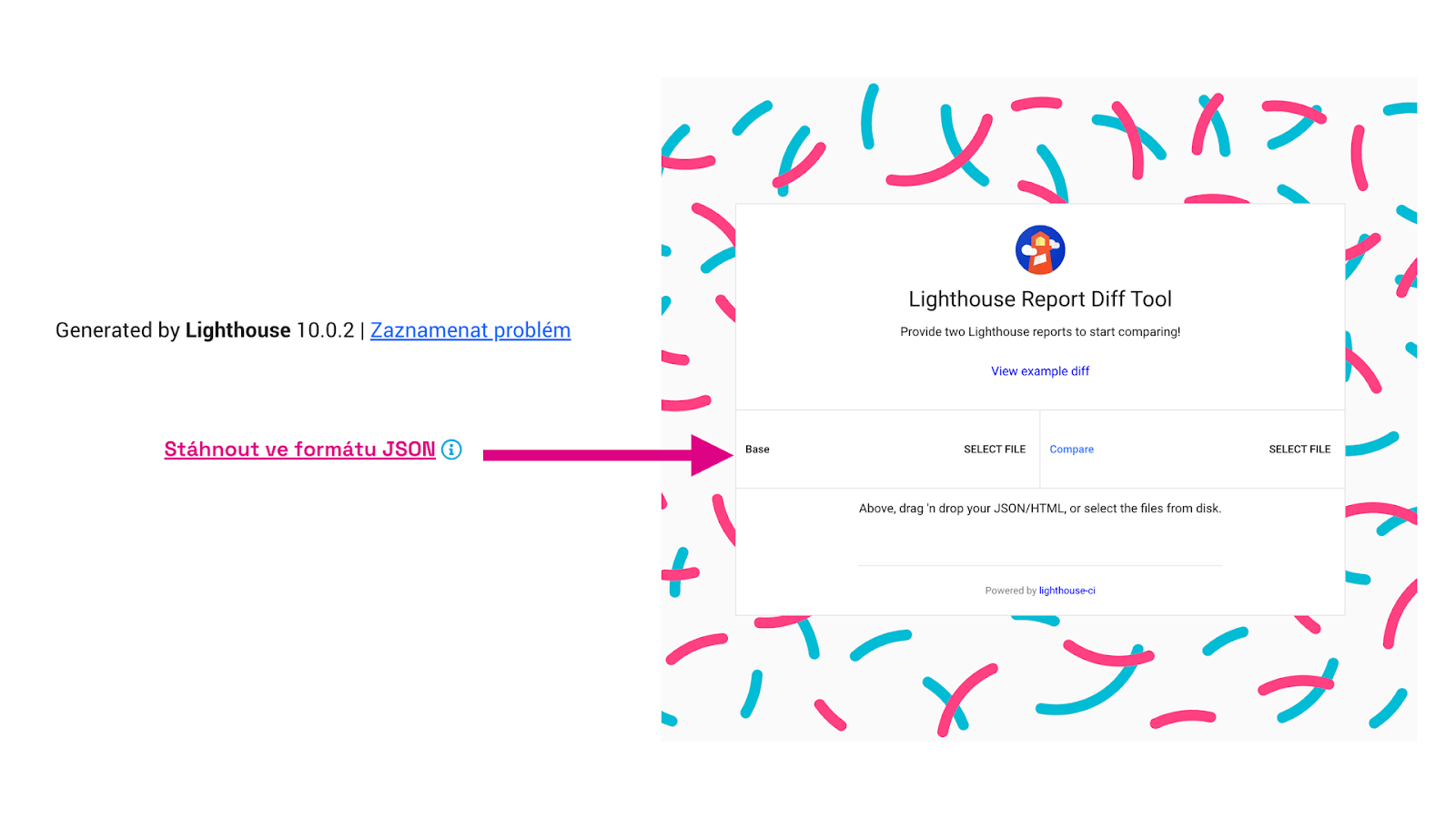 We've added the option to download Lighthouse results in JSON format to the reports.
You can then use these, for example, in Lighthouse Viewer or Diff Tool, which allows you to compare two different reports and find out exactly what has changed.
6) Reports: Removal of Outdated Metrics - SI, TTI
The Time To Interactive (TTI) metric is no longer measured in the Lighthouse version 10 tool, so we have removed it from the reports.
We have also cleaned up the graphs and tables of the Speed Index (SI) metric, which we also consider relatively outdated. However, you will still find it in the final Lighthouse tests.
7) Reports: Addition of INP Metric
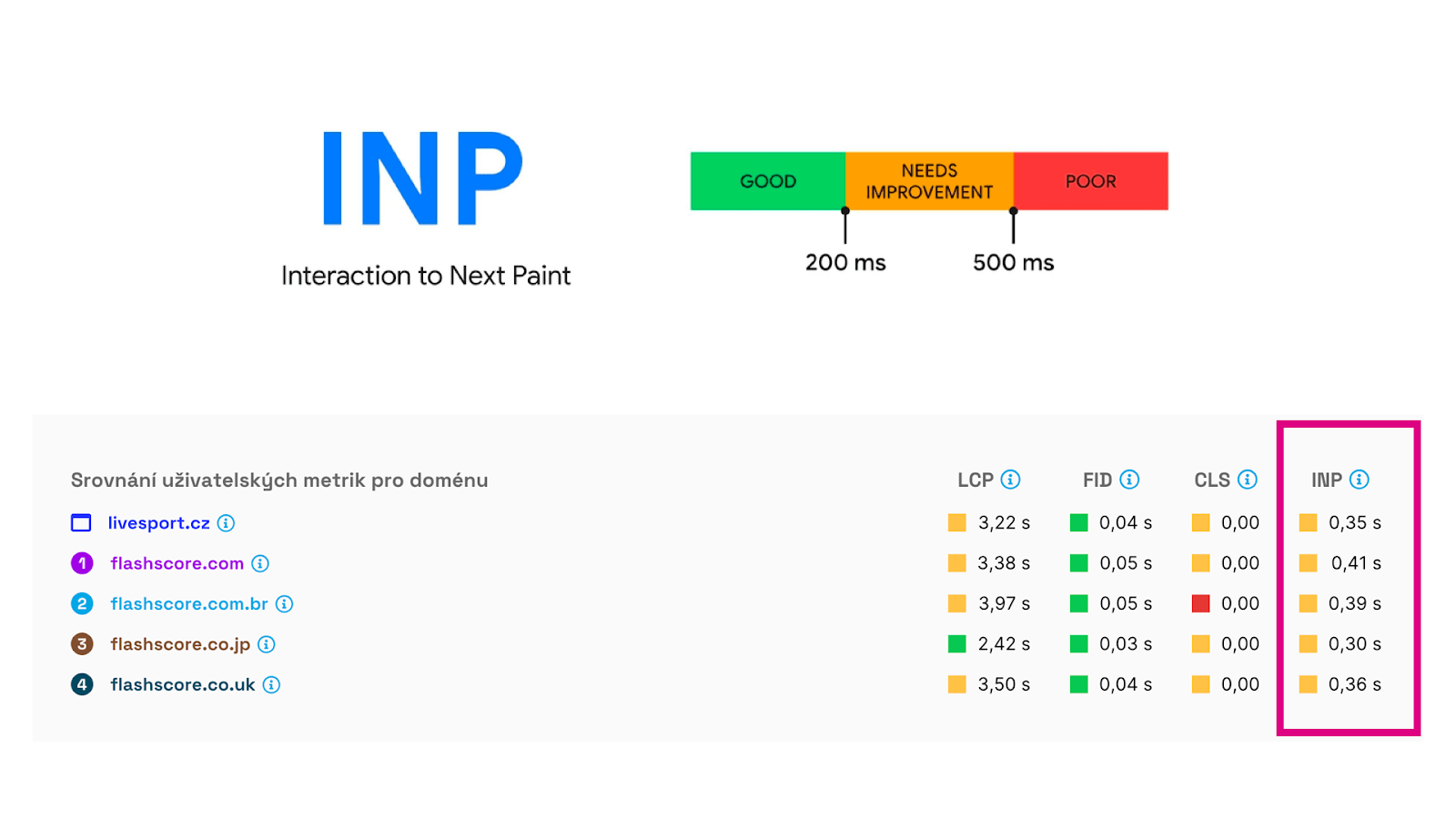
As you may know, Google has been "threatening" to replace the First Input Delay (FID) metric with Interaction to Next Paint (INP) for some time. It is unlikely to happen anytime soon, but it is certainly interesting to see this interactivity metric.
It is now included in all user data we download from the Chrome UX Report.
Minor Tweaks and Bug Fixes
There were several minor adjustments, as well as bug-catching. For those interested, here's the list:
- Domains: Data display
- Domains: Removal of tablet, mobile, desktop navigation
- Settings: Better notifications if the test is not in the dashboard
- Team switching alphabetically
- Homepage: Tester promotion
- Better process for inviting a new user
- Opportunities: Better advice
- Settings: Error after deleting domains
- Dashboard: Occasional incorrect LCP display
- Settings: Better info when the user is not an admin
- Reports: Incorrect colours for CLS metric
We would of course appreciate your feedback; please write to team@pagespeed.cz.
We are also working on version 4, which will bring even more innovations. Sign up for our newsletter so you don't miss the big change.