Tester 4.0: New “Summary” Version, New Metrics, New Graphs (and Much More)
 Martin Michálek10/4/20235 minutes reading
We are delighted to introduce you to version 4.0 of our speed tester, a project we've been refining over the past few months.
We've packed in so many updates that one article simply wouldn't suffice, so we’re kicking off a series to showcase and explain everything in due course.
New Version of the Summary
The initial test page, known as the “Summary”, although visually appealing, began to falter in its role as the primary summary of all web speed information as the tester's features evolved.
The new version of the “Summary” report brings a host of updates, so let’s dive in.
Displaying Key Data in Table Form
For each tested domain and URL, we display available speed data in a neat table that many of our users have taken quite a liking to:
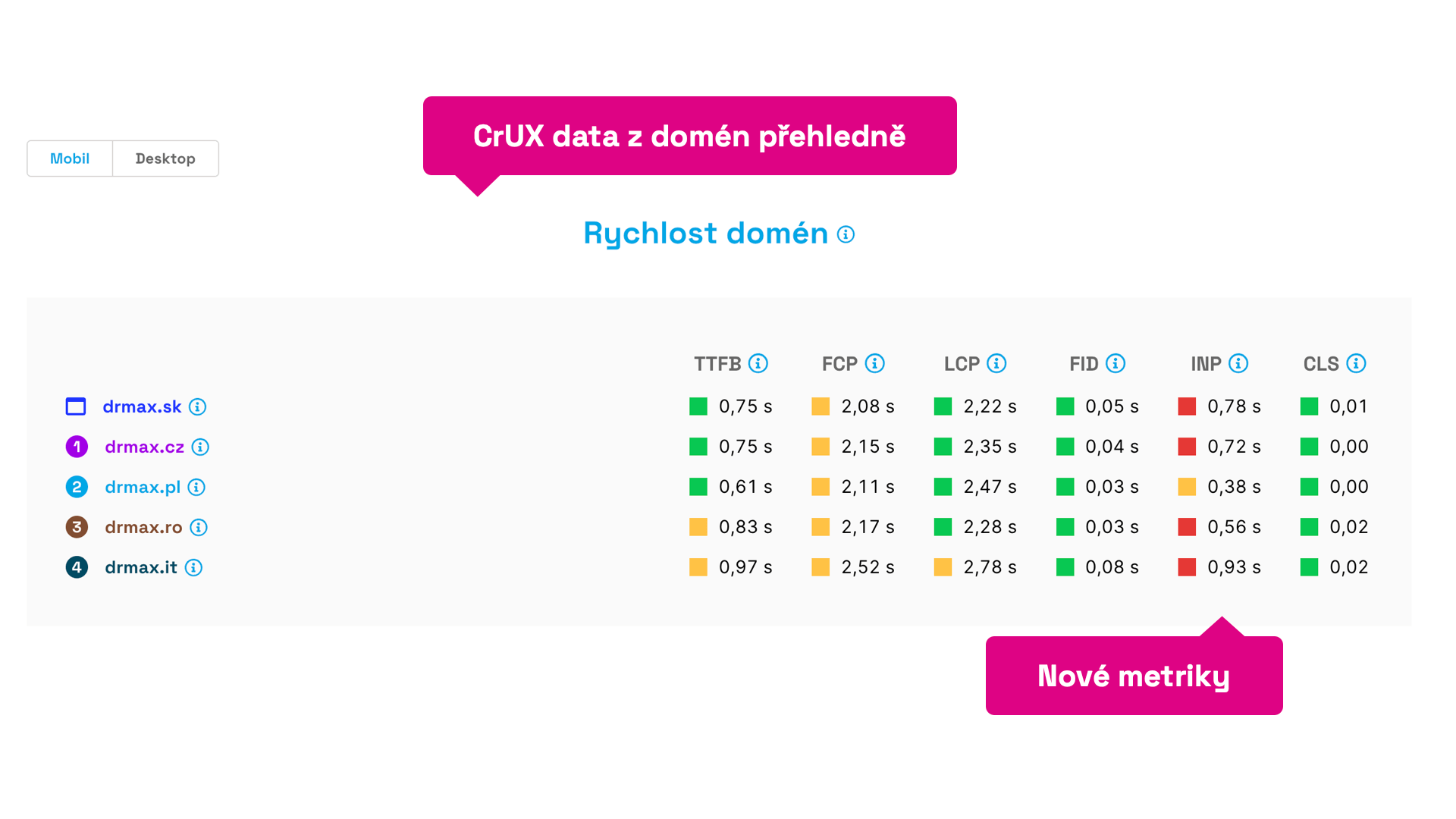 Key metric data for Dr. Max's domains at a glance.
As you can see in the image, we now display more metrics – all those included in Web Vitals or auxiliary metrics provided by Google in the Chrome UX Report.
We've recently added metrics such as INP, FCP, and TTFB, and sorted the indicators according to their sequence during page loading.
This will be particularly useful for instant comparisons of your web speeds or potential benchmarking against competitors.
In the image above, we can immediately spot, for instance, deficiencies in the new INP metric and question why the Polish domain lags so far behind the others.
Metric Changes Clearly Visible in the “Summary”
Our users have grown fond of the arrows on the dashboard that indicate metric developments compared to the previous month.
This feature is now also available directly in the Summary report:
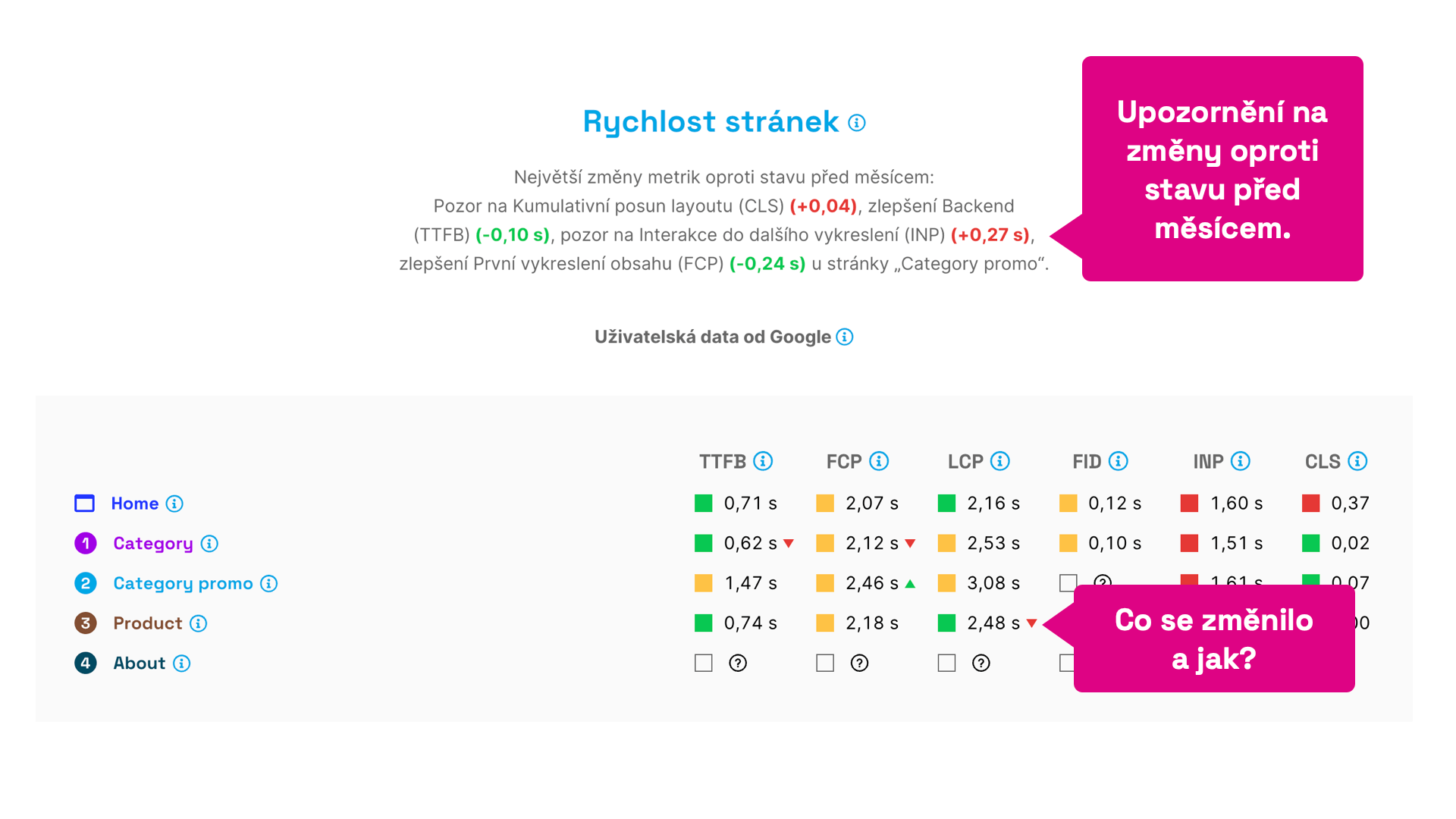 Instant insight into what's improving or worsening.
If you regularly monitor your web speed, this display quickly reveals the current status, changes, and areas needing attention.
You'll get a detailed view of the data in specific reports, such as “Pages”, “Domains”, and others.
New Graphs
The first thing you might notice in the new version is the revamped look of the graphs:
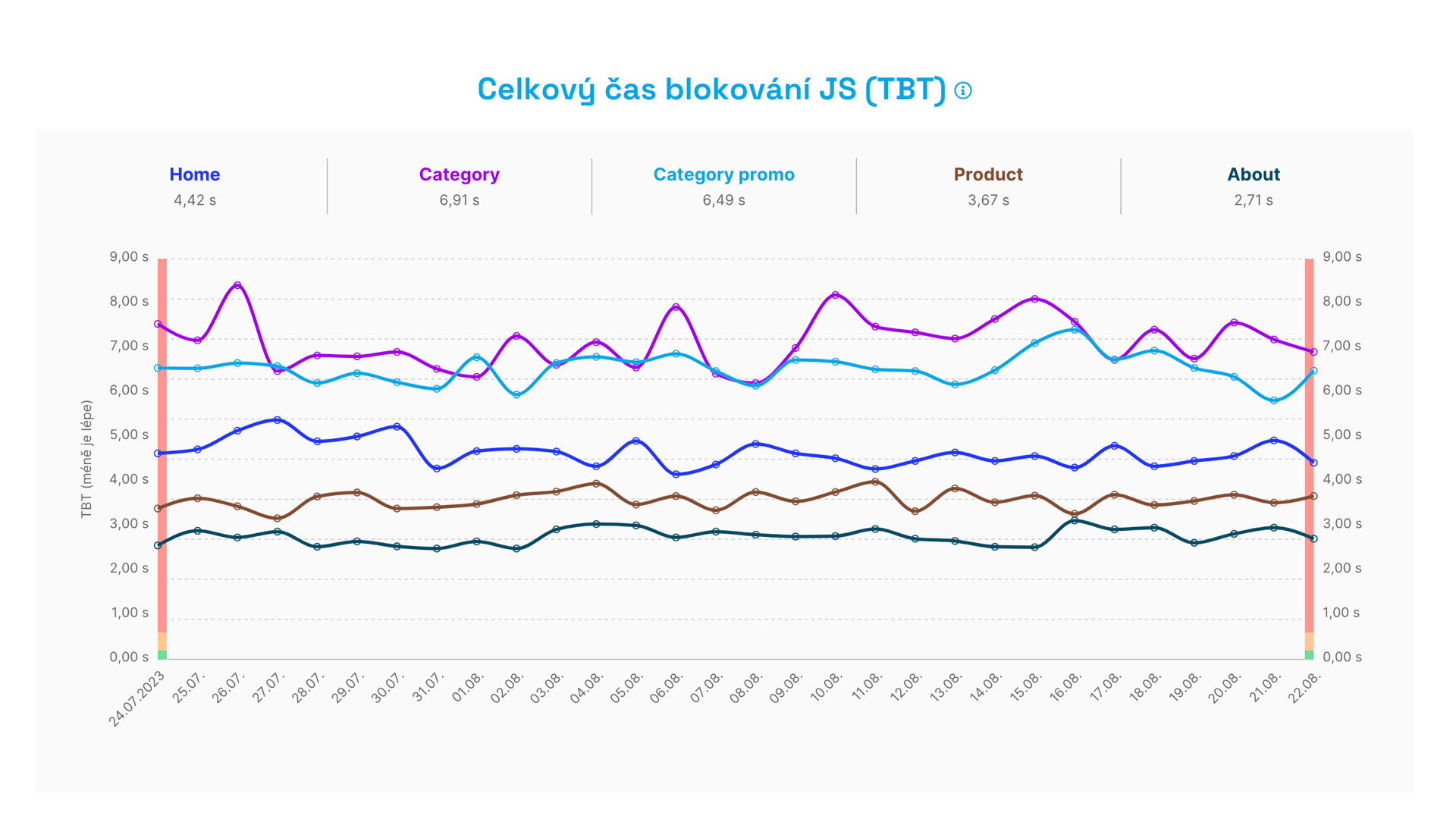 New graphs.
What has changed?
- We've added multifunctional navigation above the graphs, which also serves as a legend to help you orient yourself.
- We're using a new graph library in the background that better meets our goals.
- The graph lines are rounder, more pleasing to the eye.
Let's take a closer look at the aforementioned multifunctional navigation. It's full of surprises.
Hovering over a specific item highlights the graph line belonging to that page:
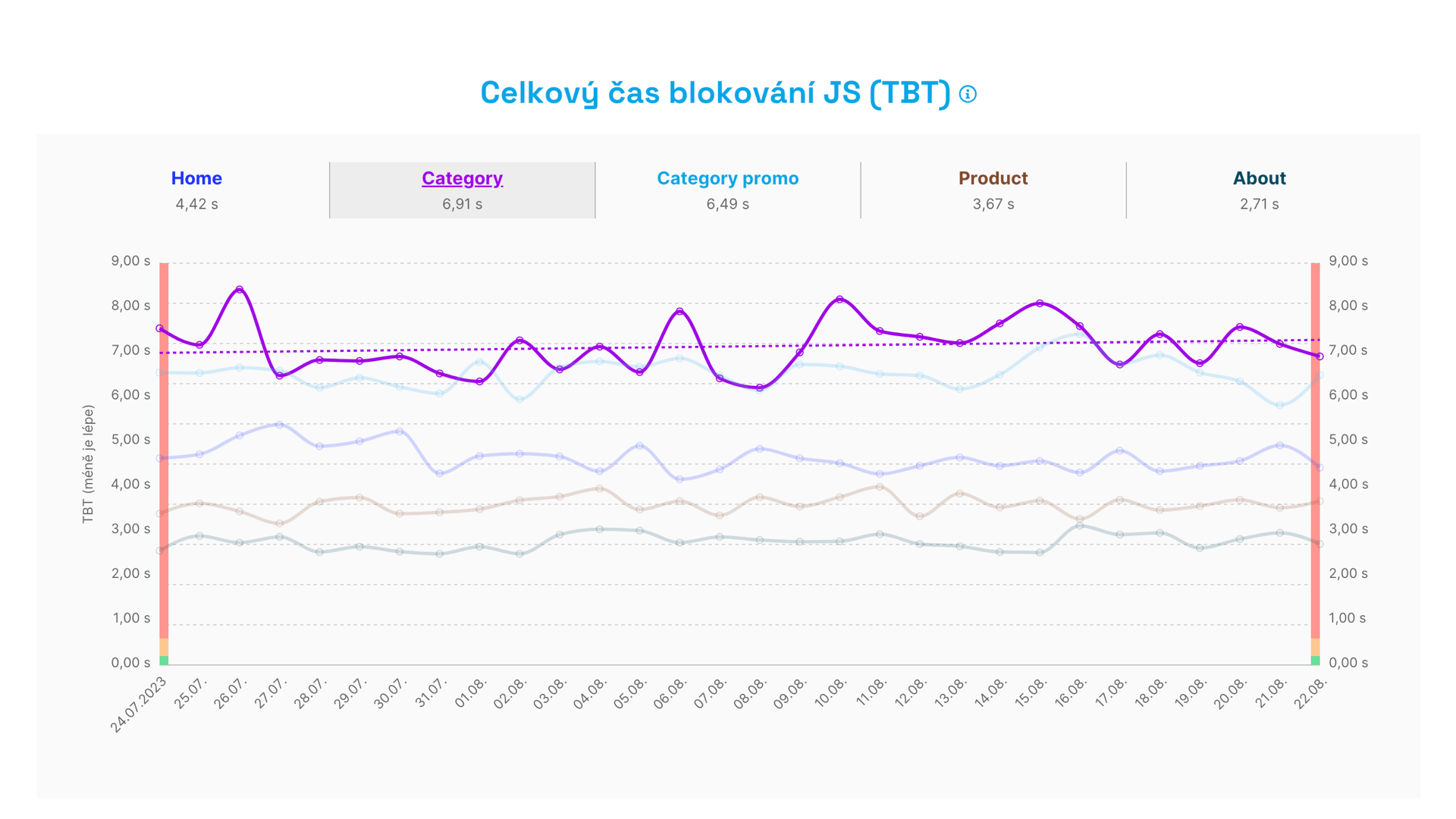 Highlighting a specific line in the graph. Something's slightly worsening here, and it's TBT.
The highlighting simultaneously shows you a trend line, as it's often the case that a graph alone doesn't easily reveal trends of improvement or deterioration to the human eye.
A further change occurs upon clicking:
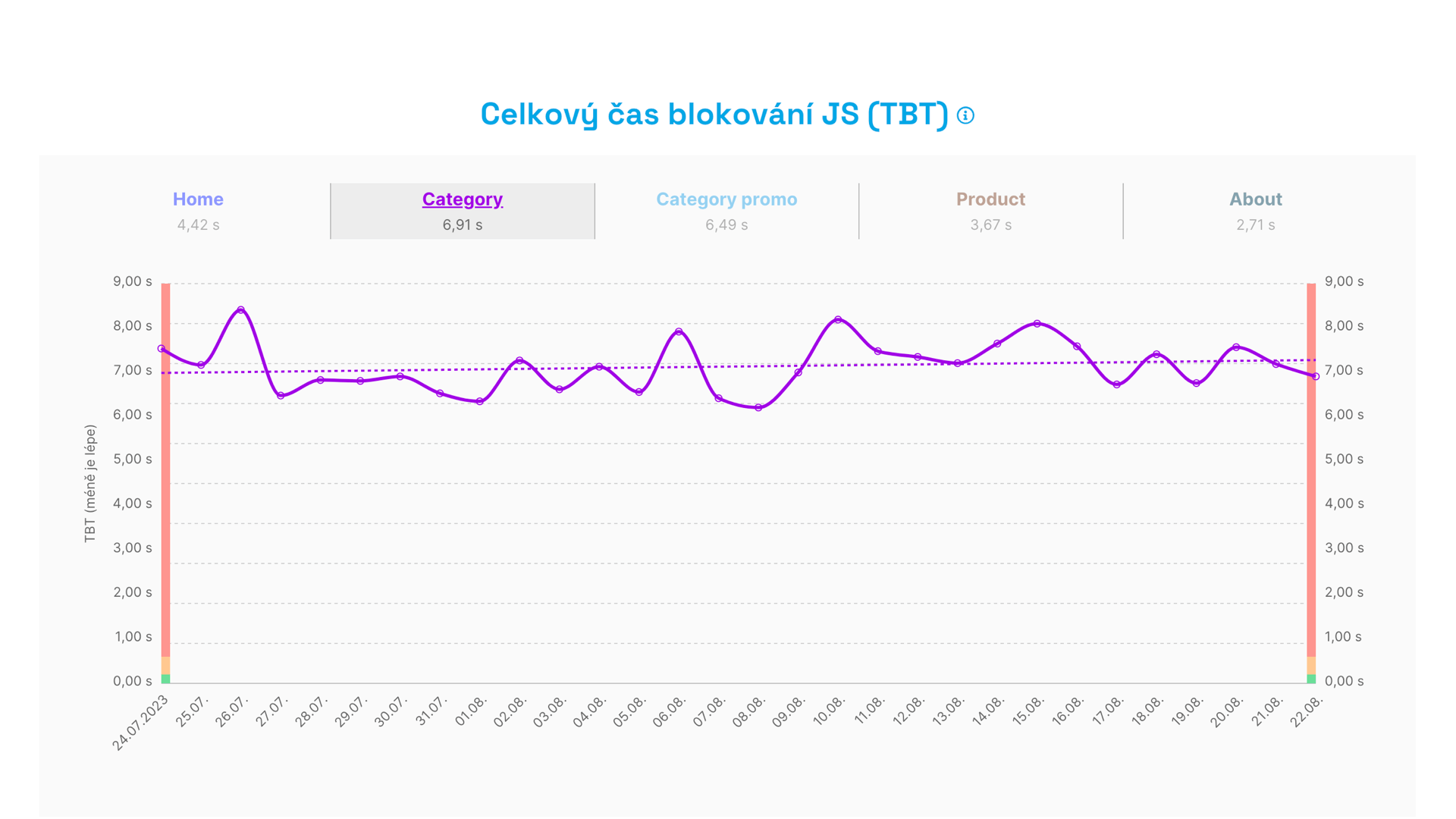 Click to see just one line, here for the Category page type.
This view filters out everything but one page (or domain) in the graph, allowing you to focus more closely on its evolution.
Another new feature appears when you click a point in the graph. You'll see a list of all tests and metric values from which the test was calculated. It might look like this:
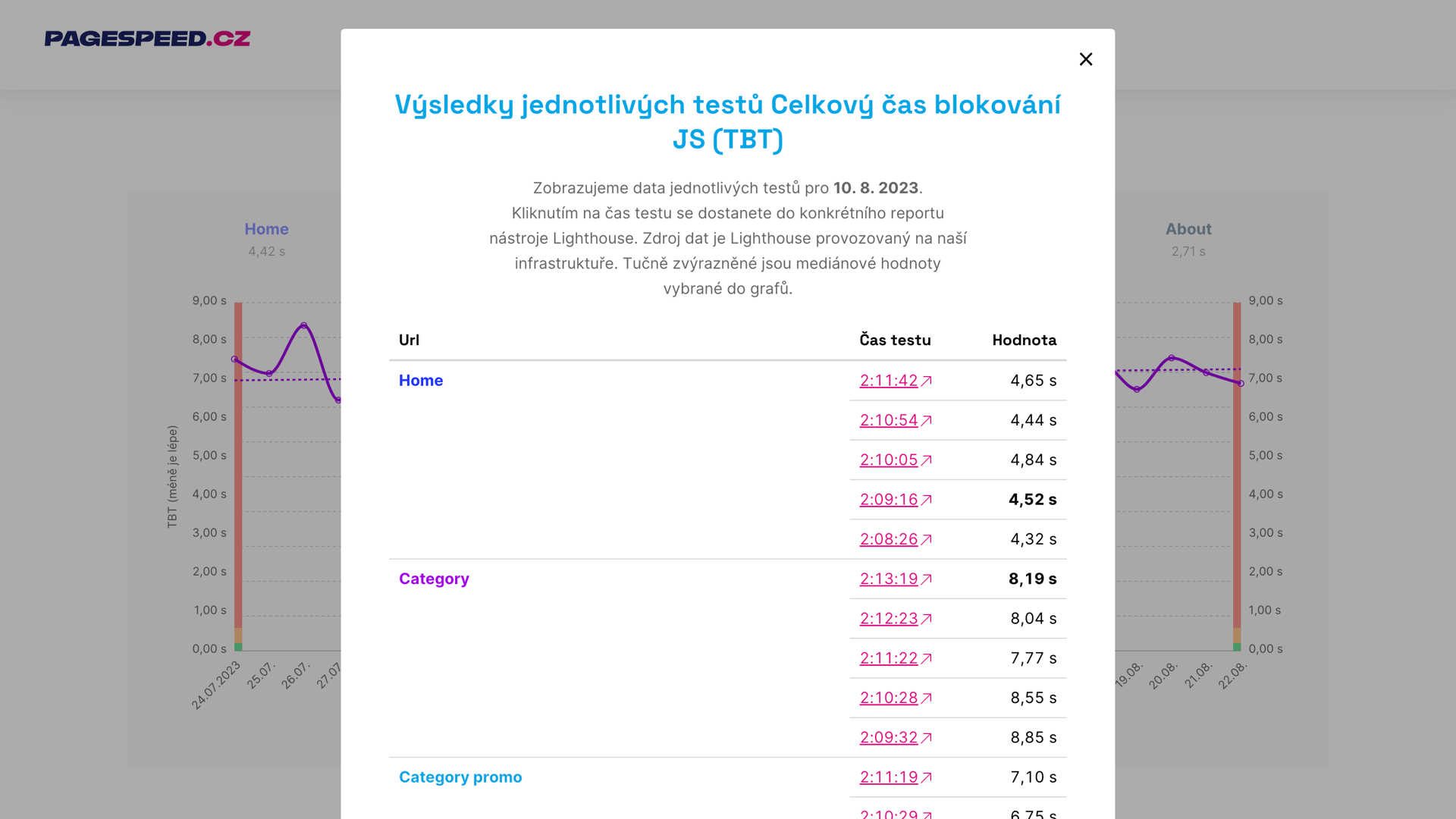 Layer with performed tests and metric values.
Clicking on the test time then takes you to the test run result.
The new graphs may seem understated at first glance, but they're a crucial change for the fourth version of the speed tester.
Check out the video where you can see all the updates in one place:
Other News in Version 4
We've been working on the fourth version of the tester for several months, so it's clear that we've added a plethora of updates. Here are some highlights:
Speeding Up the User Interface
We store and display a vast amount of data on over 24,000 domains and 44,000 URLs.
Throughout the development of version 4 of the tester, we frequently implemented various optimizations to display the user interface more swiftly. The interface for most tests is now significantly faster in version 4 than in its predecessor.
User Interface Changes
You'll surely notice some of these changes:
- We've adjusted and simplified the main navigation of the test, as well as the user sections.
- Each report state now has its own URL, so you can easily share it with others.
- We've simplified navigation elements to display more content.
- Each metric graph has its own anchor, allowing direct access.
There are many updates, but that's far from all. Stay tuned for what we'll introduce in the coming weeks.
Of course, we've thoroughly tested the fourth version of the tester, but a hiccup can always occur. Drop us an email at info@pagespeed.cz or chat with us directly in the app if you encounter anything.
Wishing you speedy websites!