Monitoring 4.7: New Version, New Language. Hello, World!
 Martin Michálek3/14/20253 minutes reading
We have a fresh update that has taught our monitoring to speak English and test more swiftly than before.
If you have colleagues from different corners of the world, they can now join in diagnosing web speed – no more puzzled expressions at a Czech interface. Moreover, we've added several nifty features to make test management a breeze.
English (finally) has arrived
We are delighted to announce that our web speed monitoring tool has learned to speak English.
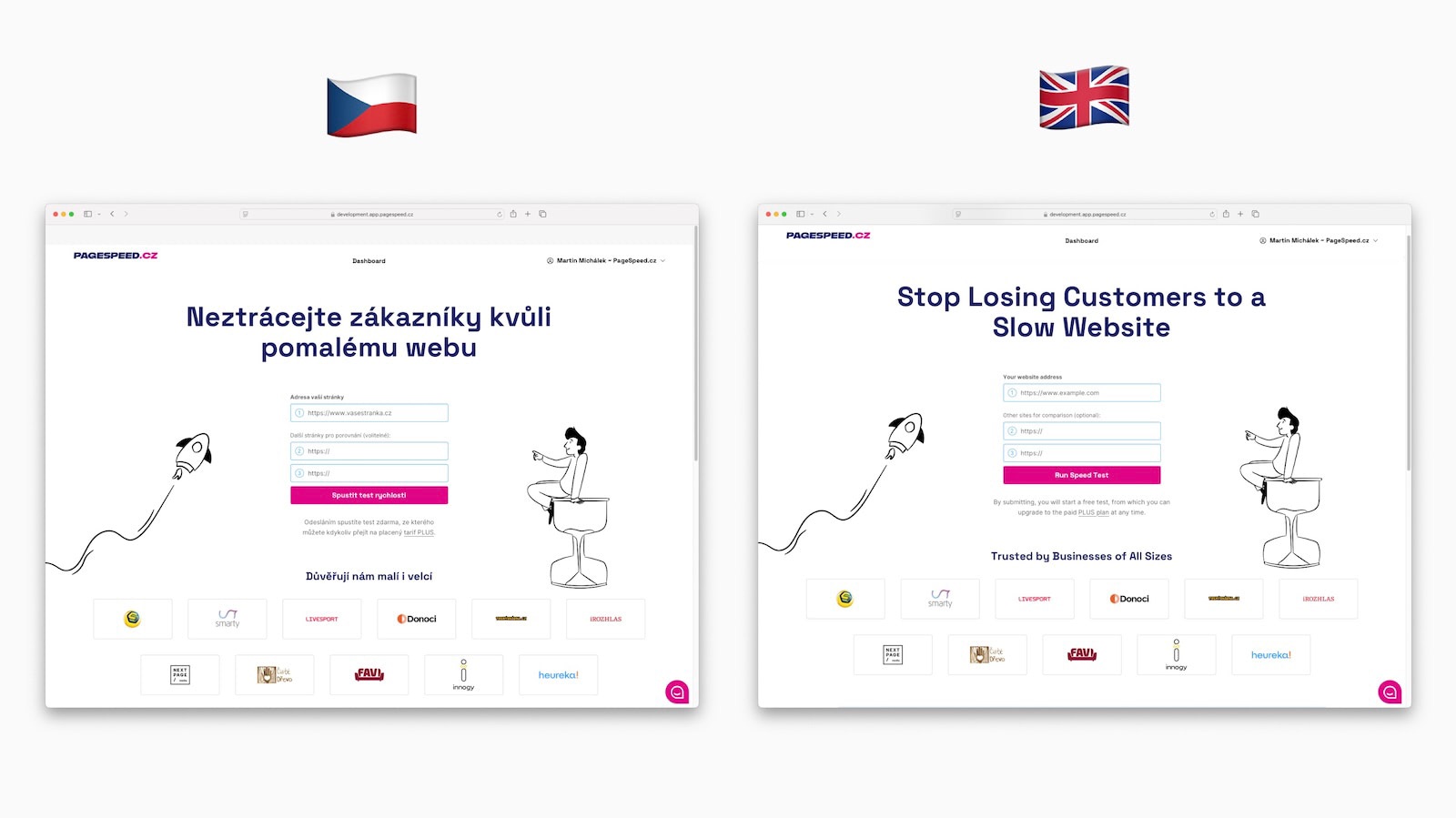 Czech or English?
We prioritized this feature because many of our Czech and Slovak clients have teams spanning Europe and beyond.
Additionally, we are seeing more international names among our clients. Therefore, introducing English into the interface is a step towards offering our tool successfully beyond the Czech borders.
How does it work practically? There are several levels where you can change the language:
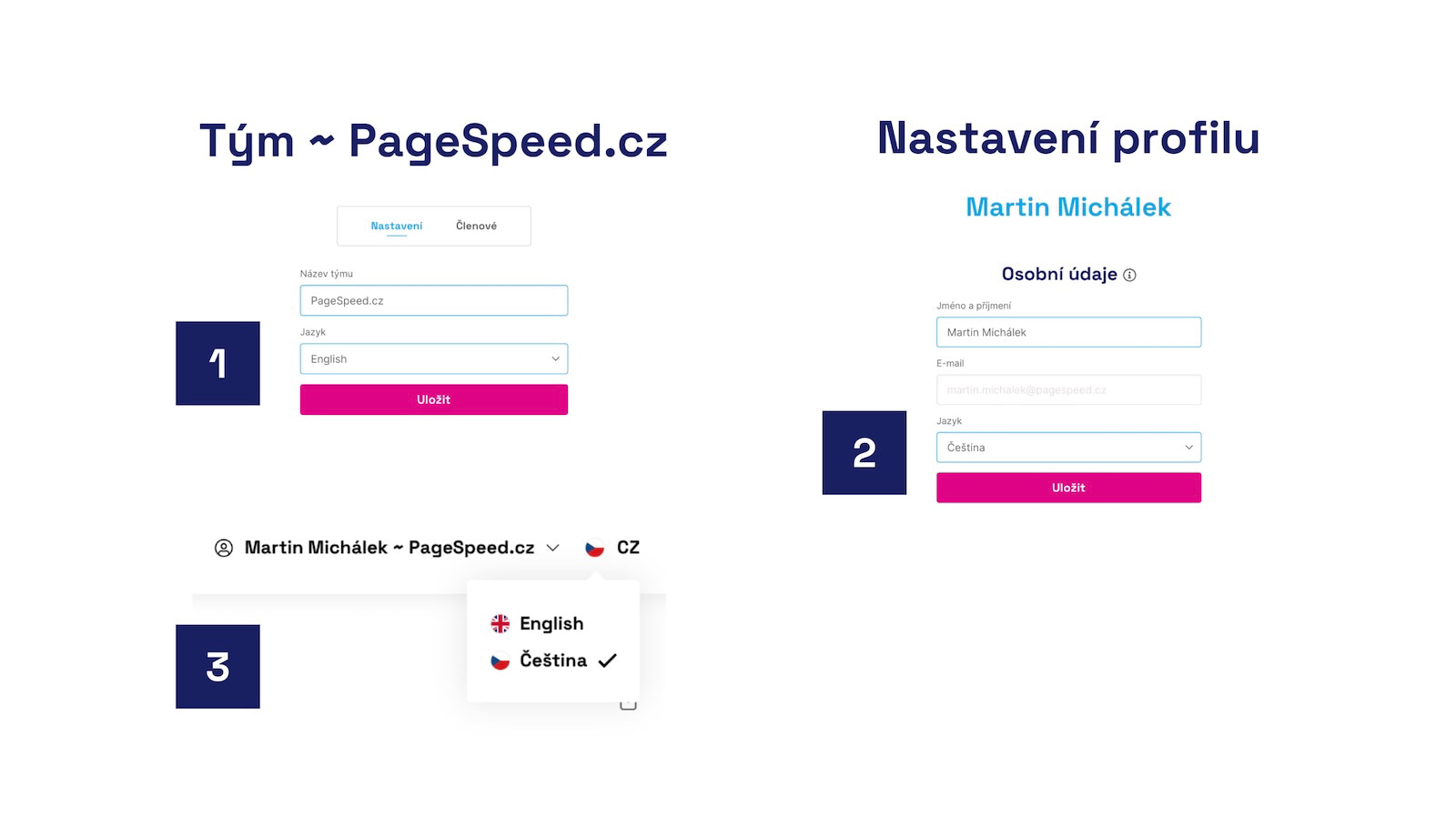 Three places where you can change the interface language.
If your company has international colleagues, you can choose the language in the team settings (image number 1). Another option is to switch to English in the user profile settings (2) or directly in the application interface, in the top bar (3).
Changing the language at the team level means that monitoring will communicate in English or the chosen language beyond the application, including in Watchdog notifications or monthly email reports.
Faster Testing Without the Wait and Other Enhancements
- Setting up a new test is now faster as we no longer wait for all tests to complete.
- Test settings: We've added a "Name" field for Slack or Teams channels to help you manage multiple channels more easily.
- Watchdog: You will now receive a message in Slack or Teams even after unsubscribing from messages.
- Watchdog: If the Watchdog fails due to synthetic measurement issues, we will notify you. In the future, this feature will be visible directly in your tests.
- Notes: Following the recent overhaul of the notes feature, we no longer display notes older than the test itself.
- In the modal window for expanding a specific day in synthetic tests (e.g., Technical), you can now see the specific status of individual test runs.
Speed Tips and New Help Articles
Our web speed "help" section has received numerous improvements and seven brand-new texts:
- Why Have Web Speed Monitoring – for those of you who are still undecided.
- Web Speed Monitoring for Developer Agencies – for our developer friends.
- How to Optimize the DOM – a comprehensive and detailed text. The DOM can impact performance across the board.
- Performance Budgets – speed limits, their importance, and management.
- Lazy Loading Images – a guide to lazy loading.
- Speed Score (SPS) – about our overall speed score.
Internal Tasks We’re Crafting at PageSpeed.ONE
- We are preparing a new app for one-time speed testing.
- We've advanced discussions around branding and overall strategy for foreign markets.
- We are setting up a new server with a faster database.
- We’ve developed our own redirect engine, which will speed up website testing.
- We've progressed on translating help documentation into other languages.
What do you think of this release?
Which language should we add next?
Found a bug?
Have an idea?
Feel free to write to us at info@pagespeed.cz.